Get certified for free when you join Fabric Data Days 2026 and dive into Fabric, Power BI, SQL, AI, and other essential data skills.
Join nowJuly 7 - July 17 | Round 2 of the Power BI Dataviz World Championships. Don't miss your chance! Learn more
Hi,
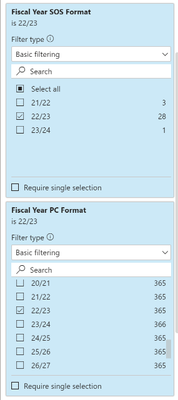
I am trying to filter a visual based on two fields but at the moment once the first one is applied the 2nd is restricted.
I want the table to list values when either SOS = 22/23 OR PC = 22/23
At the moment once a select the first then the second is select is reduced.
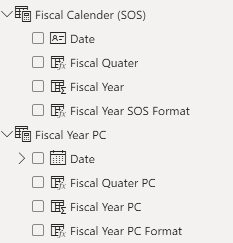
These are Dax calender tables.
Any help is much appricated.
Thank You
Solved! Go to Solution.
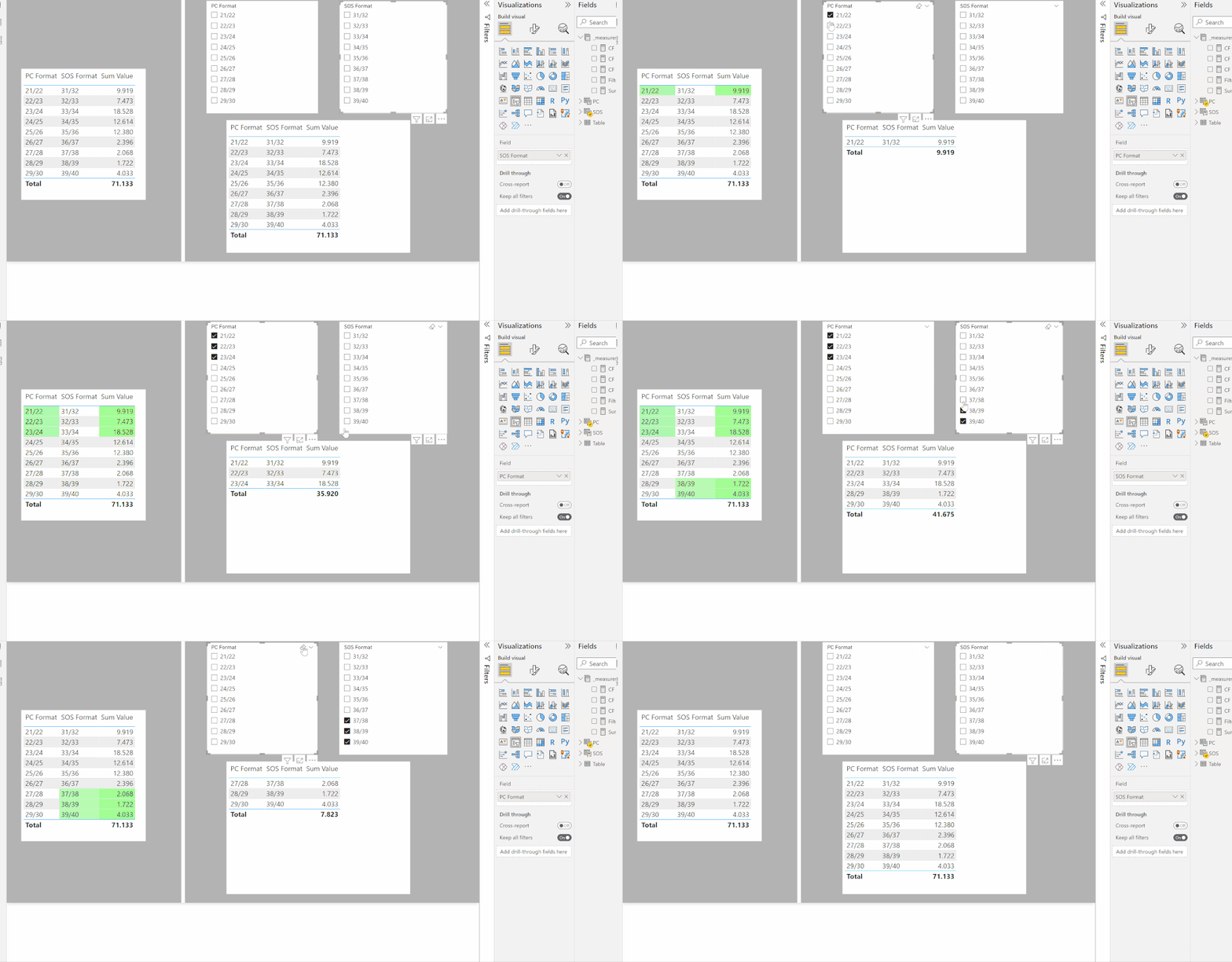
Here is one way. Create duplicates of the tables and leave them unrelated in the model. Use the fields of these unrelated tables as the slicers.
Then create the equivalent measure to use as a filter for the visual, setting the value to 1:
Filter Table =
SWITCH (
TRUE (),
AND (
ISFILTERED ( PC ),
MAX ( 'Table'[PC Format] ) IN VALUES ( PC[PC Format] )
), 1,
AND (
ISFILTERED ( SOS ),
MAX ( 'Table'[SOS Format] ) IN VALUES ( SOS[SOS Format] )
), 1,
AND ( NOT ( ISFILTERED ( PC ) ), NOT ( ISFILTERED ( SOS ) ) ), 1
)
I've attached a sample PBIX file
Proud to be a Super User!
Paul on Linkedin.
Can you try again? I actually edited the post and you may have tried while I was editing it
EDIT: I just tried the download and it works for me
Proud to be a Super User!
Paul on Linkedin.
Here is one way. Create duplicates of the tables and leave them unrelated in the model. Use the fields of these unrelated tables as the slicers.
Then create the equivalent measure to use as a filter for the visual, setting the value to 1:
Filter Table =
SWITCH (
TRUE (),
AND (
ISFILTERED ( PC ),
MAX ( 'Table'[PC Format] ) IN VALUES ( PC[PC Format] )
), 1,
AND (
ISFILTERED ( SOS ),
MAX ( 'Table'[SOS Format] ) IN VALUES ( SOS[SOS Format] )
), 1,
AND ( NOT ( ISFILTERED ( PC ) ), NOT ( ISFILTERED ( SOS ) ) ), 1
)
I've attached a sample PBIX file
Proud to be a Super User!
Paul on Linkedin.
Thank you,
I tried to downloand the file but that doesn't seem to work, are you able to reupload it?
I'm unable to call the date table as they are Dax tables
Join us in Barcelona for FabCon and SQLCon, the Fabric, Power BI, SQL, and AI community event. Save €200 with code FABCMTY200.
Join Fabric Data Days 2026: 60 days of free live/on-demand sessions, challenges, study groups, and certification opportunities.
| User | Count |
|---|---|
| 22 | |
| 22 | |
| 18 | |
| 17 | |
| 13 |
| User | Count |
|---|---|
| 63 | |
| 50 | |
| 46 | |
| 41 | |
| 39 |