
Don't miss your chance to take the Fabric Data Engineer (DP-600) exam for FREE! Find out how by attending the DP-600 session on April 23rd (pacific time), live or on-demand.
Learn moreNext up in the FabCon + SQLCon recap series: The roadmap for Microsoft SQL and Maximizing Developer experiences in Fabric. All sessions are available on-demand after the live show. Register now
Hi,
I'm new to Power BI, and I have two table queries, and I want to take a column from one table and enter the data into another table.
I have tried using RELATED but it does not find my table, the table has a relationship, but for some reason and I don't know why I am not able to get the column I need.
Any help would be greatfully received.
Thank you!
Solved! Go to Solution.
@Anonymous,
In this case, I would suggest using Edit Queries to merge the two tables to get Modified column. RELATEDTABLE only works in conjuction with numeric values and aggregation, but since Modified is non-numeric column, you cannot use RELATEDTABLE
@Anonymous,
Have you tried RELATEDTABLE instead? RELATED is used to get data from the one side of a relationship and RELATEDTABLE is used to get data from the many side of a relationship
@Anonymous
Thank you for coming back to me, I am not again 100% sure on what I need to enter on RELATEDTABLE, I do get a little further with this but I think I may be putting the wrong information into the column
Screen Shot of message
Thank you
@Anonymous,
Can you share a screenshot of your data model?
@Anonymous
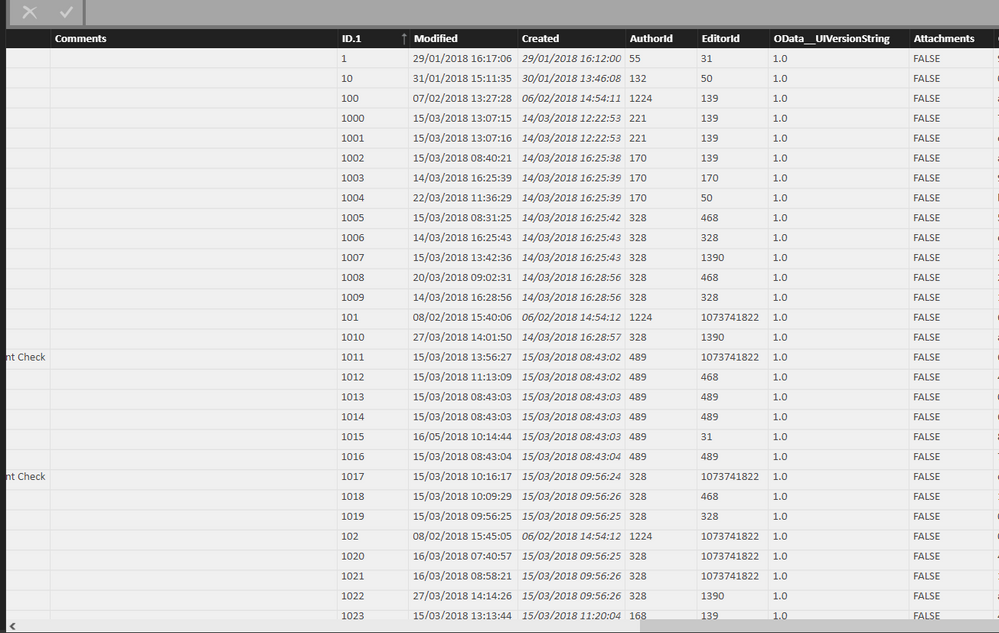
Is this what you require?
I want to use the Column Modified into another data table
@Anonymous,
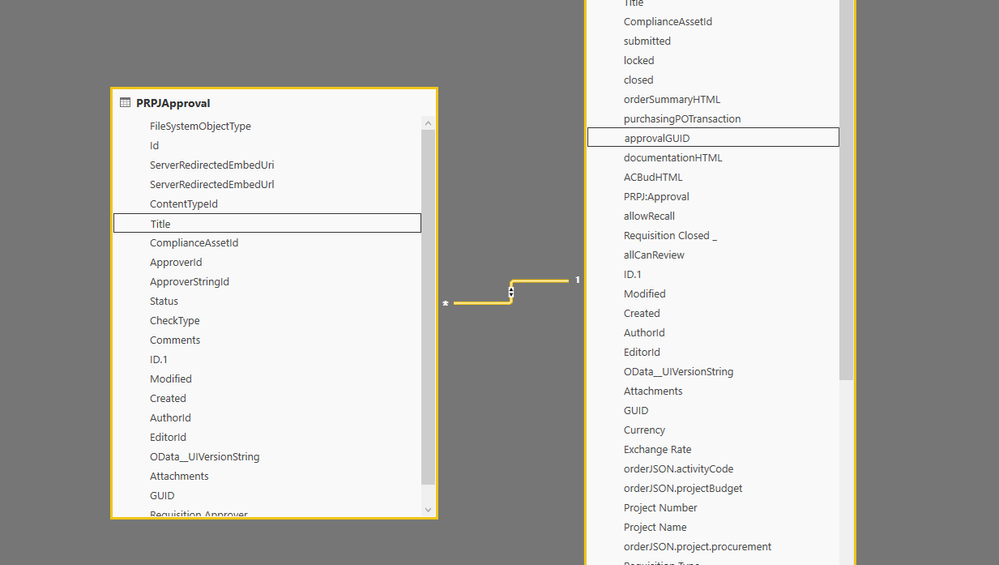
Can you also provide relationship between two tables? It will help decide whether to use RELATED, RELATEDTABLE or something else
@Anonymous
Screen shot of relationship as requested,
@Anonymous,
In this case, I would suggest using Edit Queries to merge the two tables to get Modified column. RELATEDTABLE only works in conjuction with numeric values and aggregation, but since Modified is non-numeric column, you cannot use RELATEDTABLE
If you have recently started exploring Fabric, we'd love to hear how it's going. Your feedback can help with product improvements.
A new Power BI DataViz World Championship is coming this June! Don't miss out on submitting your entry.
Share feedback directly with Fabric product managers, participate in targeted research studies and influence the Fabric roadmap.
| User | Count |
|---|---|
| 48 | |
| 45 | |
| 41 | |
| 20 | |
| 17 |
| User | Count |
|---|---|
| 69 | |
| 64 | |
| 32 | |
| 31 | |
| 27 |