I needed a hierarchical filter system where (filter f1 filters f2 and f3) & (f2 filters f3). All filters filter two charts on the same page. I found a good solution to this on stackoverflow using a filter table each possible combination of the filters and a unique identifier. However, when f2 has values selected when f1 gets changed, f2 keeps those values even though they are not apart of the relevant filter.
As you can see below, if I select South, then Texas (see step1), and then West (see step2), Texas stays selected. This is a problem because since there are no values for Texas in the data with West, the chart goes blank.
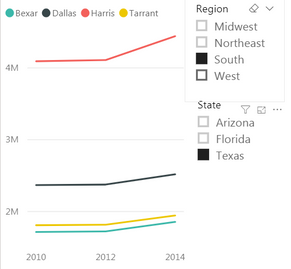 step1
step1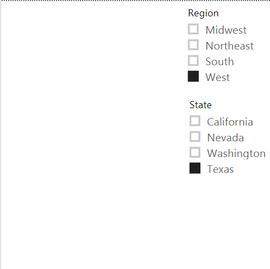 step2
step2
Is there a way I can get the State filter to reset when the Region filter changes? Thank you


