
Join us at FabCon Atlanta from March 16 - 20, 2026, for the ultimate Fabric, Power BI, AI and SQL community-led event. Save $200 with code FABCOMM.
Register now!The Power BI Data Visualization World Championships is back! Get ahead of the game and start preparing now! Learn more
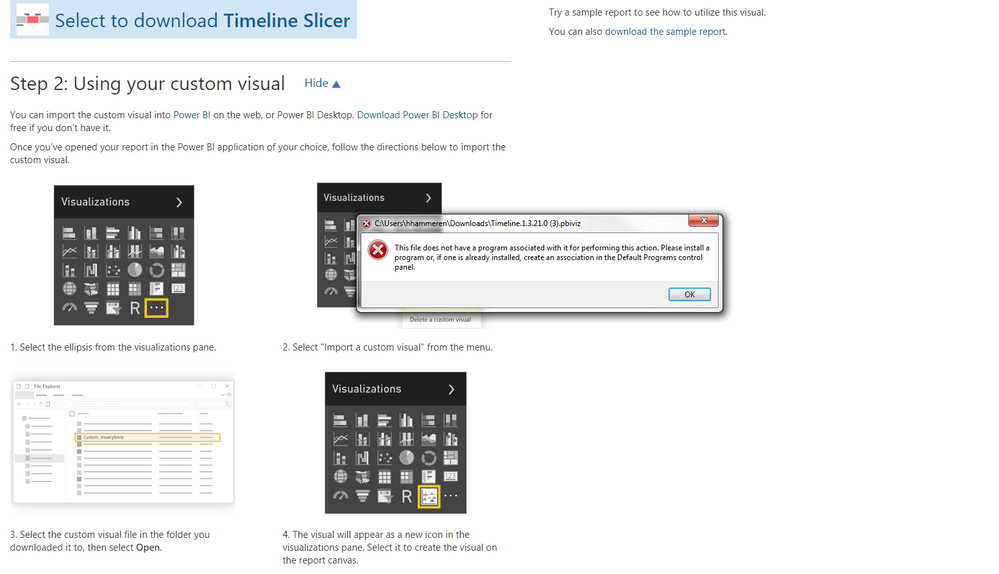
Is there a way to use the timeline slicer without dowloading the custom visual? I am getting this error when I try to dowload the custom visual.
Solved! Go to Solution.
Hi @hhammeren,
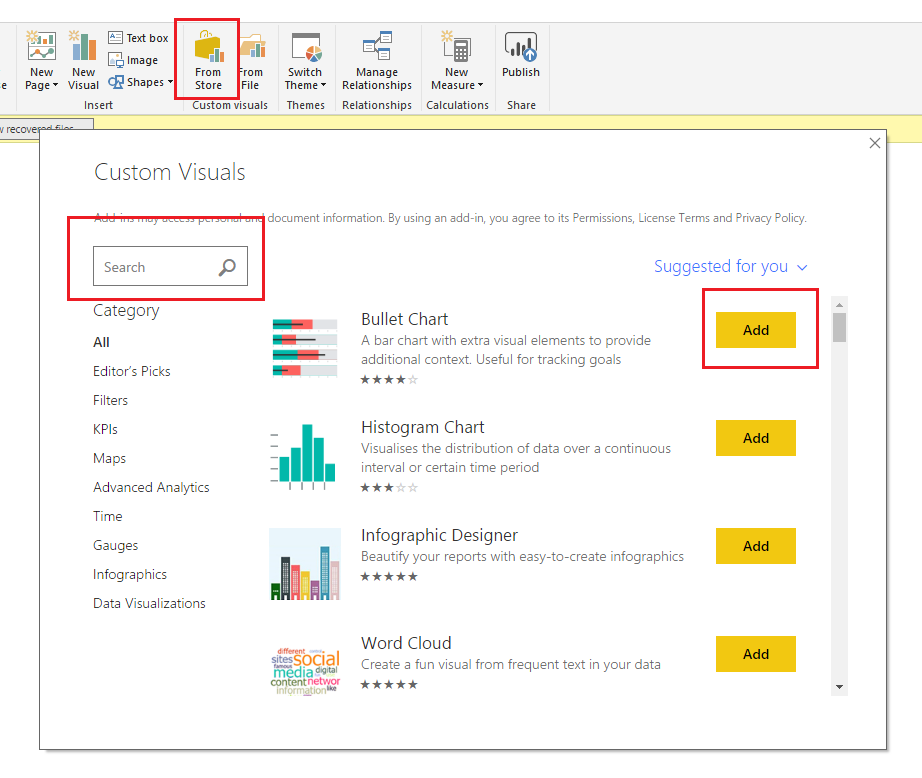
You can try to use 'from store' button to import the custom visual without download.('Home' tab -> 'From Store' button)
Steps:
1. Click on 'From Store' button.
2. Input the custom visual name to search.
3. Click 'add' button.
Regards,
Xiaxin Sheng
Hi @hhammeren,
You can try to use 'from store' button to import the custom visual without download.('Home' tab -> 'From Store' button)
Steps:
1. Click on 'From Store' button.
2. Input the custom visual name to search.
3. Click 'add' button.
Regards,
Xiaxin Sheng
Where is the "from store" button?
The Power BI Data Visualization World Championships is back! Get ahead of the game and start preparing now!
| User | Count |
|---|---|
| 39 | |
| 37 | |
| 33 | |
| 32 | |
| 29 |
| User | Count |
|---|---|
| 132 | |
| 88 | |
| 82 | |
| 68 | |
| 64 |