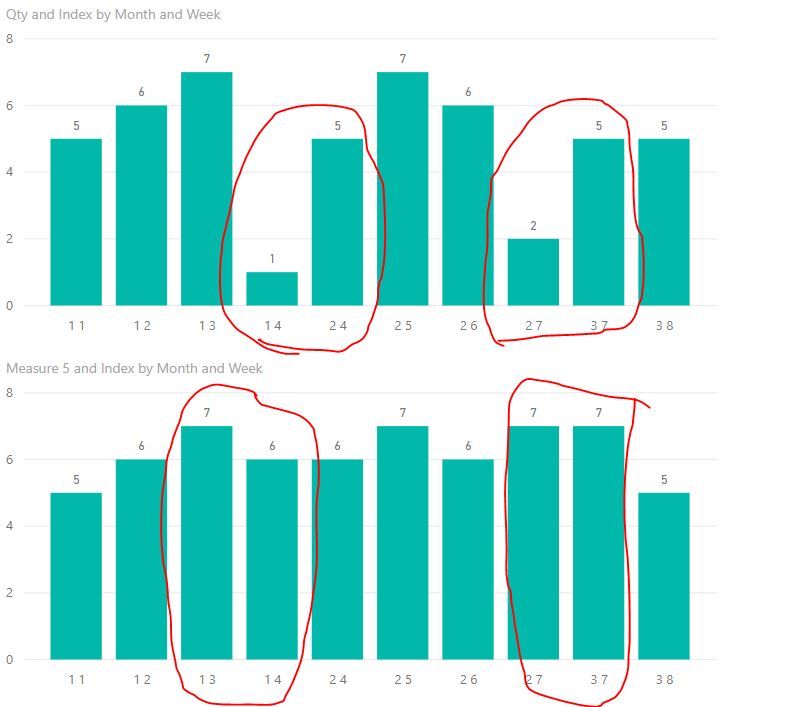
CURRENT PROBLEM: My current week / month will cut off when the beginning of the month falls on either the end or begining of the week.
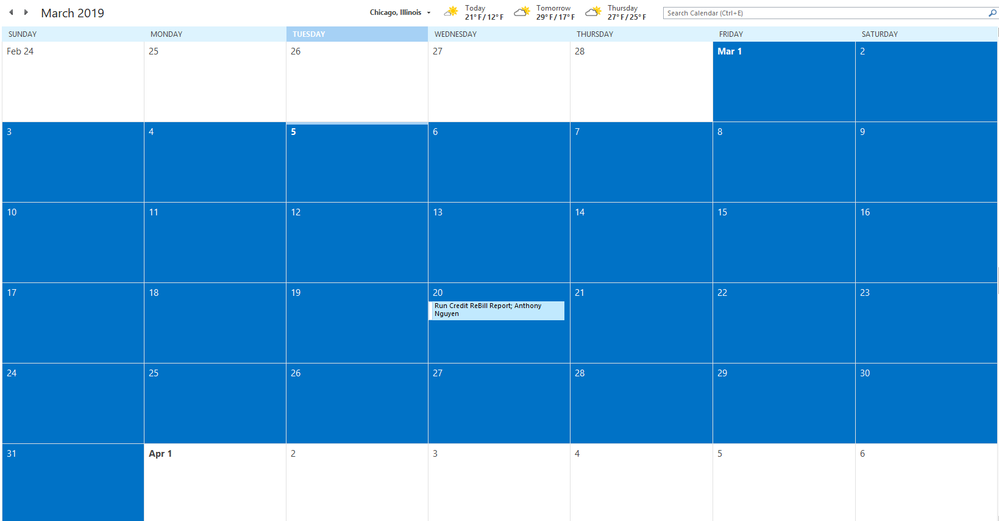
- EX: March 1 falls on Friday = my data will calculate the week to only have 2 days.
- EX: March 31 falls on Sunday = my data will calculate the week to only have 1 day. (see calendar screenshot below for reference)
PROBLEM TO SOLVE: Is there a way in which I can structure my time intelligence / calendar table to where if I want to model by the week level, the months do not cut off and will continue to account for 7 days? This is causing my data model to show sudden dips when in reality, it is just a change in the month during the week. The sudden dips in my model are bothering my clients and I am struggling to find a solution on how I can remedy this. Please see screenshot below (specifically the white arrows). The white arrows point to the very end / beginning of the month.

I have a calendar table with the following:
- Month = FORMAT('Calendar'[Date], "MMM")
- Week = WEEKNUM('Calendar'[Date])
I am pretty sure this is how it should be set up but if I am not correct, please let me know. Any guidance or suggestions will be greatly appreciated!