Join us at FabCon Atlanta from March 16 - 20, 2026, for the ultimate Fabric, Power BI, AI and SQL community-led event. Save $200 with code FABCOMM.
Register now!Vote for your favorite vizzies from the Power BI Dataviz World Championship submissions. Vote now!
Teams Integration Problem:
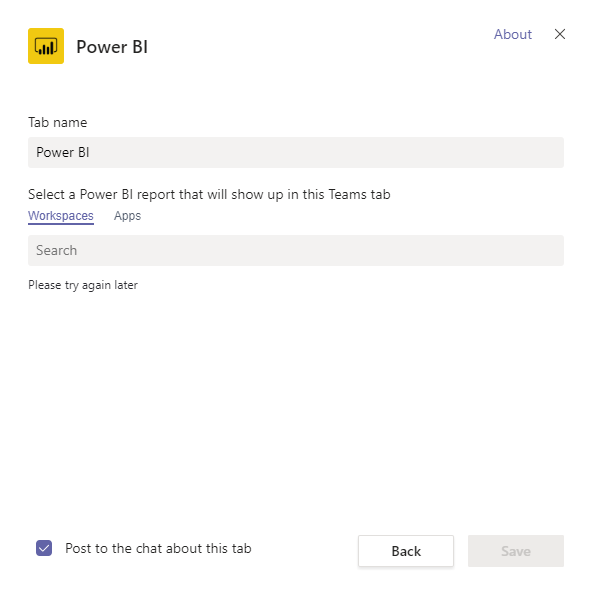
Have you tried adding Power BI to your teams? I had an error. "Please try again later".
1. Is there a proper way of integrating Power BI to Teams?
2. Is the RLS working with Teams?
3. Can I a different Email for Teams and a different Email for Power BI?
Solved! Go to Solution.
Hi @Anonymous ,
Sorry for late back.
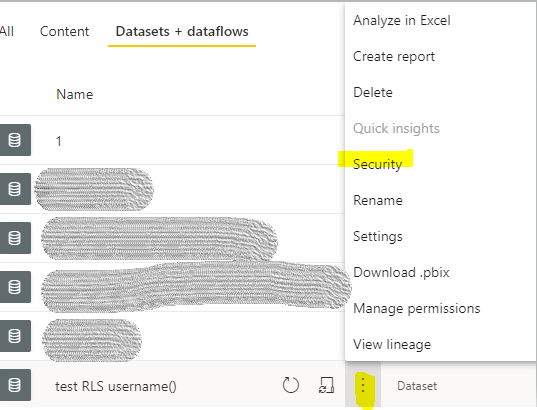
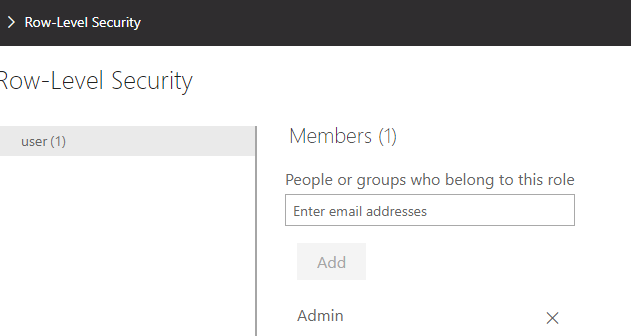
We still need to add users in security of dataset to strict data. If the users are not in the organization, you could grant them a guest role in AAD(Azure Active Directry). And they don't need a pro license to view the reports. You also could create a group to manage if there are many users.
Reference:
Distribute Power BI content to external guest users with Azure AD B2B
Note: If you have configured the workspace so that members have edit permissions, the RLS roles will not be applied to them. Users will be able to see all of the data.
Hi @Anonymous ,
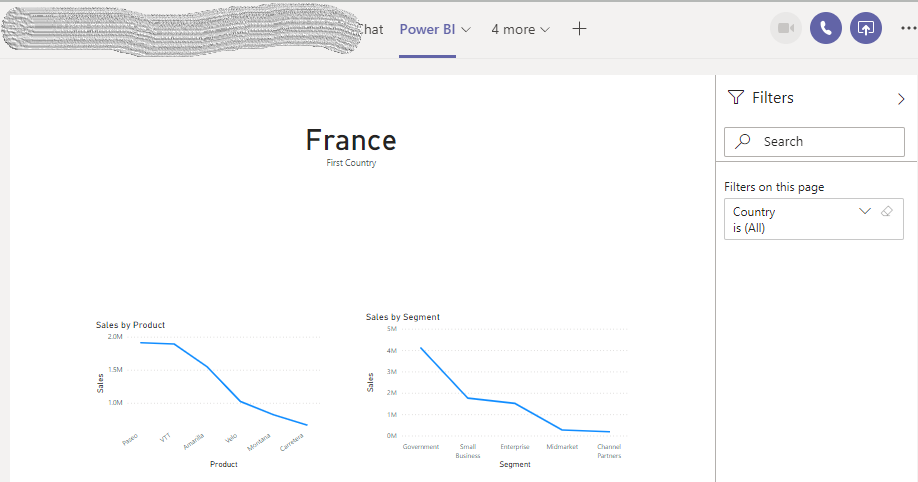
I try embedding a report in MS Teams. It works fine in my site. Please check the network and try again later.
You could reference the document: Embed reports in Microsoft Teams with the Power BI tab to have a try.
Yes, it is.
Note: If you have granted access users to workspace, please to enforce row-level security (RLS) for users browsing content, use the Viewer role. (Reference: Roles in the new workspaces )
No. While embedding, Power BI will sign in the account of Teams by default.
Hi, thanks for your reply.
Regarding the RSL, will it still work if the users that I am going to share my report with in Teams are not PowerBI pro users and do not have an organization email (only gmail)? As I understand it, RSL needs an email address for role assignments.
Or... Do they even need to be a Registered PowerBI user? I am planning to share my report to many users who doesn't even know what Power BI is.
Hi @Anonymous ,
Sorry for late back.
We still need to add users in security of dataset to strict data. If the users are not in the organization, you could grant them a guest role in AAD(Azure Active Directry). And they don't need a pro license to view the reports. You also could create a group to manage if there are many users.
Reference:
Distribute Power BI content to external guest users with Azure AD B2B
Note: If you have configured the workspace so that members have edit permissions, the RLS roles will not be applied to them. Users will be able to see all of the data.
No, not yet. I will try this first.
Vote for your favorite vizzies from the Power BI World Championship submissions!
If you love stickers, then you will definitely want to check out our Community Sticker Challenge!
Check out the January 2026 Power BI update to learn about new features.
| User | Count |
|---|---|
| 56 | |
| 52 | |
| 45 | |
| 17 | |
| 16 |
| User | Count |
|---|---|
| 108 | |
| 108 | |
| 39 | |
| 33 | |
| 25 |