Join us at FabCon Atlanta from March 16 - 20, 2026, for the ultimate Fabric, Power BI, AI and SQL community-led event. Save $200 with code FABCOMM.
Register now!The Power BI Data Visualization World Championships is back! Get ahead of the game and start preparing now! Learn more
Hi All,
I have one column named EventResult. The possible values are - Success, Fail & Neutral.
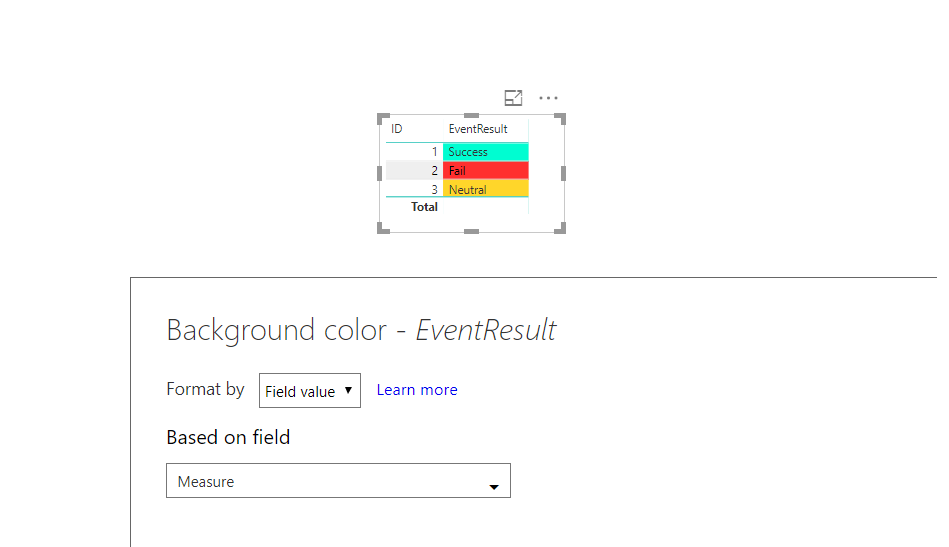
I am using simple table to show the values. I want to format Backgrould color of column based on EventResult column.
Success = Green Color
Fail = Red Color
Neutral = Yello
How this can be done? Please suggest.
Solved! Go to Solution.
You can use this MEASURE for conditional formatting.
See attached file as well
Measure =
VAR myEventResult =
SELECTEDVALUE ( Table1[EventResult] )
RETURN
SWITCH (
TRUE (),
myEventResult = "Success", "#00FDD1",
myEventResult = "Fail", "#ff2f2f",
myEventResult = "Neutral", "#ffd62a"
)
You can use this MEASURE for conditional formatting.
See attached file as well
Measure =
VAR myEventResult =
SELECTEDVALUE ( Table1[EventResult] )
RETURN
SWITCH (
TRUE (),
myEventResult = "Success", "#00FDD1",
myEventResult = "Fail", "#ff2f2f",
myEventResult = "Neutral", "#ffd62a"
)
The Power BI Data Visualization World Championships is back! Get ahead of the game and start preparing now!
Check out the November 2025 Power BI update to learn about new features.
| User | Count |
|---|---|
| 68 | |
| 46 | |
| 44 | |
| 29 | |
| 20 |
| User | Count |
|---|---|
| 202 | |
| 130 | |
| 102 | |
| 71 | |
| 55 |