Advance your Data & AI career with 50 days of live learning, dataviz contests, hands-on challenges, study groups & certifications and more!
Get registeredGet Fabric Certified for FREE during Fabric Data Days. Don't miss your chance! Request now
Hi, I am new to this community and am trying to advance my DAX knowledge for my job. Could someone tell me what the numbers below the columns represent?
Thank you!
VAR __SomeVariable =
TOPN(
502,
__SomeTable,
[Column1],
0,
[Column2],
0,
'Product'[Column3],
1,
'Location'[Column4],
1,
'Location'[Column5],
1
)
Solved! Go to Solution.
Hi @TechoGirl0 ,
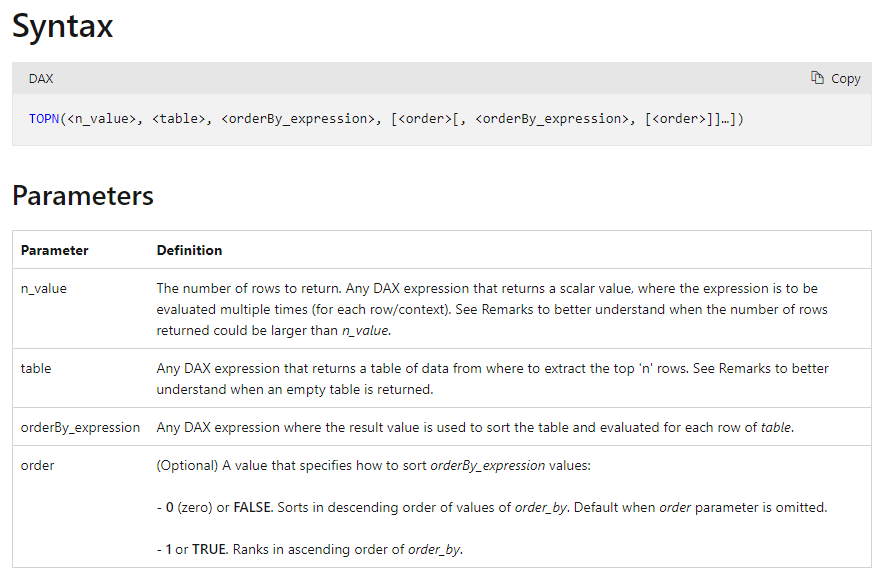
If you look at the syntax of TopN ,
- 502 is the number of rows to return
- 1 or 0 is the order to be applied. 0/FALSE/DESC – descending; 1/TRUE/ASC – ascending.
Syntax =
TOPN(<n_value>, <table>, <orderBy_expression>, [<order>[, <orderBy_expression>, [<order>]]…])
Thanks,
Samarth
Best Regards,
Samarth
If this post helps, please consider accepting it as the solution to help the other members find it more quickly.
Appreciate your Kudos!!
Connect on Linkedin
Hi, @TechoGirl0
Here is the related document, hope it can help you.
https://docs.microsoft.com/dax/topn-function-dax
Best Regards,
Community Support Team _Charlotte
If this post helps, then please consider Accept it as the solution to help the other members find it more quickly.
Hi, @TechoGirl0
Here is the related document, hope it can help you.
https://docs.microsoft.com/dax/topn-function-dax
Best Regards,
Community Support Team _Charlotte
If this post helps, then please consider Accept it as the solution to help the other members find it more quickly.
Hi @TechoGirl0 ,
If you look at the syntax of TopN ,
- 502 is the number of rows to return
- 1 or 0 is the order to be applied. 0/FALSE/DESC – descending; 1/TRUE/ASC – ascending.
Syntax =
TOPN(<n_value>, <table>, <orderBy_expression>, [<order>[, <orderBy_expression>, [<order>]]…])
Thanks,
Samarth
Best Regards,
Samarth
If this post helps, please consider accepting it as the solution to help the other members find it more quickly.
Appreciate your Kudos!!
Connect on Linkedin
Advance your Data & AI career with 50 days of live learning, contests, hands-on challenges, study groups & certifications and more!
Check out the October 2025 Power BI update to learn about new features.