cancel
Showing results for 
Search instead for 
Did you mean: 

The Power BI Data Visualization World Championships is back! Get ahead of the game and start preparing now! Learn more

Reply
Anonymous
Not applicable

Survey Data Configuration

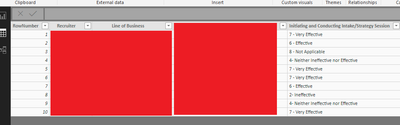
Hello. Looking for a little help with this. I am collecting survey data that I would like to summerize in Power BI. Each respondands submissions are stored row by row.
SURVEY3.png


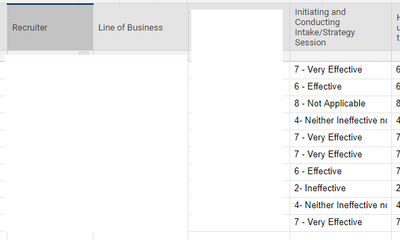
I load the data in

SURVEY1.png

but I am getting stuck on how to create a table with that data where the questions are on the Y axis and the Responses (all the same Likert scale options) are along the X axis with a count within the table.
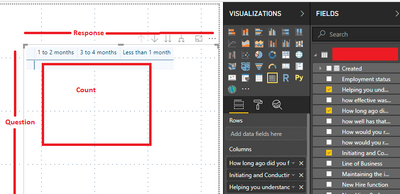
surveyissue2.png


I've not had enough experiene with the Transpose or Pivot features to make them work although I am not certain that is what needs to be used for this issue anyway. My end goal is to have the table with response counts that can be used for filtering. I would also have differnet slicers on the page that would filter this table as well. I cant get to that point until I figure out this. Any guidance would be apprecaited!

1 ACCEPTED SOLUTION
Anonymous
Not applicable

I believe that I have solved my issue referencing this post.

View solution in original post

1 REPLY 1
Anonymous
Not applicable

I believe that I have solved my issue referencing this post.

Helpful resources

Announcements
Power BI DataViz World Championships

Power BI Dataviz World Championships

The Power BI Data Visualization World Championships is back! Get ahead of the game and start preparing now!

December 2025 Power BI Update Carousel

Power BI Monthly Update - December 2025

Check out the December 2025 Power BI Holiday Recap!

FabCon Atlanta 2026 carousel

FabCon Atlanta 2026

Join us at FabCon Atlanta, March 16-20, for the ultimate Fabric, Power BI, AI and SQL community-led event. Save $200 with code FABCOMM.