Share feedback directly with Fabric product managers, participate in targeted research studies and influence the Fabric roadmap.
Sign up nowGet Fabric certified for FREE! Don't miss your chance! Learn more
Hello,
I have the following table as a result of a SQL query in Power Bi and after i created a measure to have distincts by ID and value.
I now want to be able to create another table out of it to show the counts by department like below:(WANT:1)--Do i start from Query1 again? or can we use the existing table? if so how can i do that???
Also another table to show counts by Month like shown:
HAVE:
ID value Department Month
101 0 Road Transport Jun2016
102 0 Aviation Jul2017
103 5 Aviation Aug2017
104 0 Aviation Aug2016
105 1 Ship jan2016
106 4 Mail Feb2017
107 4 Mail Mar2016
108 4 Walk Mar2016
WANT-1:
Department COUNT
Road Transport 1
Aviation 3
Ship 1
Mail 2
Walk 1
WANT-2:
Month COUNT
Jan2016 1
Mar2016 2
Jun2016 1
Aug2016 1
Feb2017 1
Aug2017 1
Thanks
Solved! Go to Solution.
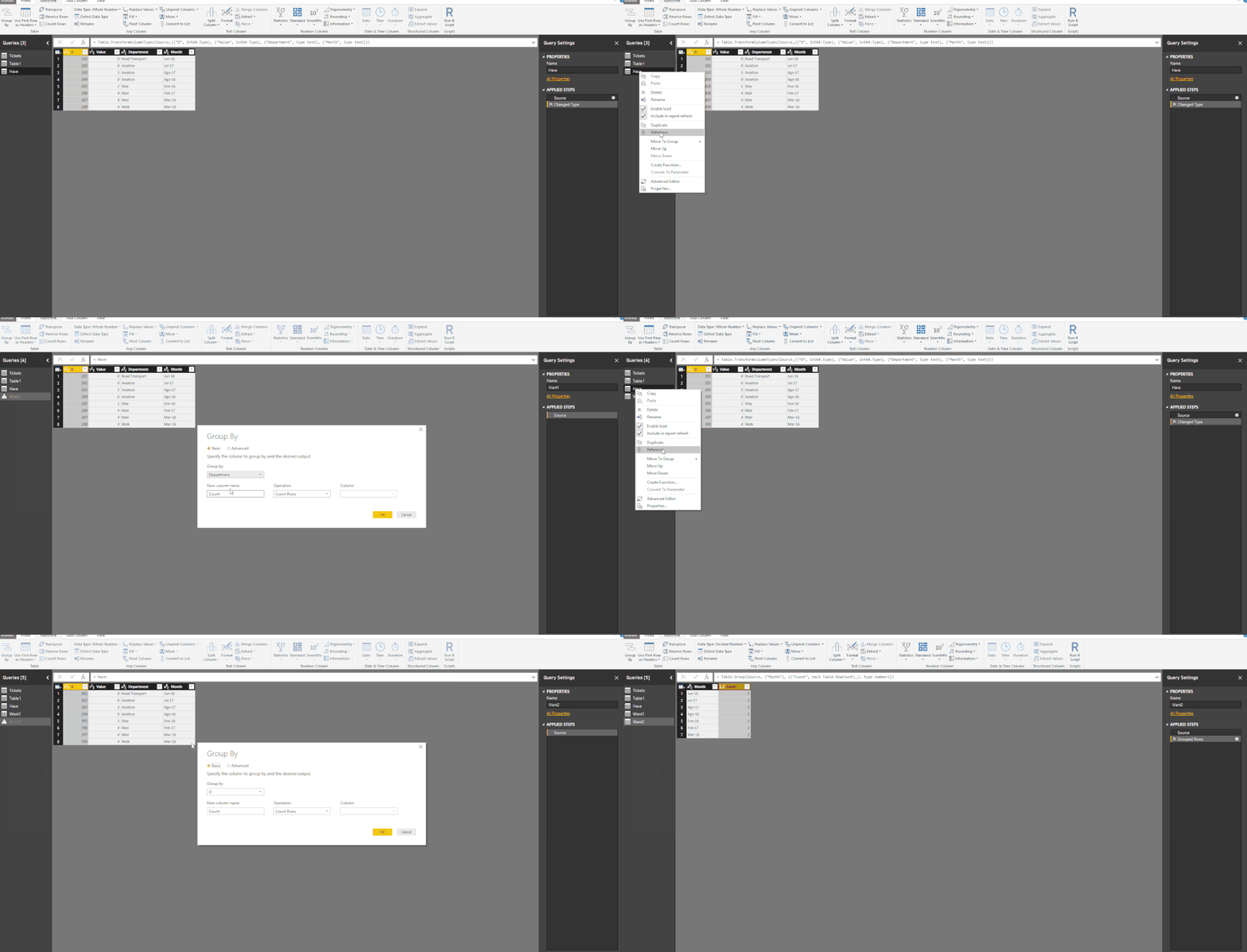
Hi, Go to Edit Query and Use Group By (in Transform Tab).
Follow the steps:
Group By
Regards,
Victor
Lima - Peru
Hi, Go to Edit Query and Use Group By (in Transform Tab).
Follow the steps:
Group By
Regards,
Victor
Lima - Peru
Thanks you Lima. That was so nice of you to have it in the form of a video. It helps a lot and is what i wanted also.
Just curious , can this also be done using DAX? If so how and which one do you prefer?
Thanks
In Dax is also possible.
To Create New Tables Using a original table i prefer Query Editor. They insert in to the model.
But if you want to just show in a visual (Not Create a table) with DAX is very simple to obtain.
Share feedback directly with Fabric product managers, participate in targeted research studies and influence the Fabric roadmap.
| User | Count |
|---|---|
| 62 | |
| 62 | |
| 42 | |
| 21 | |
| 18 |
| User | Count |
|---|---|
| 120 | |
| 113 | |
| 38 | |
| 29 | |
| 28 |