Don't miss your chance to take the Fabric Data Engineer (DP-700) exam on us!
Learn moreWe've captured the moments from FabCon & SQLCon that everyone is talking about, and we are bringing them to the community, live and on-demand. Starts on April 14th. Register now
Hello,
I'm not sure if there is support for custom visuals here, but I thought I'd give it a try.
I'm trying to see the hours logged on a project each day, and how many of those were logged by each department. The Stream Graph seems like a perfect solution for this, but I can't get it to work right with the dates.
This bar chart shows the simple version of what I'd like:
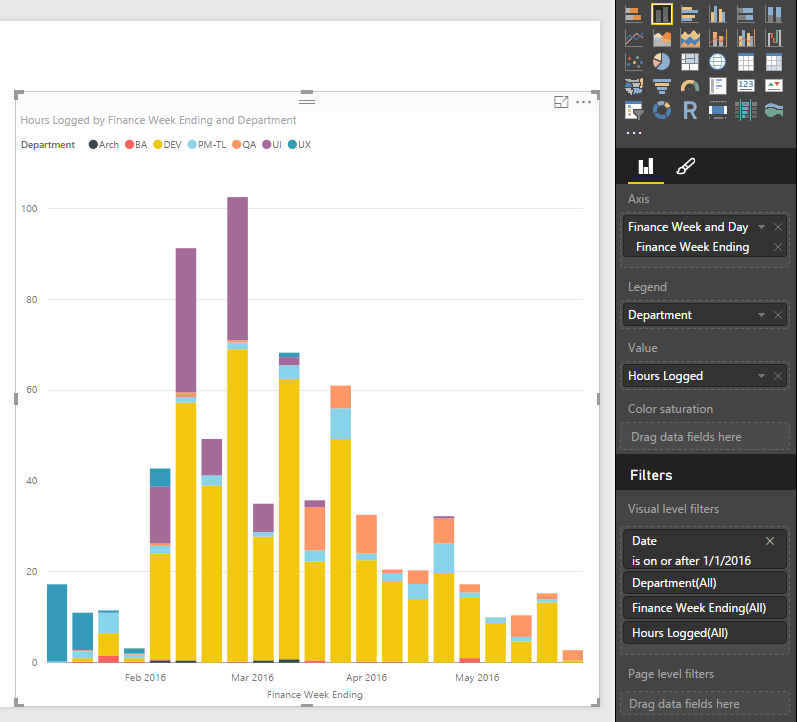
The point is, you see it started with UX, then mid-Feb went to UI and DEV, then by March was mostly DEV. Great, but not that pretty. So then I do the same thing as a Stream Graph:
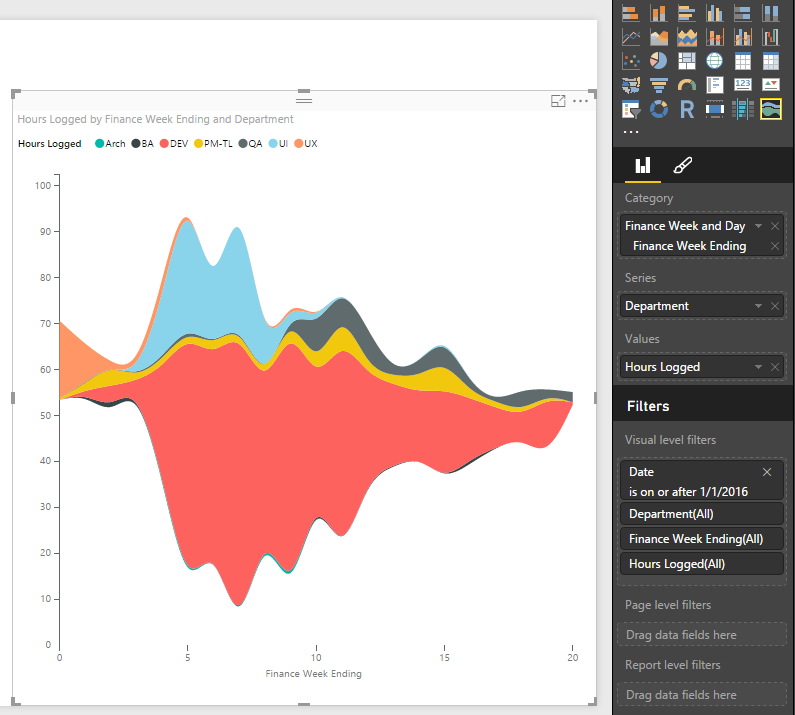
This shows the same thing, but there are no dates on the bottom. It just shows a number, which I assume is just the count of days. Why? Does anyone get this or know how to change it? Maybe it's just quirky behavoir of custom visual, but I hope there's a solution.
Also, does anyone know if there is any meaning to where the "Wiggle" setting puts your data on the Y-axis? I understand that with Wiggle off it rests at zero. But with Wiggle on, is there any logic to why my first week data starts at 55ish and goes to 70? Is it purely aesthetic and/or random?
Thanks for any help.
Seth
Solved! Go to Solution.
I haven't reproduced your issue. I'm working in Power BI Desktop May Update (2.35.4399.381).
This "wiggle" is resolved automatically. There's no setting for it. For how the "wiggle" generated internally, please contact Power BI Custom Visuals Support: pbicvsupport@microsoft.com
Regards,
I haven't reproduced your issue. I'm working in Power BI Desktop May Update (2.35.4399.381).
This "wiggle" is resolved automatically. There's no setting for it. For how the "wiggle" generated internally, please contact Power BI Custom Visuals Support: pbicvsupport@microsoft.com
Regards,
Thanks. Maybe it's something weird with how my dates are formatted. I'll look into that. And thanks for the info on the "wiggle."
If you have recently started exploring Fabric, we'd love to hear how it's going. Your feedback can help with product improvements.
A new Power BI DataViz World Championship is coming this June! Don't miss out on submitting your entry.
Share feedback directly with Fabric product managers, participate in targeted research studies and influence the Fabric roadmap.
| User | Count |
|---|---|
| 51 | |
| 37 | |
| 35 | |
| 19 | |
| 17 |
| User | Count |
|---|---|
| 69 | |
| 65 | |
| 39 | |
| 33 | |
| 23 |