Join us at FabCon Atlanta from March 16 - 20, 2026, for the ultimate Fabric, Power BI, AI and SQL community-led event. Save $200 with code FABCOMM.
Register now!The Power BI Data Visualization World Championships is back! Get ahead of the game and start preparing now! Learn more
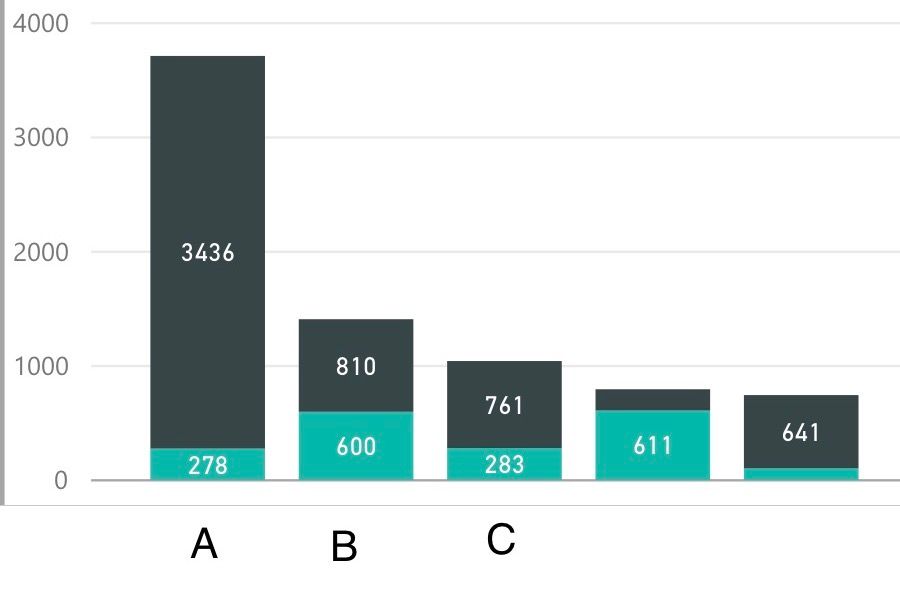
I have a stacked column chart that shows the breakdown of SKU Counts per Product Model. My problem is that when I click on a SKU within a column, the surrounding visuals are filtered by Product Model AND the highlighted SKU. I want the surrounding visuals to be filtered only by the Product Model. In addition to this, I can not select multiple SKUs within a stacked column chart.
Is this a limitation of Power BI, or am I missing something?
Solved! Go to Solution.
Oh, I got your point now, @mtmcd, I have same question in last month. This is default behavior of chart. So you need add filter for these Product Model (could be treemap) and introduce your end-users to use it. ![]()
Hi @mtmcd,
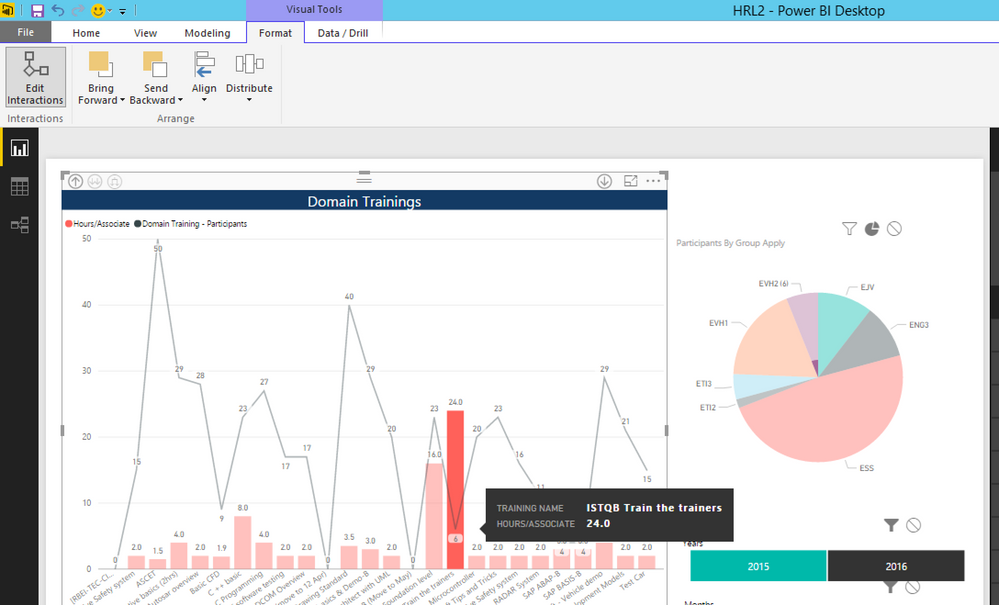
You could choose your current stack column chart -> Format tab will visible -> Choose Edit Interaction -> In surrounding charts, you will be able to choose the filter behavior of its chart (Filter or Highlight) - in the top right of surrounding charts
if this is not what you mean, please let me know.
Hi @mtmcd,
Could you please show me your chart and data fields so I could understand your situation correctly.
See image above. Product Models are A, B, C... Sub model (SKU) counts are the stacked values.
When I click on one of the two SKUs, my surrounding charts are filtered by the SKU and therefore the corresponding product model. I simply want surrounding charts to be filtered by the product model and all associated SKUs. I don't want the chars to only show the sub model data.
Oh, I got your point now, @mtmcd, I have same question in last month. This is default behavior of chart. So you need add filter for these Product Model (could be treemap) and introduce your end-users to use it. ![]()
The Power BI Data Visualization World Championships is back! Get ahead of the game and start preparing now!
| User | Count |
|---|---|
| 38 | |
| 36 | |
| 33 | |
| 32 | |
| 29 |
| User | Count |
|---|---|
| 129 | |
| 88 | |
| 79 | |
| 68 | |
| 63 |