Share feedback directly with Fabric product managers, participate in targeted research studies and influence the Fabric roadmap.
Sign up nowGet Fabric certified for FREE! Don't miss your chance! Learn more
Hello,
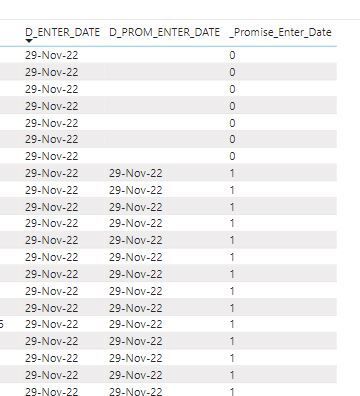
I would like to use a stacked bar chart to display the ratio between 0 and 1. I would like to use a date slicer to set the enter date. It has to count the 0 en 1 for the chosen period and show the sum of 0 and 1.
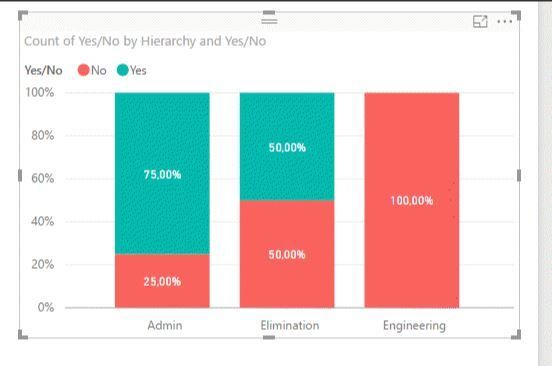
Result will look something like this:
This is an example which I found on the internet.
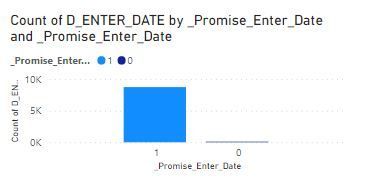
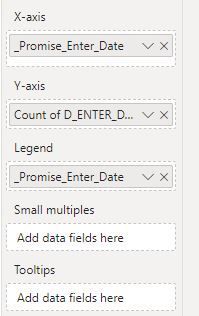
I gave it a shot but it's not what I would to have:
So for the given time span based on the date slicer, the has to sum the 0's and 1's and stack them in a bar chart.
How can I do this?
Thanks in advance.
Regards,
Solved! Go to Solution.
Hi @WLFRD ,
For this you need to make the countrows instead of the sum try using something similar to this:
Total 0 = COUNTROWS (FILTER(Table, Table[Column] = 0))
Total 1 = COUNTROWS (FILTER(Table, Table[Column] = 1))
Now use this two metrics on your visualization.
Regards
Miguel Félix
Proud to be a Super User!
Check out my blog: Power BI em PortuguêsHi @WLFRD ,
For this you need to make the countrows instead of the sum try using something similar to this:
Total 0 = COUNTROWS (FILTER(Table, Table[Column] = 0))
Total 1 = COUNTROWS (FILTER(Table, Table[Column] = 1))
Now use this two metrics on your visualization.
Regards
Miguel Félix
Proud to be a Super User!
Check out my blog: Power BI em PortuguêsIf you love stickers, then you will definitely want to check out our Community Sticker Challenge!
Check out the January 2026 Power BI update to learn about new features.
| User | Count |
|---|---|
| 64 | |
| 63 | |
| 49 | |
| 21 | |
| 18 |
| User | Count |
|---|---|
| 119 | |
| 117 | |
| 38 | |
| 36 | |
| 29 |