We've captured the moments from FabCon & SQLCon that everyone is talking about, and we are bringing them to the community, live and on-demand. Starts on April 14th. Register now
Hey everyone,
I'm trying to show a graph of valuations over time and these timeframes are arbitrary because my different units (automobiles) are not all the same model year. I have a very simple time dimension which gives each one of my time references a key and when I sort by this key, my axis isn't showing the way I want it to. I want it to be in this order: New, 2 Years, Half Life, Low Point, Current.
The only way I can get it to sort correctly is if I include both the time key and the Key Name in my axis together and I don't want the time key number displaying on the axis. Any thoughts?
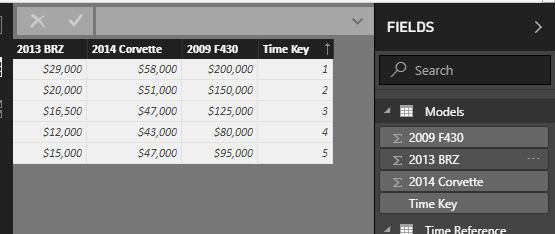
My "fact" sorted by the time key.
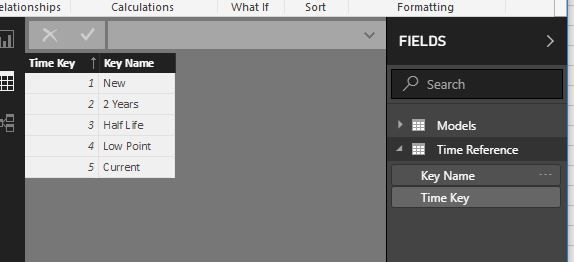
My "time dimension".
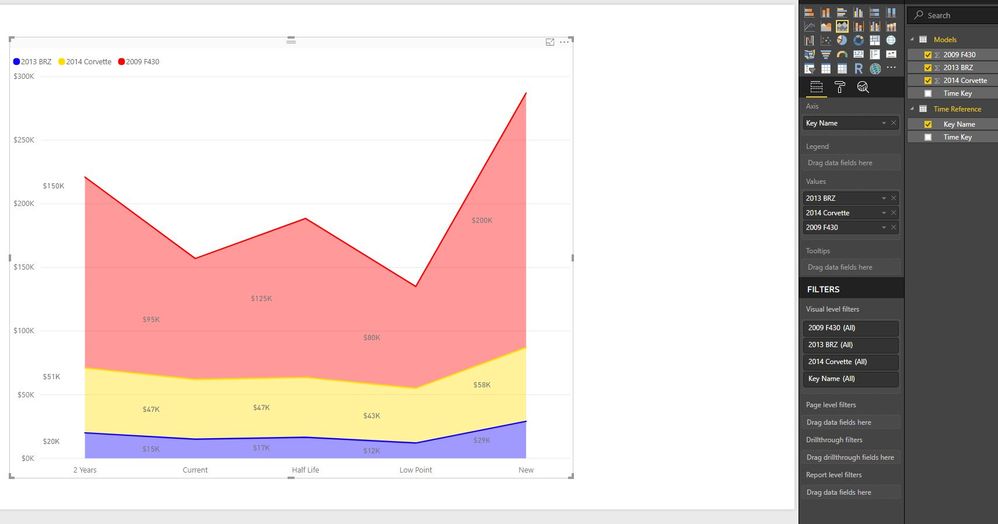
Incorrect order.
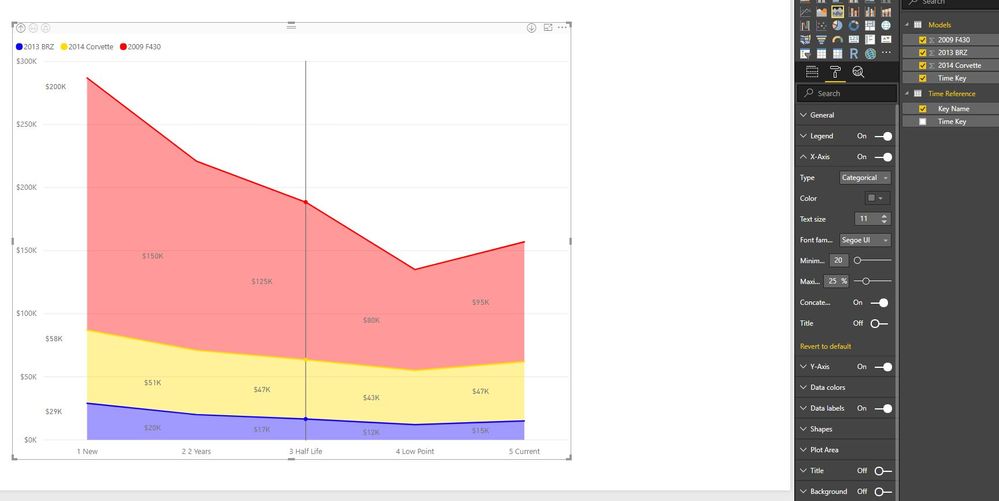
Correct axis but having to use the time key on the axis. This has also been drilled down to the lowest hierarcy.
Any sort you apply to the data screen is purely visual. What you want to do instead is select the field that you are using on your Axis, and go into the Modelling area of the Ribbon. In there is a "Sort By Column" selection where you can choose your Time Key field.
If you have recently started exploring Fabric, we'd love to hear how it's going. Your feedback can help with product improvements.
A new Power BI DataViz World Championship is coming this June! Don't miss out on submitting your entry.
Share feedback directly with Fabric product managers, participate in targeted research studies and influence the Fabric roadmap.
| User | Count |
|---|---|
| 54 | |
| 37 | |
| 32 | |
| 17 | |
| 15 |
| User | Count |
|---|---|
| 64 | |
| 63 | |
| 37 | |
| 34 | |
| 22 |