cancel
Showing results for 
Search instead for 
Did you mean: 

July 28 - August 9 | Final Round of the Power BI Dataviz World Championships. This is your chance. Learn more

Reply
Anonymous
Not applicable

Sort Matrix

Hello, 


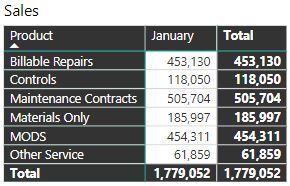
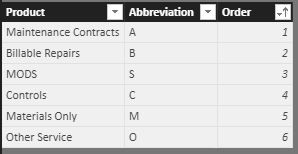
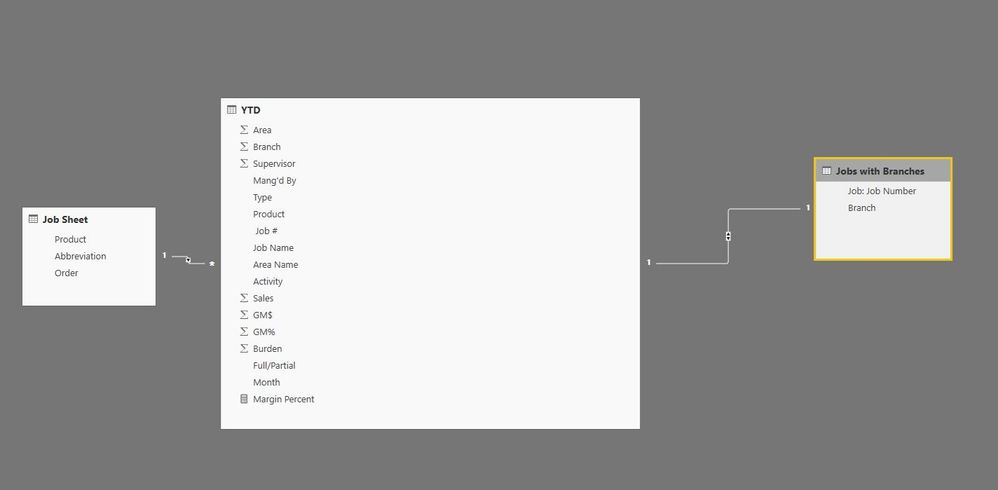
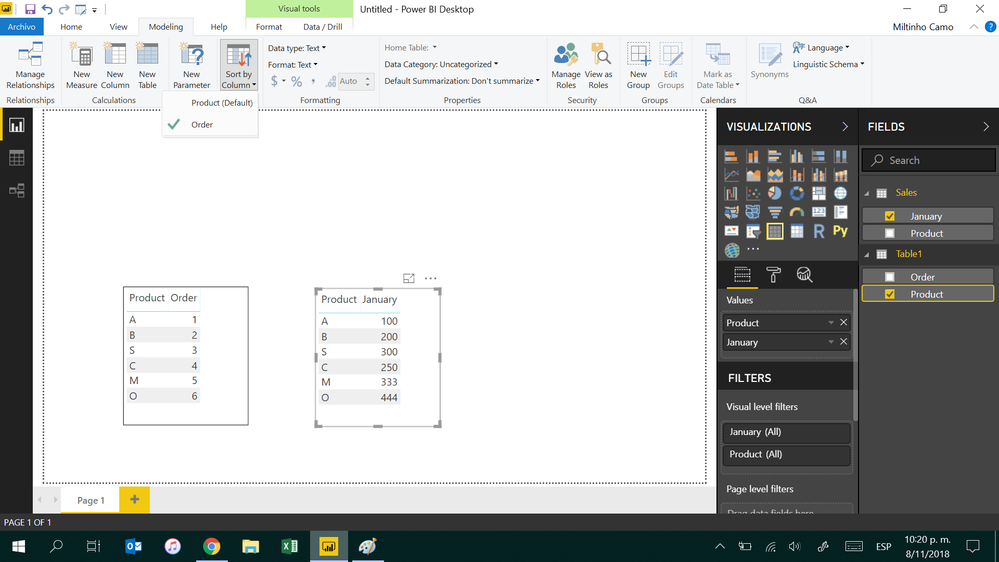
I am trying to sort the product column in my matrix by my custom sort. I designated the columns by numbers to allow for sorting but for some reason it will not adjust in my visual. I also designatted my sort by column to be order. Please advise. 


 Matrix.JPGSort.JPGconnections.JPG

1 ACCEPTED SOLUTION
v-yulgu-msft
Microsoft Employee
Microsoft Employee

Hi @Anonymous,


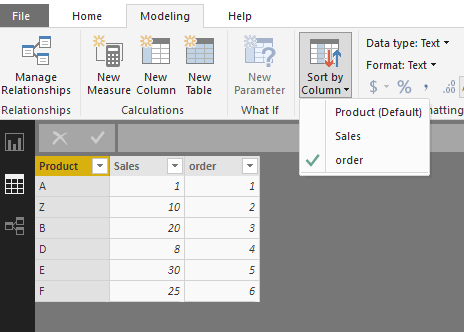
Have you specify the [Order] field as the "Sort by" column for [Product]?

1.PNG


If you have done above setting while it still doesn't work, please click the three dots on Matrix, and choose sort by [Product] for a test.

2.PNG


Best regards,

Yuliana Gu

Community Support Team _ Yuliana Gu
If this post helps, then please consider Accept it as the solution to help the other members find it more quickly.

View solution in original post

5 REPLIES 5
v-yulgu-msft
Microsoft Employee
Microsoft Employee

Hi @Anonymous,


Have you specify the [Order] field as the "Sort by" column for [Product]?

1.PNG


If you have done above setting while it still doesn't work, please click the three dots on Matrix, and choose sort by [Product] for a test.

2.PNG


Best regards,

Yuliana Gu

Community Support Team _ Yuliana Gu
If this post helps, then please consider Accept it as the solution to help the other members find it more quickly.
Anonymous
Not applicable

I got it working, Thank you! 

Hi @Anonymous,


Glad to hear that. Would you please kindly mark the helpful reply as an answer so that it can benefit more users or sharing your solution that fixed this problem?


Regards,

Yuliana Gu

Community Support Team _ Yuliana Gu
If this post helps, then please consider Accept it as the solution to help the other members find it more quickly.

The Matrix visual lacks custom sorting functionality and more.  There are lots of ideas on the community site.  Below are the front runners.  Please vote these up!

https://ideas.powerbi.com/forums/265200-power-bi-ideas/suggestions/11185431-add-a-multiple-columns-s...

https://ideas.powerbi.com/forums/265200-power-bi-ideas/suggestions/17401381-conditional-formatting-f...

Anonymous
Not applicable

Hi jiweiyang,

You just need to do this:


Sort.png

Helpful resources

Announcements
Fabric Community Sticker Design Challenge Barcelona Carousel

Fabric Community Sticker Challenge - Barcelona 2026

If you love stickers, then you will definitely want to check out our community sticker challenge, Barcelona edition!

July Power BI Update Carousel

Power BI Monthly Update - July 2026

Check out the July 2026 Power BI update to learn about new features.

Power BI DataViz World Championships carousel

Power BI DataViz World Championships - June 2026

A new Power BI DataViz World Championship is coming this June! Don't miss out on submitting your entry.

Top Solution Authors