This time we’re going bigger than ever. Fabric, Power BI, SQL, AI and more. We're covering it all. You won't want to miss it.
Learn moreDid you hear? There's a new SQL AI Developer certification (DP-800). Start preparing now and be one of the first to get certified. Register now
Dear All,
Trying to create a slicer with column headings for Donut Chart.
| Variable | 1-50 | 51-100 | Total |
| A | 1 | 5 | 6 |
| B | 2 | 6 | 8 |
| C | 3 | 7 | 10 |
| D | 4 | 8 | 12 |
| E | 5 | 5 | 10 |
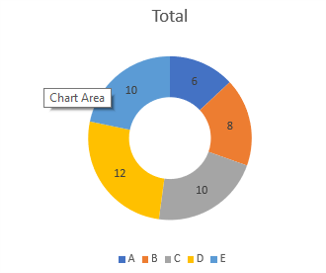
Donut Chart with Total Values
Want Slicer to look like below
Slicer
[tick option] 1-50
[tick option] 51-100
[tick option] Total
So that the donut chart gets updated accordingly.
Please help and suggest.
Thank you.
Solved! Go to Solution.
Hi @Riteshheda ,
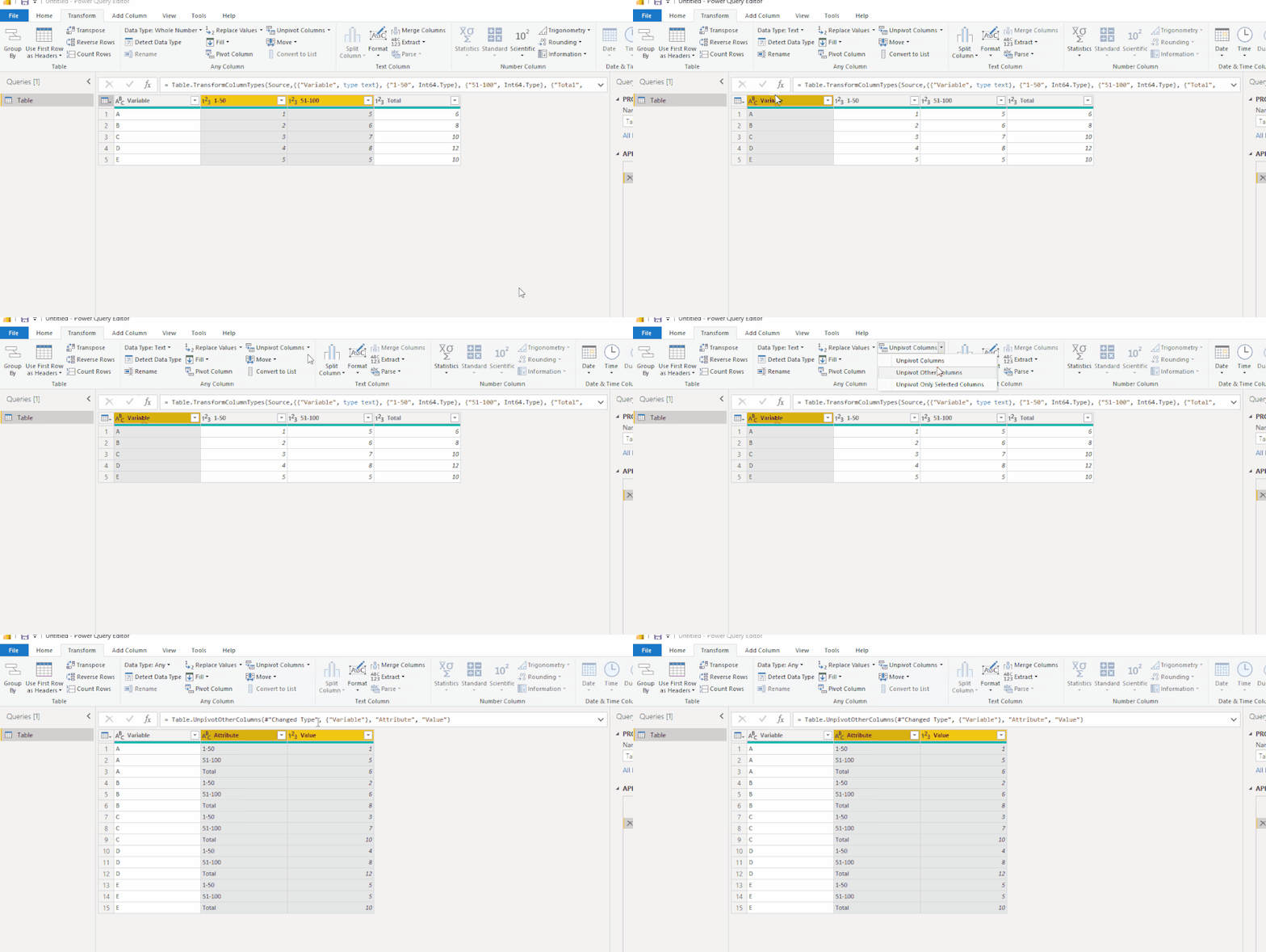
Please select Variable column and Unpivot other columns as shown below:
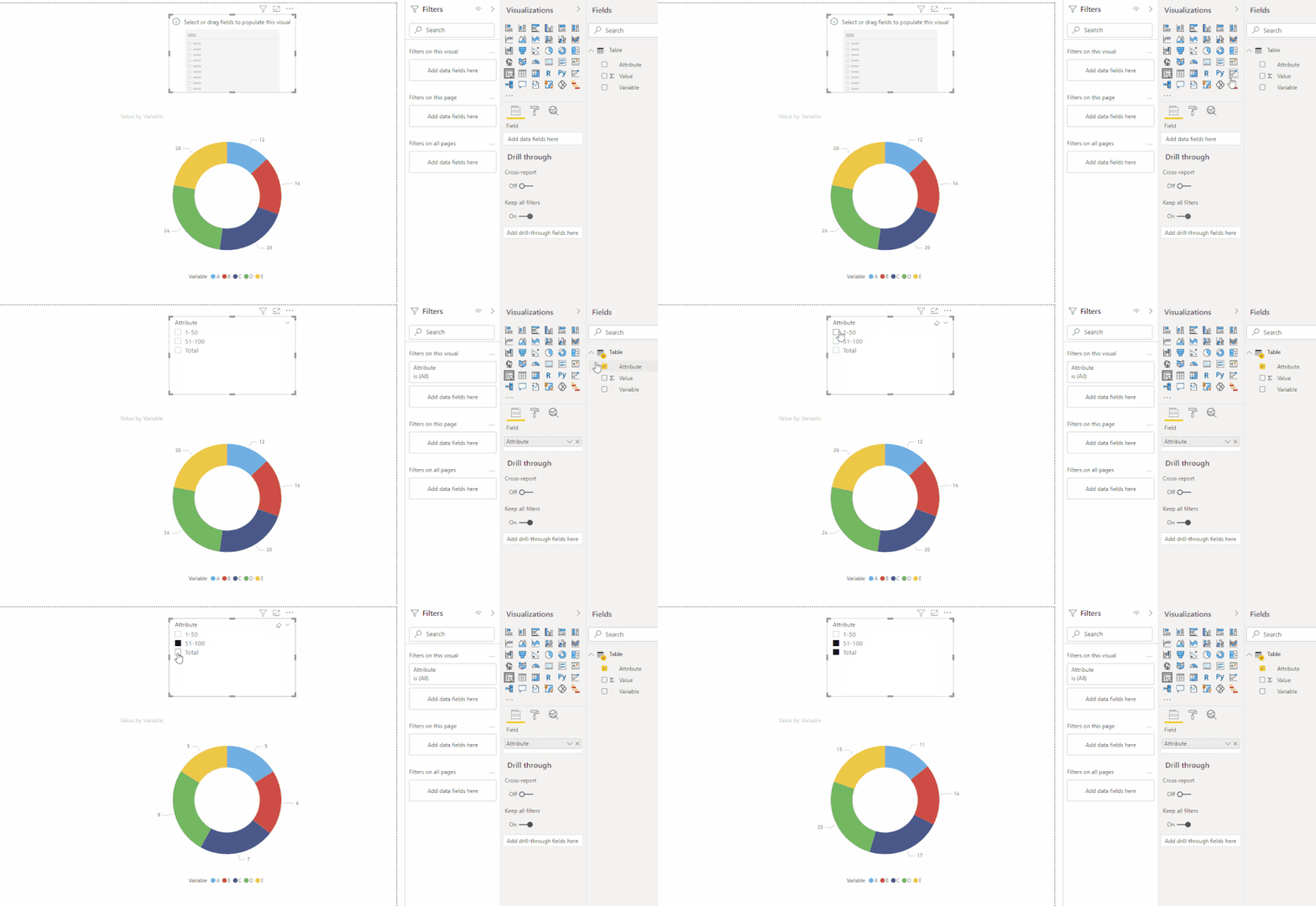
Then you could achieve the result you expect.
Here is the pbix file.
Best Regards,
Eyelyn Qin
If this post helps, then please consider Accept it as the solution to help the other members find it more quickly.
Hi @Riteshheda ,
Please select Variable column and Unpivot other columns as shown below:
Then you could achieve the result you expect.
Here is the pbix file.
Best Regards,
Eyelyn Qin
If this post helps, then please consider Accept it as the solution to help the other members find it more quickly.
@Riteshheda , see like you looking for very similar stuff
Dynamically change chart axis in Power BI
https://www.youtube.com/watch?v=6jeSIRpjv0M
https://datamonkeysite.com/2020/10/22/change-dimension-dynamically-using-parameter-in-powerbi/
Check out the April 2026 Power BI update to learn about new features.
Sign up to receive a private message when registration opens and key events begin.
If you have recently started exploring Fabric, we'd love to hear how it's going. Your feedback can help with product improvements.
| User | Count |
|---|---|
| 36 | |
| 33 | |
| 31 | |
| 21 | |
| 16 |
| User | Count |
|---|---|
| 66 | |
| 55 | |
| 31 | |
| 24 | |
| 23 |