
This is best Fabric, Power BI, SQL and AI community event. How do we know? The last event sold out! Save €200 with code FABCMTY200.
Register nowA new Data Days event is coming soon! This time we’re going bigger than ever. Fabric, Power BI, SQL, AI and more. Don't miss out.
Hi Experts,
below is my date slicer, is there any way I can change the formate to July 3 2021 something like that?
Solved! Go to Solution.
Hi, @vjnvinod
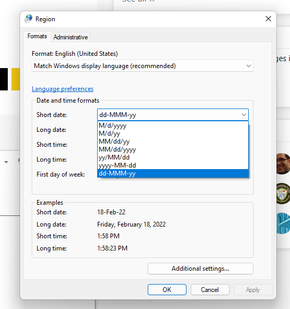
Yes, the date format display in the slicer visual decided by the local client Regional settings and not all short date formats will work in date slicers.
Best Regards,
Community Support Team _ Eason
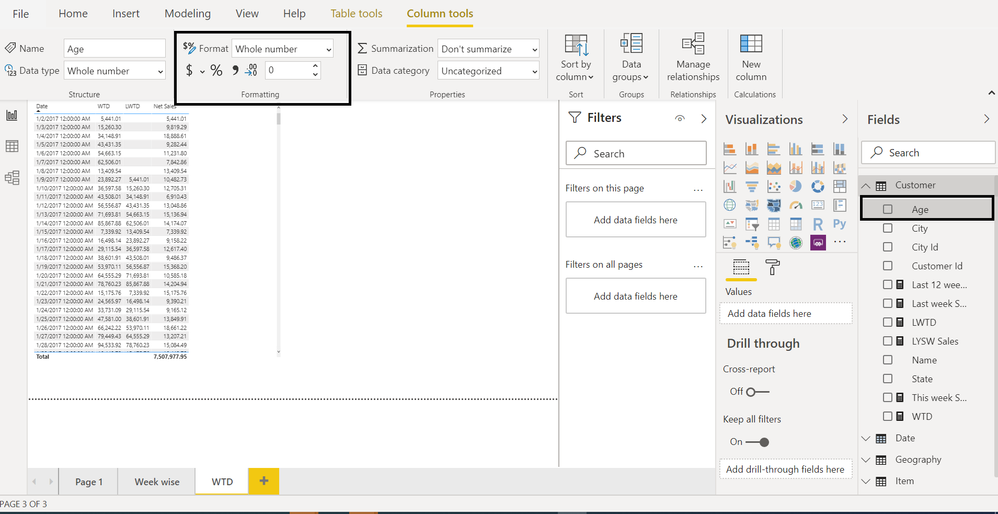
it only works in the column, but when I bring that column into the slicer, it automatically comes like below format
Hi, @vjnvinod
Please refer to this same thread.
https://community.powerbi.com/t5/Desktop/date-format-in-slicer/td-p/215627
You can consider changing the format of the short date('Region' in 'Control Panel'):
Best Regards,
Community Support Team _ Eason
does it means that, when i share the report with other users, they also have to set the date format like in your thread?
Hi, @vjnvinod
Yes, the date format display in the slicer visual decided by the local client Regional settings and not all short date formats will work in date slicers.
Best Regards,
Community Support Team _ Eason
Sign up to receive a private message when registration opens and key events begin.
If you have recently started exploring Fabric, we'd love to hear how it's going. Your feedback can help with product improvements.
| User | Count |
|---|---|
| 33 | |
| 25 | |
| 23 | |
| 20 | |
| 15 |
| User | Count |
|---|---|
| 64 | |
| 41 | |
| 27 | |
| 22 | |
| 22 |