cancel
Showing results for 
Search instead for 
Did you mean: 

Learn from the best! Meet the four finalists headed to the FINALS of the Power BI Dataviz World Championships! Register now

Reply
mphippen
New Member

Slicer & Map functionality not working?

I have a page set up that includes a table, several slicers, and a map. Even within the same dataset, I am able to use the slicers to filter down the table, but this will not filter the map. However, the map is not disconnected from the visuals - if I click a bubble on the map, the table is filtered down to that bubble. 


Does anyone have any ideas why the slicers would be working for the table but not the map?


Any help is appreciated. 

2 REPLIES 2
v-yulgu-msft
Microsoft Employee
Microsoft Employee

Hi @mphippen,


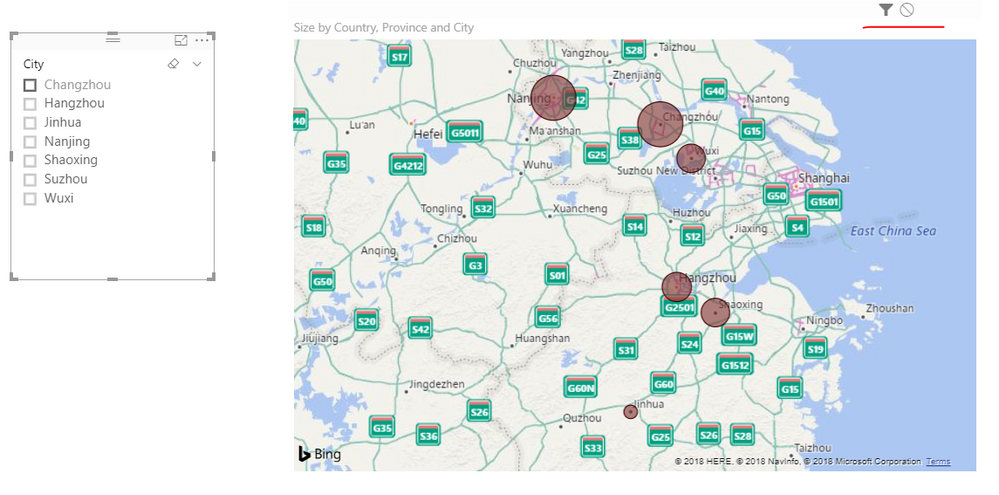
In my test, the slicer could filter map visual as expected.


Which map visual did you use? Please make sure the interaction between slicer and map visual is not disabled. Also, you can delete and re-add the map visual for a test.

1.PNG


Best regards,

Yuliana Gu

Community Support Team _ Yuliana Gu
If this post helps, then please consider Accept it as the solution to help the other members find it more quickly.

Hi there -


I used the built in map powered by bing. As far as I can tell, the interaction is not disabled. I have also tried deleting and re-creating to no avail. 

Helpful resources

Announcements
Join our Fabric User Panel

Join our Fabric User Panel

Share feedback directly with Fabric product managers, participate in targeted research studies and influence the Fabric roadmap.

March Power BI Update Carousel

Power BI Community Update - March 2026

Check out the March 2026 Power BI update to learn about new features.