cancel
Showing results for 
Search instead for 
Did you mean: 

July 7 - July 17 | Round 2 of the Power BI Dataviz World Championships. Don't miss your chance! Learn more

Reply
Anonymous
Not applicable

Slicer Help

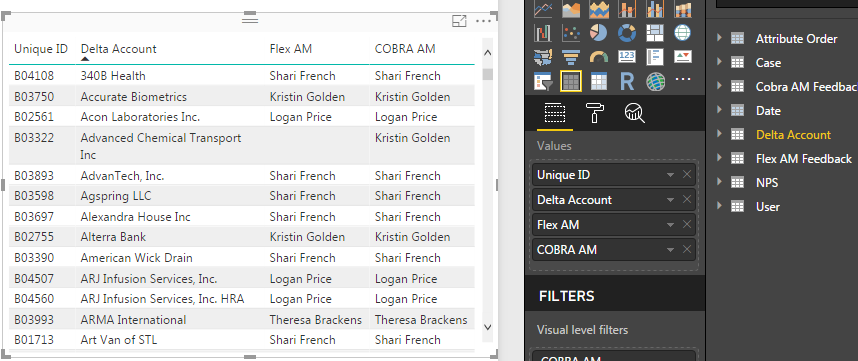
I have this table:

1.PNG


As you can see an account will have 2 managers. They typically will be the same person if there are 2 assigned to a company, however there are instances where they are mix and matched or there's just one manager. What I'm trying to figure out is a way to build a slicer that when selecting a person's name, any account with their name on it is returned, whether they are the Flex manager, Cobra manager, or both. Is this possible? I do not want 2 slicers for each person because it splits the data out when I'm just looking for overall stats by a person's name.

2 REPLIES 2
v-yulgu-msft
Microsoft Employee
Microsoft Employee

Hi @Anonymous,


Create an extra table to list all available slicer selections. Here I renamed the column with [Items]. Later, you need to add [Items] into slicer.

slicer selection =
UNION (
    VALUES ( 'sample data'[COBRA AM] ),
    EXCEPT ( VALUES ( 'sample data'[Flex AM] ), VALUES ( 'sample data'[COBRA AM] ) )
)

Then, create a measure.

flag =
IF (
    (
        IF (
            SELECTEDVALUE ( 'sample data'[Flex AM] )
                = SELECTEDVALUE ( 'slicer selection'[Items] ),
            1,
            0
        )
            || IF (
                SELECTEDVALUE ( 'sample data'[COBRA AM] )
                    = SELECTEDVALUE ( 'slicer selection'[Items] ),
                1,
                0
            )
    )
        = TRUE (),
    1,
    0
)

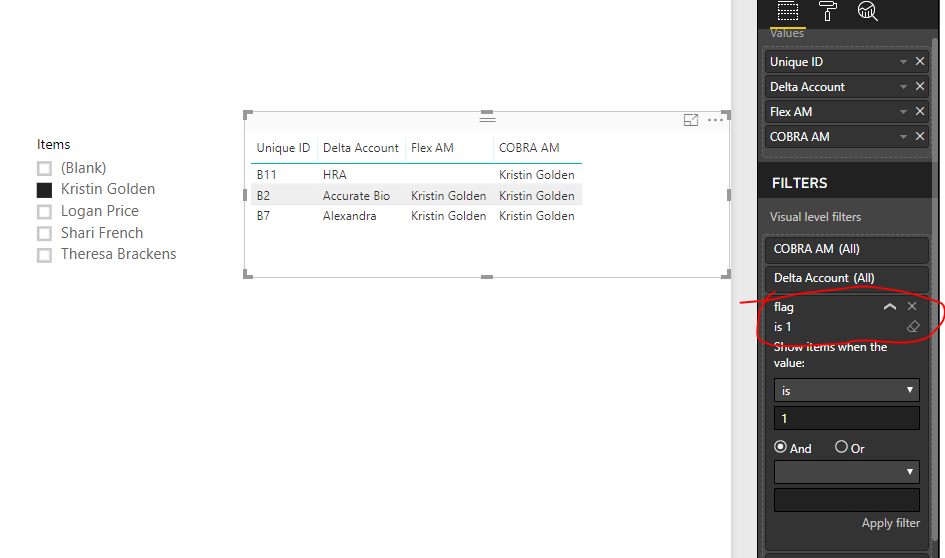
Add [flag] to visual level filters.

1.PNG


Best regards,

Yuliana Gu

Community Support Team _ Yuliana Gu
If this post helps, then please consider Accept it as the solution to help the other members find it more quickly.
Anonymous
Not applicable

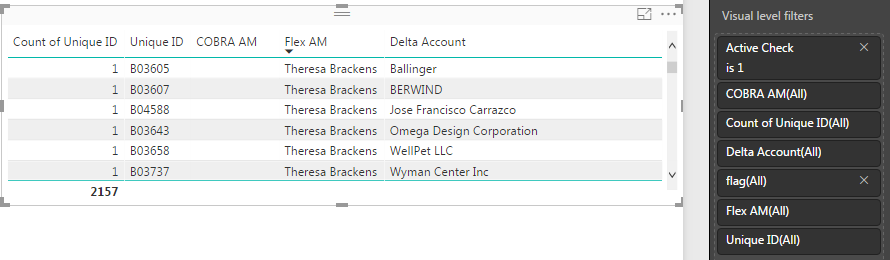
Hi! Thank you @v-yulgu-msft. This works perfectly except for one thing. So I keep a table of the active clients and I keep a count on the side:


1.PNG


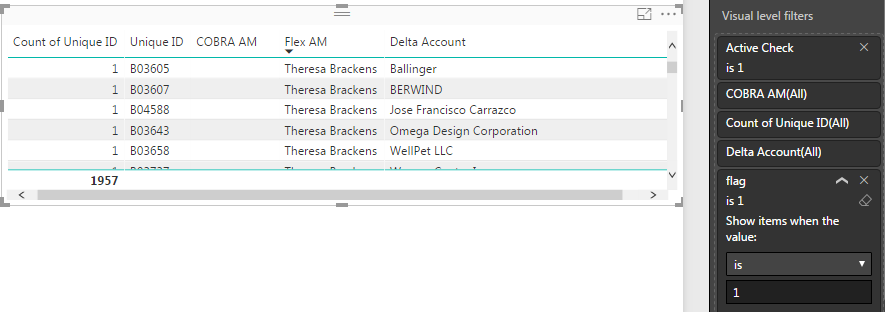
As you can see its 2157. When I apply the flag, the number goes down to 1957:


1.PNG

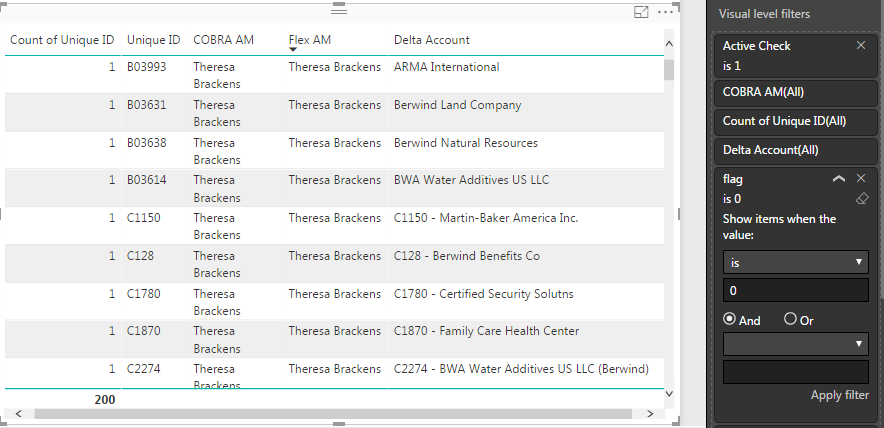
When I flip it to 0 to see why this is happening, it gives me the 200 accounts that are missing. The only pattern I can see is that they are all accounts with 2 people that are the same person:

1.PNG

Do you know how I can fix it from here?

Helpful resources

Announcements
FabCon and SQLCon Barcelona 2026

FabCon & SQLCon – Barcelona 2026

Join us in Barcelona for FabCon and SQLCon, the Fabric, Power BI, SQL, and AI community event. Save €200 with code FABCMTY200.

60 days of Data Days Carousel

Data Days 2026

Join Fabric Data Days 2026: 60 days of free live/on-demand sessions, challenges, study groups, and certification opportunities.

Power BI DataViz World Championships carousel

Power BI DataViz World Championships - June 2026

A new Power BI DataViz World Championship is coming this June! Don't miss out on submitting your entry.

Top Solution Authors