Join us at FabCon Atlanta from March 16 - 20, 2026, for the ultimate Fabric, Power BI, AI and SQL community-led event. Save $200 with code FABCOMM.
Register now!Learn from the best! Meet the four finalists headed to the FINALS of the Power BI Dataviz World Championships! Register now
Hi All,
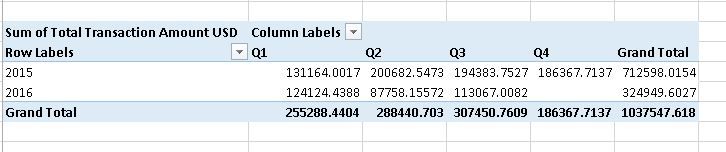
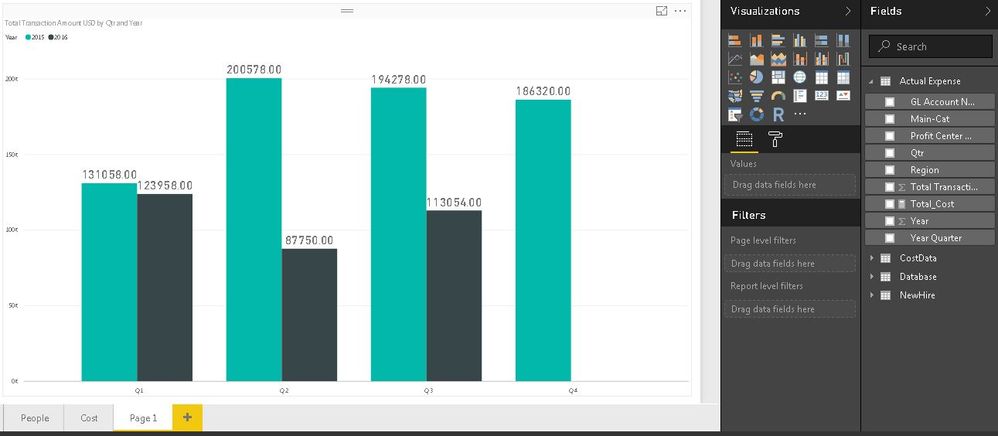
I am creating chart where I have found Power BI is not showing correct sum.
Please find the attached snapshots.
Hi @mmohit,
In this case, could you please remove another data tables and keep only Actual expense then sharing with us?
Hi
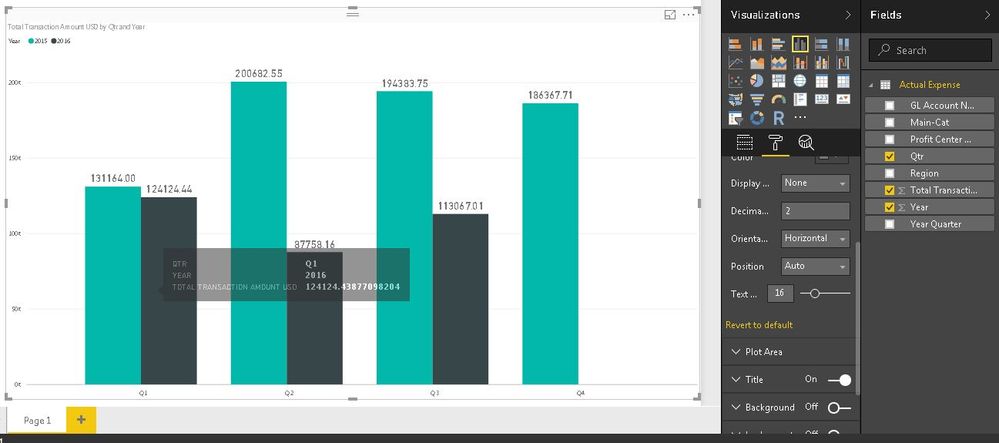
I took new page that time is working fine. But ever I took new page in same workbook that time showing wrong.
I have also checked Page Level and Report are emply.
Please find the sceenshots.
I would suggest changing your "Year" column to "Do Not Summarize"
My guessing that root cause is your data and data format, could you allow me to observe it?
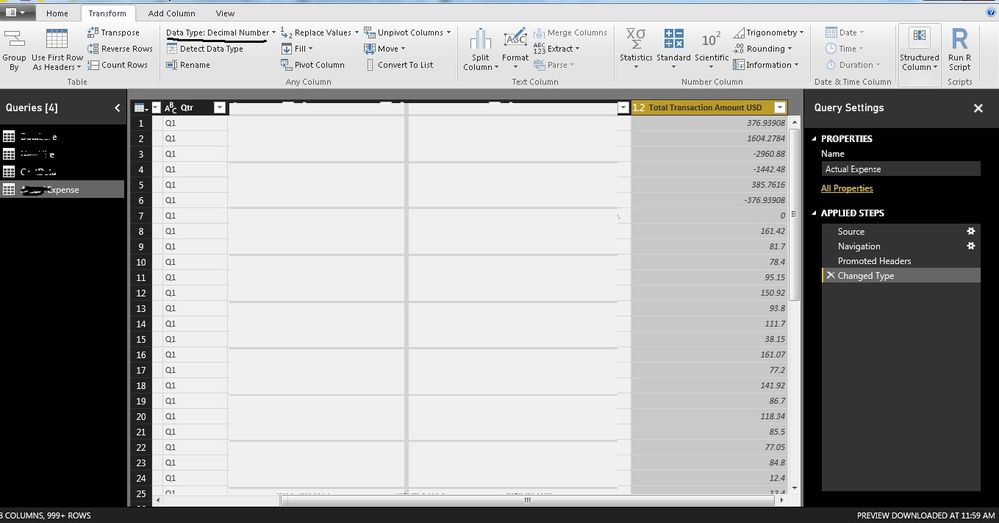
I have checked datatype is Decimal Number. Here is sceenshot.
Hi @mmohit,
What do you mean "But ever I took new page in same workbook that time showing wrong"? Based on the screenshot, the result is less than data shown in Excel, do you add any filter or slicer?
Best Regards,
Angelia
Share feedback directly with Fabric product managers, participate in targeted research studies and influence the Fabric roadmap.
Check out the February 2026 Power BI update to learn about new features.
| User | Count |
|---|---|
| 66 | |
| 60 | |
| 45 | |
| 19 | |
| 15 |
| User | Count |
|---|---|
| 108 | |
| 108 | |
| 41 | |
| 30 | |
| 27 |