cancel
Showing results for 
Search instead for 
Did you mean: 

The Power BI Data Visualization World Championships is back! Get ahead of the game and start preparing now! Learn more

Reply
Anonymous
Not applicable

SharePoint List fails to load

Hey All,
I am trying to load a list from SharePoint.
The issue is that I can see only 600 records out of 1006.
Looking at the query Editor I see 4 steps.
 
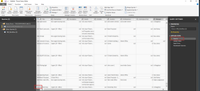
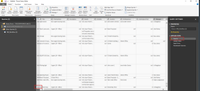
1. Source - Looks fine and loads all records.
2. Added Index - Looks fine and all records are still there.
2019-01-07 10_18_55-Untitled - Power BI Desktop.png


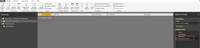
3. Kept Errors - Shows "This table is empty."message.
4. Reordered Columns  - Shows "This table is empty." message.
 
2019-01-07 11_16_18-Untitled - Power Query Editor.png


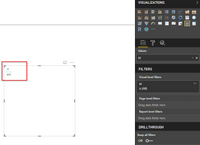
Creating a new visualization, shows only 600 Records from the original list.
2019-01-07 11_23_49-Untitled - Power BI Desktop.png


Additional info:
  • I worked with another list before and had no issues.
  • This is a workflow, maybe the issue lays there?
 
Any idea how to fix this?

Thanks a lot!
 
 
5 REPLIES 5
v-frfei-msft
Community Support
Community Support

Hi @Anonymous,


Go to Data Source Settings -> Select the SharePoint source you're referring to -> Edit Permissions -> Re-enter credentials and log in

This should allow you to see the data in the list when you refresh the data set. If not, I would suggest checking that the account used to connect to the SharePoint site has proper permissions.


Regards,

Frank

Community Support Team _ Frank
If this post helps, then please consider Accept it as the solution to help the others find it more quickly.
Anonymous
Not applicable

Hi @v-frfei-msft, Thanks for the answer. As I mentioned in the original post, I see the list but not the complete one. I see 600 out of 1000 records. So it is not a permission issue. Also I mentioned in the second message that I am able now to see all records, after removing some of the columns that were redundant in my report. So again, this is not an account/permission issue. Cheers Mate! A
Anonymous
Not applicable

Updates...


Not sure about the root cause, but seems like one of the columns that I tried to import is corrupted.

I started to iterate and import the list again and again.

I started with 1 column and each iteration I have added another column until I had all necessary columns I need for my report.


When I'll have a bit more time to investigate, I will return with more details.

Anonymous
Not applicable

Hey All,
Spoiler
[Duplicate post as did not get answers in the desktop furom]
I am trying to load a list from SharePoint.
The issue is that I can see only 600 records out of 1006.
Looking at the query Editor I see 4 steps.
 
1. Source - Looks fine and loads all records.
2. Added Index - Looks fine and all records are still there.
2019-01-07 10_18_55-Untitled - Power BI Desktop.png


3. Kept Errors - Shows "This table is empty."message.
4. Reordered Columns  - Shows "This table is empty." message.
 
2019-01-07 11_16_18-Untitled - Power Query Editor.png


Creating a new visualization, shows only 600 Records from the original list.
2019-01-07 11_23_49-Untitled - Power BI Desktop.png


Additional info:
  • I worked with another list before and had no issues.
  • This is a workflow, maybe the issue lays there?
 
Any idea how to fix this?

Thanks a lot!
Anonymous
Not applicable

Updates...


Not sure about the root cause, but seems like one of the columns that I tried to import is corrupted.

I started to iterate and import the list again and again.

I started with 1 column and each iteration I have added another column until I had all necessary columns I need for my report.


When I'll have a bit more time to investigate, I will return with more details.

Helpful resources

Announcements
Power BI DataViz World Championships

Power BI Dataviz World Championships

The Power BI Data Visualization World Championships is back! Get ahead of the game and start preparing now!

December 2025 Power BI Update Carousel

Power BI Monthly Update - December 2025

Check out the December 2025 Power BI Holiday Recap!

FabCon Atlanta 2026 carousel

FabCon Atlanta 2026

Join us at FabCon Atlanta, March 16-20, for the ultimate Fabric, Power BI, AI and SQL community-led event. Save $200 with code FABCOMM.