Forum Discussion

SharePoint List fails to load
I am trying to load a list from SharePoint.
The issue is that I can see only 600 records out of 1006.
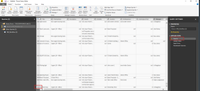
Looking at the query Editor I see 4 steps.
3. Kept Errors - Shows "This table is empty."message.
- I worked with another list before and had no issues.
- This is a workflow, maybe the issue lays there?
Thanks a lot!
5 Replies
- AnonymousNot applicable
Updates...
Not sure about the root cause, but seems like one of the columns that I tried to import is corrupted.
I started to iterate and import the list again and again.
I started with 1 column and each iteration I have added another column until I had all necessary columns I need for my report.
When I'll have a bit more time to investigate, I will return with more details.
- AnonymousNot applicableHey All,SpoilerI am trying to load a list from SharePoint.[Duplicate post as did not get answers in the desktop furom]
The issue is that I can see only 600 records out of 1006.
Looking at the query Editor I see 4 steps.1. Source - Looks fine and loads all records.2. Added Index - Looks fine and all records are still there.
3. Kept Errors - Shows "This table is empty."message.4. Reordered Columns - Shows "This table is empty." message.Creating a new visualization, shows only 600 Records from the original list.Additional info:- I worked with another list before and had no issues.
- This is a workflow, maybe the issue lays there?
Any idea how to fix this?
Thanks a lot!- AnonymousNot applicable
Updates...
Not sure about the root cause, but seems like one of the columns that I tried to import is corrupted.
I started to iterate and import the list again and again.
I started with 1 column and each iteration I have added another column until I had all necessary columns I need for my report.
When I'll have a bit more time to investigate, I will return with more details.
 v-frfei-msft
Community Support
Hi Anonymous,
Go to Data Source Settings -> Select the SharePoint source you're referring to -> Edit Permissions -> Re-enter credentials and log in
This should allow you to see the data in the list when you refresh the data set. If not, I would suggest checking that the account used to connect to the SharePoint site has proper permissions.
Regards,
Frank
- AnonymousNot applicableHi v-frfei-msft, Thanks for the answer. As I mentioned in the original post, I see the list but not the complete one. I see 600 out of 1000 records. So it is not a permission issue. Also I mentioned in the second message that I am able now to see all records, after removing some of the columns that were redundant in my report. So again, this is not an account/permission issue. Cheers Mate! A