Join us at FabCon Atlanta from March 16 - 20, 2026, for the ultimate Fabric, Power BI, AI and SQL community-led event. Save $200 with code FABCOMM.
Register now!The Power BI Data Visualization World Championships is back! Get ahead of the game and start preparing now! Learn more
Hello,
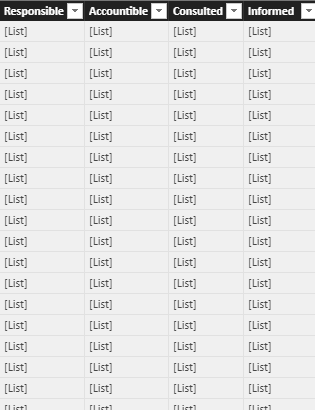
I have connected SharePoint list with Power BI. SP list have multiple columns and some of them are set as 'Choice' (Drodown) datasets. When I am trying to connect with Power BI, it's showing '[List]' rather than showing multiple option in list. I am looking for all options selected for each action item. Is this a bug? Please help!
Solved! Go to Solution.
Hi Qiuyun,
I got the solution. I just changed the Column format in Query Editor and I can see the data now.
Thanks,
Chinmay
Hi @Anonymous,
Glad to hear you find the solution. As the issue is solved now, I will close this thread.
Best Regards,
Qiuyun Yu
Hi Qiuyun,
I got the solution. I just changed the Column format in Query Editor and I can see the data now.
Thanks,
Chinmay
Hi Qiuyun,
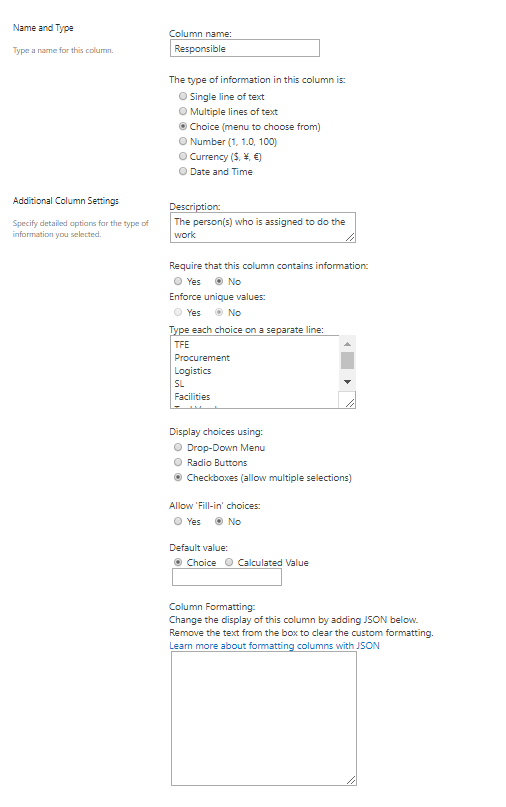
Thanks for helping me out on this. Here is the snapshot of one of my coulmn having 'Choice'.
Hi @Anonymous,
How do you define the Choice column in the list? Would you please share how the list looks like?
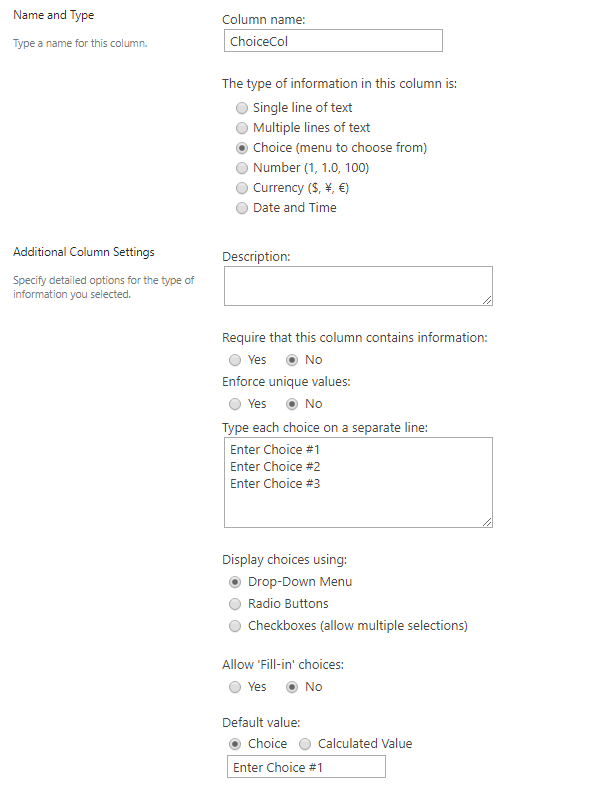
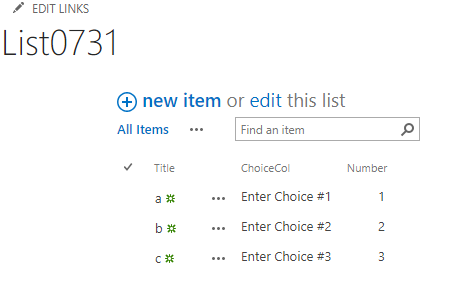
Based on my test, if the SharePoint online list is defined as below, we can retrieve the same data in Power BI desktop.
Best Regards,
Qiuyun Yu
The Power BI Data Visualization World Championships is back! Get ahead of the game and start preparing now!
| User | Count |
|---|---|
| 38 | |
| 37 | |
| 33 | |
| 32 | |
| 29 |
| User | Count |
|---|---|
| 129 | |
| 88 | |
| 79 | |
| 68 | |
| 63 |