Share feedback directly with Fabric product managers, participate in targeted research studies and influence the Fabric roadmap.
Sign up nowGet Fabric certified for FREE! Don't miss your chance! Learn more
Hello All,
So I tried to connect to a SharePoint list from PBI Desktop for the first time. I chose to connect anonymously as a test to see what happened and I was not able to connect. When I initiated the process again it did not give me the option to connect with my Windows credentials and just denies me access. Does anyone know how to reset this or force PBI to ask for my Windows/MS credentials?
Thanks,
AG
Solved! Go to Solution.
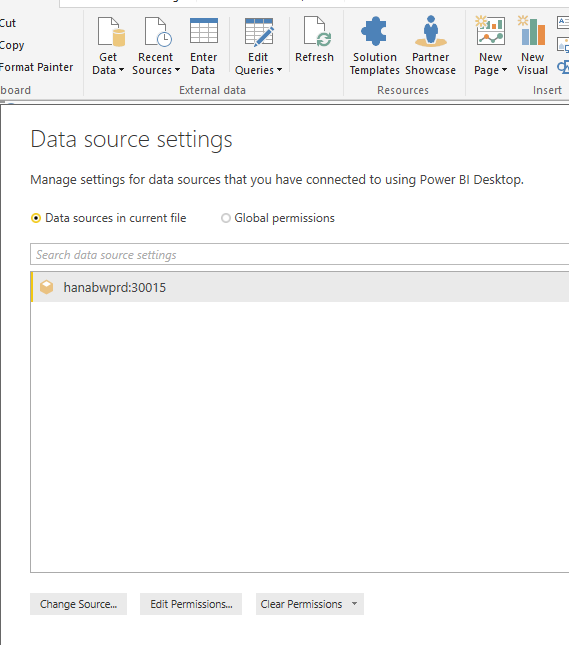
Edit Queries -> Data source settings -> Edit or Clear permissions?
@Aron_Moore Thank you for the help. To clarify, I did chose to "Edit" the permissions and that allowed me to update to use my Windows/MS credentials.
If you love stickers, then you will definitely want to check out our Community Sticker Challenge!
Check out the January 2026 Power BI update to learn about new features.
| User | Count |
|---|---|
| 64 | |
| 63 | |
| 48 | |
| 21 | |
| 18 |
| User | Count |
|---|---|
| 119 | |
| 116 | |
| 38 | |
| 36 | |
| 27 |