Join us at FabCon Atlanta from March 16 - 20, 2026, for the ultimate Fabric, Power BI, AI and SQL community-led event. Save $200 with code FABCOMM.
Register now!The Power BI Data Visualization World Championships is back! Get ahead of the game and start preparing now! Learn more
Hi,
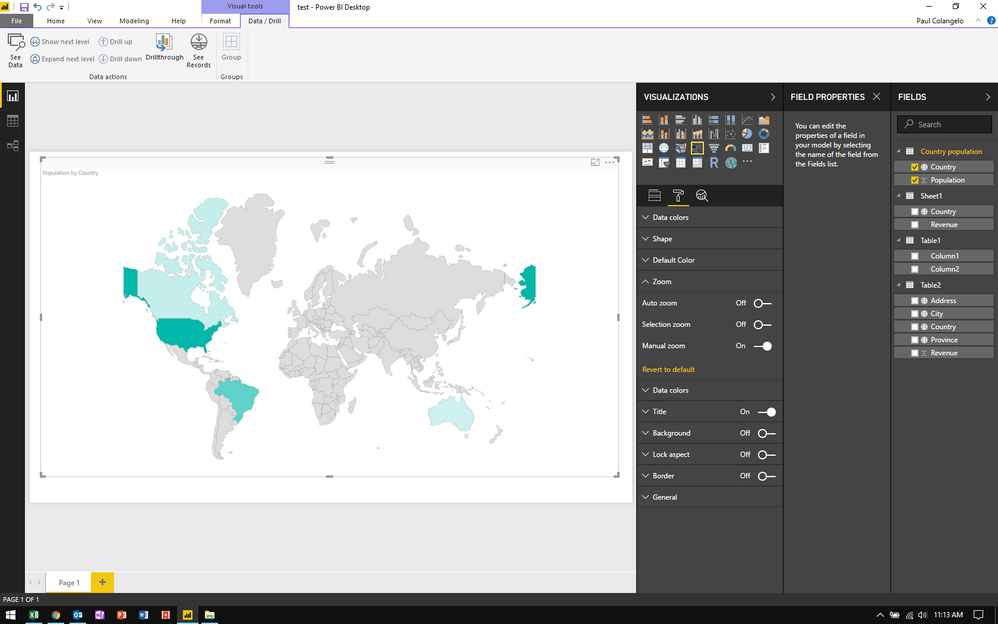
I am using a Shape Map visual based on a world countries .json file I imported. The default view of the map splits Alaska between the left and right sides. I simply want to shift the entire map to the right to show all of Alaska on the left.
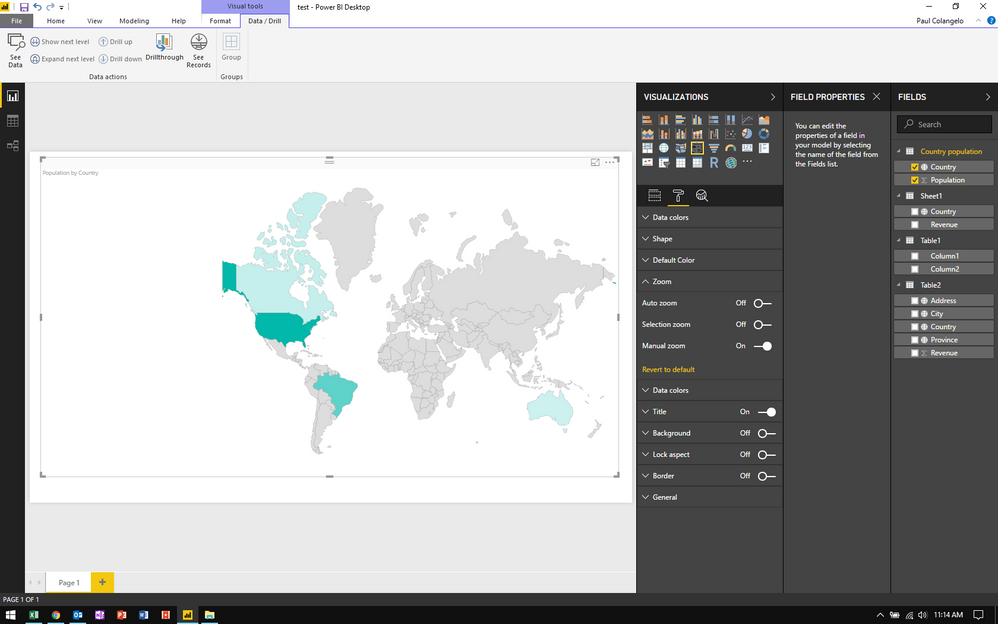
I set the zoom to manual, and I dragged the map to the right, but the map doesn't regenerate--it just moves some of the map out of the border. I've included screen shots of the map in its default view and after I dragged it to the right.
I'm not sure what I'm missing here--any help is appreciated.
Thank you!
Paul
Hi @pccola,
I can not reproduce your scenario, I think your map does not move some of the map out of the border, the part just be hided when you dragged the map to the right. Please drag your map to the left slightly and check if it works fine.
Best Regards,
Angelia
Hi @v-huizhn-msft,
Thanks for your response.
I tried doing as you suggested with no luck. I've published the map publicly:
When I use the auto zoom, the map acts as expected (eg. when I click on Canada, it centers on Canada and the map wraps around, completing Alaska.) But once I turn manual zoom on, the map no longer wraps around.
Here is the link to where I downloaded the .json file:
https://github.com/deldersveld/topojson/blob/master/world-countries-sans-antarctica.json
Thank you,
Paul
Hi @pccola,
Is it because the part of map just be hided when you dragged the map to the right?
Best Regards,
Angelia
The Power BI Data Visualization World Championships is back! Get ahead of the game and start preparing now!
| User | Count |
|---|---|
| 39 | |
| 36 | |
| 33 | |
| 31 | |
| 28 |
| User | Count |
|---|---|
| 129 | |
| 88 | |
| 79 | |
| 68 | |
| 63 |