Get certified for free when you join Fabric Data Days 2026 and dive into Fabric, Power BI, SQL, AI, and other essential data skills.
Join nowJuly 7 - July 17 | Round 2 of the Power BI Dataviz World Championships. Don't miss your chance! Learn more
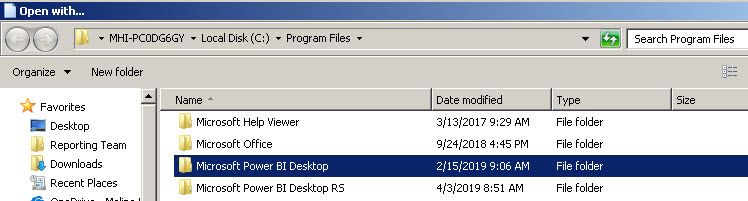
My team updates Power BI Desktop with each new release. However, the current Report Server version was installed on my laptop this morning, and now that is set as the default program associated with all of my .pbix files. I tried to "open with" and select the current Power BI Desktop version instead, but still only the newly installed Report Server version is listed as an option.2 folders: 1 Power BI Desktop, 1 Power BI Desktop RS
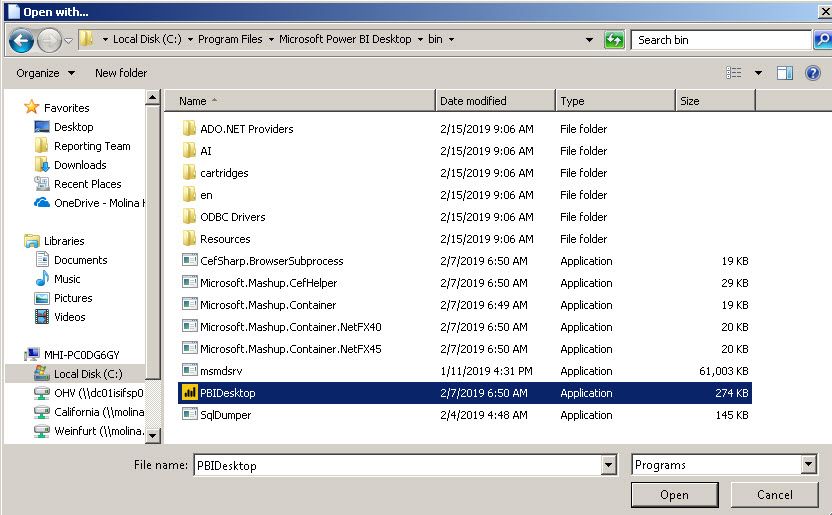
Choosing current non_RS Power BI Desktop program
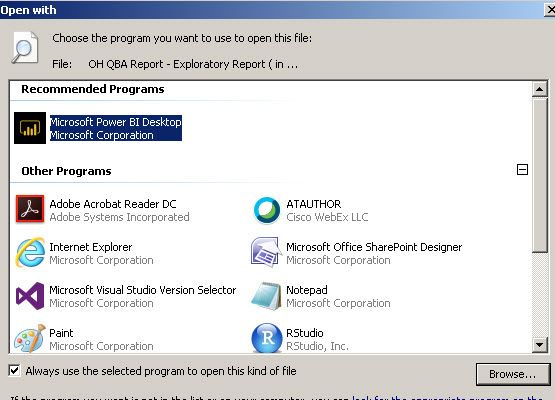
Only version listed is Power BI Desktop RS
HI @Sue ,
I'd like to suggest create two shortcut with different power bi versions , then you can drag pbix file to correspond shortcut to open report with specific version.
Regards,
Xiaoxin Sheng
Will it associate the file I choose with the shortcut I drop it in going forward, or would I need to drag the file to the shortcut every time I want to open it? If the latter, it is not a good solution, as my team has numerous pbix files saved on various shared locations that we all use regularly.
Hi @Sue ,
Maybe you can do custom on 'open with list' to add those different versions apps:
How to Include an Application in the Open With Dialog Box
Regards,
Xiaoxin Sheng
Join us in Barcelona for FabCon and SQLCon, the Fabric, Power BI, SQL, and AI community event. Save €200 with code FABCMTY200.
Join Fabric Data Days 2026: 60 days of free live/on-demand sessions, challenges, study groups, and certification opportunities.
| User | Count |
|---|---|
| 23 | |
| 22 | |
| 18 | |
| 17 | |
| 13 |
| User | Count |
|---|---|
| 63 | |
| 44 | |
| 42 | |
| 40 | |
| 40 |