This is best Fabric, Power BI, SQL and AI community event. How do we know? The last event sold out! Save €200 with code FABCMTY200.
Register nowA new Data Days event is coming soon! This time we’re going bigger than ever. Fabric, Power BI, SQL, AI and more. Don't miss out.
HI
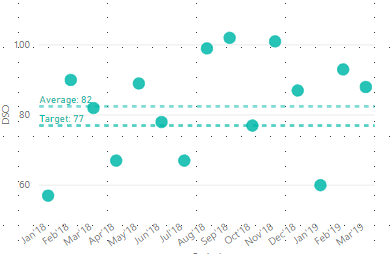
I have a scatter chart with applied two Y-Axis constant lines, that are showing the average and target. I'd like to color everything below and above average (or target).
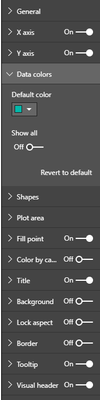
How can I do this? There is no option for conditional formatting...
Solved! Go to Solution.
Hi @Anonymous ,
By my tests, I'm afraid that we cannot set conditional formatting for bubble chart in Power BI currently.
You could submit your idea in Power BI ideas Forum and add your comments there to improve Power BI and make this feature coming sooner.
Best Regards,
Cherry
Hi @Anonymous ,
Have you solved your problem?
If you have solved, please always accept the replies making sense as solution to your question so that people who may have the same question can get the solution directly.
If you still need help, feel free to ask.
Best Regards,
Cherry
Hi @Anonymous ,
By my tests, I'm afraid that we cannot set conditional formatting for bubble chart in Power BI currently.
You could submit your idea in Power BI ideas Forum and add your comments there to improve Power BI and make this feature coming sooner.
Best Regards,
Cherry
Check out the May 2026 Power BI update to learn about new features.
Sign up to receive a private message when registration opens and key events begin.
If you have recently started exploring Fabric, we'd love to hear how it's going. Your feedback can help with product improvements.
| User | Count |
|---|---|
| 29 | |
| 28 | |
| 25 | |
| 19 | |
| 14 |
| User | Count |
|---|---|
| 53 | |
| 47 | |
| 27 | |
| 20 | |
| 19 |