cancel
Showing results for 
Search instead for 
Did you mean: 

The Power BI Data Visualization World Championships is back! It's time to submit your entry. Live now!

Reply
Anonymous
Not applicable

SandDance 2019 visual customizations

Dear Community,


I am experimentic with SandDance and I am struggling to customize the range used for Color by (e.g. I want green for <14 and not the automatically created <28... ) . 


If I try to open the Vega Editor, clicking the button nothing happens.. Any suggestion?


Thanks in advance,

Pietro

1 ACCEPTED SOLUTION
MFelix
Super User
Super User

Hi @Anonymous ,


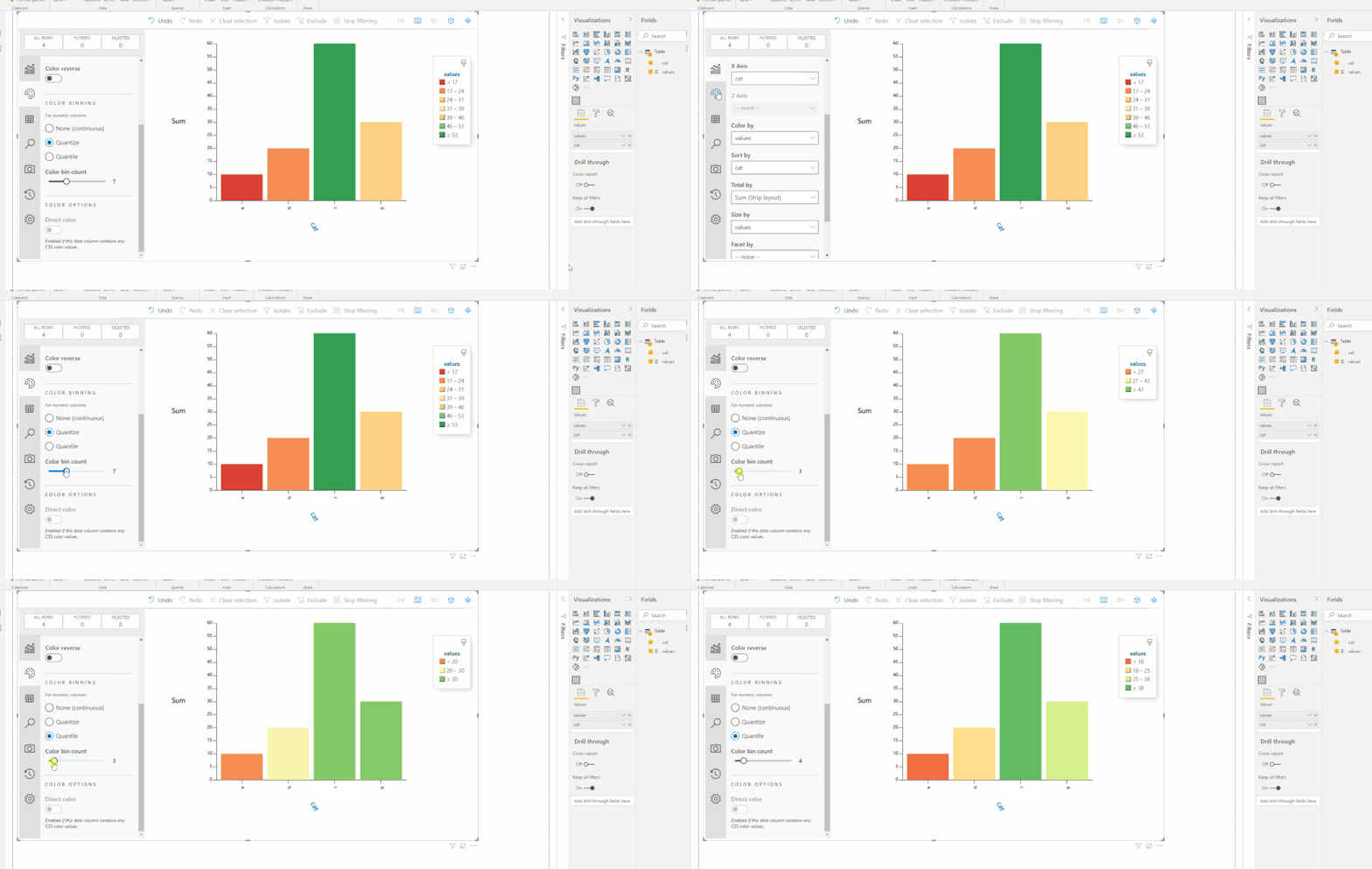
To what I can see the Sandance visualization allows to change the values based on the number of bins  so if you increase or decrease the size of the bin it will adjust accordingly:


sandance.gif


If you allow the question what is the type of chart you are doing in this sundace? Currently almost all of the visualizations allow to have condittional formatting so you can setup in a better way than with this visualization I believe.


Regards

Miguel Félix


Did I answer your question? Mark my post as a solution!

Proud to be a Super User!

Check out my blog: Power BI em Português


View solution in original post

1 REPLY 1
MFelix
Super User
Super User

Hi @Anonymous ,


To what I can see the Sandance visualization allows to change the values based on the number of bins  so if you increase or decrease the size of the bin it will adjust accordingly:


sandance.gif


If you allow the question what is the type of chart you are doing in this sundace? Currently almost all of the visualizations allow to have condittional formatting so you can setup in a better way than with this visualization I believe.


Regards

Miguel Félix


Did I answer your question? Mark my post as a solution!

Proud to be a Super User!

Check out my blog: Power BI em Português


Helpful resources

Announcements
Power BI DataViz World Championships

Power BI Dataviz World Championships

The Power BI Data Visualization World Championships is back! It's time to submit your entry.

January Power BI Update Carousel

Power BI Monthly Update - January 2026

Check out the January 2026 Power BI update to learn about new features.

FabCon Atlanta 2026 carousel

FabCon Atlanta 2026

Join us at FabCon Atlanta, March 16-20, for the ultimate Fabric, Power BI, AI and SQL community-led event. Save $200 with code FABCOMM.