
Advance your Data & AI career with 50 days of live learning, dataviz contests, hands-on challenges, study groups & certifications and more!
Get registeredGet Fabric Certified for FREE during Fabric Data Days. Don't miss your chance! Request now
Hello community,
I'm in a hardship while trying to use the SWITCH function to make my chart figure out a dynamic legend and colors.
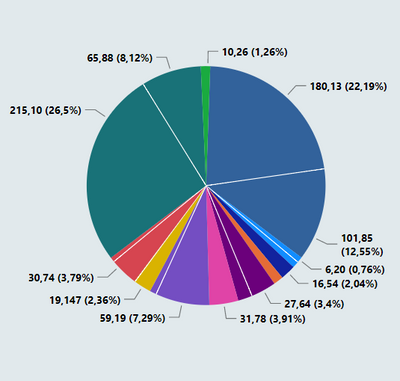
As you can see here, I have a legend that interpret my data with two different metrics :
So when I use the slicer to filter it I would like to the filtered data to return 2 different colors and to show on the legend as well, the other possibility that I have right now is to remove the legend and return all the different data with a singular color, however, when I use the slicer all the legend remains at he chart :
Could you enlighten me how I can proper use the SWITCH measure in this case ? Other solutions are very welcome as well.
Thank you in advance
Hi, @AGCL
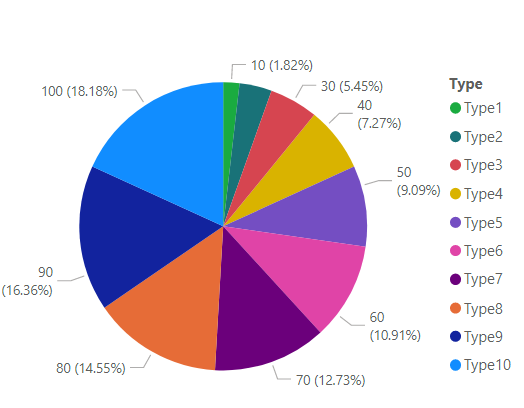
Sample data:
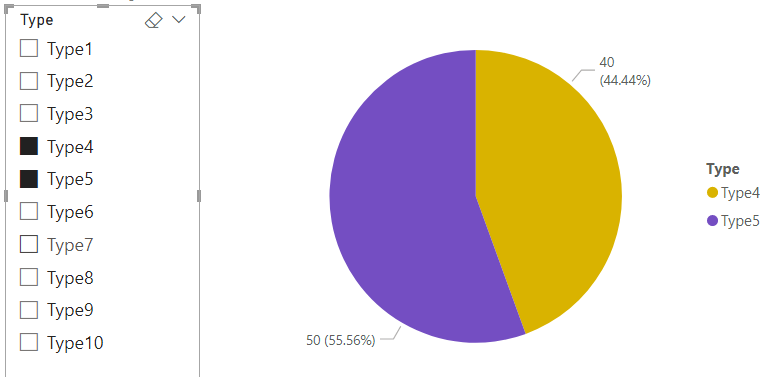
Is this the result you expect?
Best Regards,
Community Support Team _Charlotte
If this post helps, then please consider Accept it as the solution to help the other members find it more quickly.
Technically yes, however, I would like to keep my slicer with the main specification while it brings forth the two different data and interpret them as two different for the same main think.
Exemple : Dell - I can have data with 2 Dell different notebooks, but they are still Dell, so when I slice Dell they are suppose to appear at the chart with two different colors and legends
Advance your Data & AI career with 50 days of live learning, contests, hands-on challenges, study groups & certifications and more!
Check out the October 2025 Power BI update to learn about new features.