cancel
Showing results for 
Search instead for 
Did you mean: 

The Power BI Data Visualization World Championships is back! Get ahead of the game and start preparing now! Learn more

Reply
Hamdan1234
Helper III
Helper III

SQL Server connecting error

Hello,

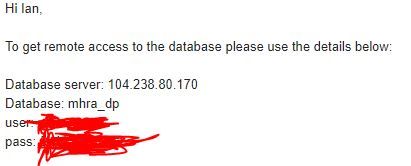
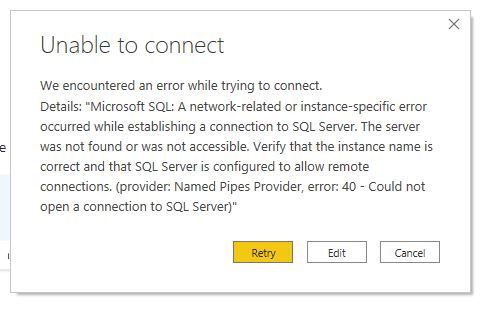
I am new to Power BI but when ever I connect to sql server and as I enter the server name or database name instead of going to credentials of user name and password it goes to this error which I have attached . Kindly tell me what to do or what add . I have heard about port but don't know how to use it . Kindly guide.

Thanks

sqlerror2.JPGsqlerror.JPG

2 REPLIES 2
v-jingzhang
Community Support
Community Support

Hi @Hamdan1234 

The problem is that your client computer is not able to connect to the DB instance. There are many reasons that may cause this problem. If you are not the admin of the DB, I would suggest that you ask the DB admin to help investigagte this problem. 


Here is a doc about how to troubleshoot this problem: Troubleshoot connecting to the SQL Server Database Engine - SQL Server | Microsoft Docs. Hope this helps.


Regards,
Community Support Team _ Jing

amitchandak
Super User
Super User

@Hamdan1234 , when you to the user name and password screen, there are three options. Make sure you are using the database option if your use is a database user. By default it is windows user option

Share with Power BI Enthusiasts: Full Power BI Video (20 Hours) YouTube
Microsoft Fabric Series 60+ Videos YouTube
Microsoft Fabric Hindi End to End YouTube

Helpful resources

Announcements
Power BI DataViz World Championships

Power BI Dataviz World Championships

The Power BI Data Visualization World Championships is back! Get ahead of the game and start preparing now!

December 2025 Power BI Update Carousel

Power BI Monthly Update - December 2025

Check out the December 2025 Power BI Holiday Recap!

FabCon Atlanta 2026 carousel

FabCon Atlanta 2026

Join us at FabCon Atlanta, March 16-20, for the ultimate Fabric, Power BI, AI and SQL community-led event. Save $200 with code FABCOMM.

Top Solution Authors