Get certified for free when you join Fabric Data Days 2026 and dive into Fabric, Power BI, SQL, AI, and other essential data skills.
Join nowData Days is here! Join us now for 60+ days of learning, challenges, and connection. Learn more
I have something very odd happening when I'm working with SAMEPERIODLASTYEAR
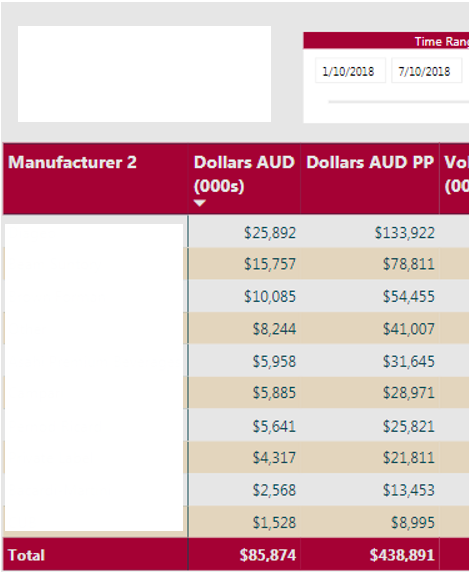
I have, in Power Query, removed any future dates from my calendar table. My fact table only has facts up to 07/10/2018 (dd-mm-yyyy) so I've limited the calendar to only go up to that date. When I select that very last date in my date range slicer it inflates my LY figures dramatically.
I have a work-around, which is to make my last date in my calendar 08/10/2018 but ideally I'd just want to have it as the very last date that has a fact attributed to it - any ideas as to why this might be happening?
e.g. below shows the issue. If I do my workaround 01/10/2018 - 07/10/2018 gives me 97,435
Hi @Anonymous,
Please illustrate your scenario with sample data. And what is the formula of those used measures?
Regards,
Yuliana Gu
Don't miss out on Data Days, June 15 through August 7. Learn Fabric, Power BI, SQL, AI and more.
Check out the May 2026 Power BI update to learn about new features.
| User | Count |
|---|---|
| 23 | |
| 23 | |
| 20 | |
| 18 | |
| 14 |
| User | Count |
|---|---|
| 58 | |
| 51 | |
| 41 | |
| 30 | |
| 24 |