Good day,
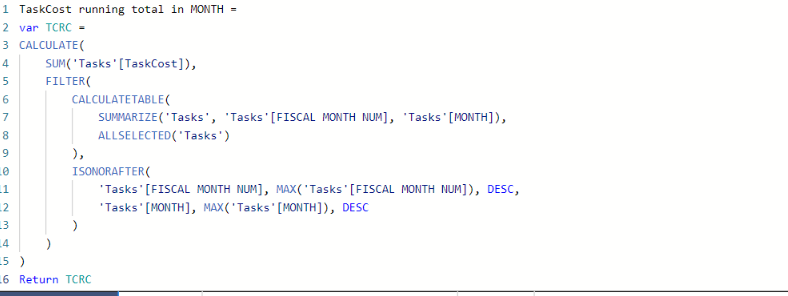
I used a quick measure to get the running total for monthly income. I could not use the DATEYTD because we are working on a financial year starting in March and also using trimesters instead of quarters so, I needed to create new date tables the Month table is not seen as a date table but as a text column. I also can't use calendarauto(2) because that creates a circle dependency with a calculated table used elsewhere. I managed to use the quick measure to create a running total.
My question now is how do get a total of my running total, all my running totals counted together?
I'm using it in a matirx and that total is just the last months total.
Also i am getting my data from MS Projects PWA through odatafeed
Thanks in advance
See below quick measure