Join us at FabCon Atlanta from March 16 - 20, 2026, for the ultimate Fabric, Power BI, AI and SQL community-led event. Save $200 with code FABCOMM.
Register now!The Power BI Data Visualization World Championships is back! Get ahead of the game and start preparing now! Learn more
Hello -
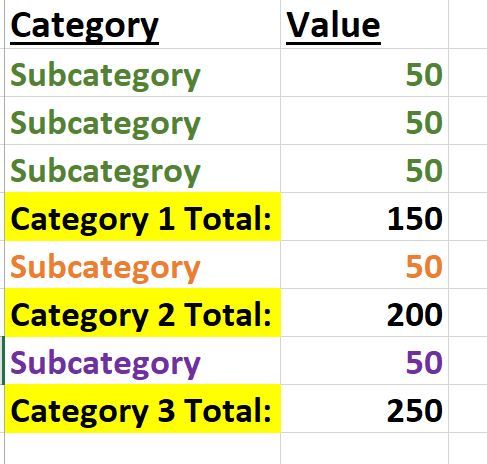
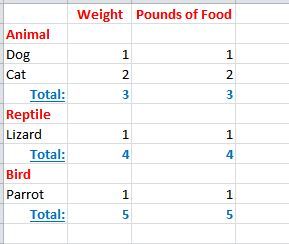
How do I do this? I cannot figure it out. I need a running total down a column by parent categories. They need to build on one another. Category 1 is worst case. Category 2 is better case (results from 1+2) and Category 3 is even better case (1+2+3).
Example below:
hi, @Anonymous
After my reseach, you could try this way as below:
Step1:
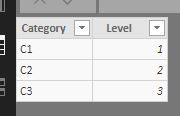
Create a Dim Level table for category like this:
Step2:
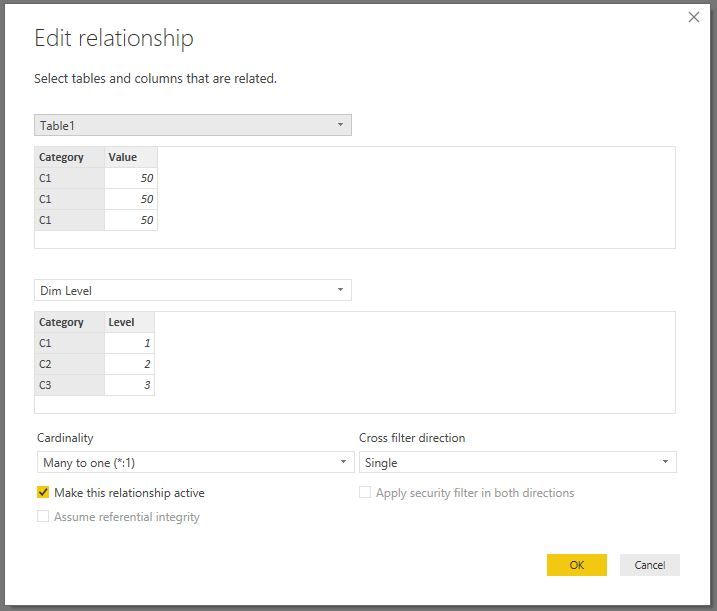
Create a relationship like this:
Step3:
create a measure by this formula
Measure = CALCULATE(SUM(Table1[Value]),FILTER(ALL('Dim Level'),'Dim Level'[Level]<=MAX('Dim Level'[Level])))
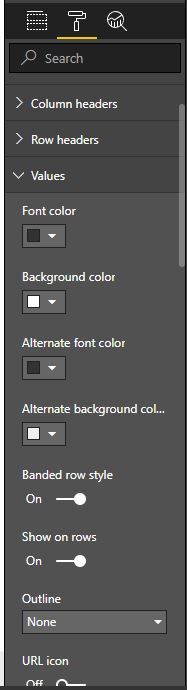
Drag category field from dim level table and set Format->Values->show on rows
Result:
Best Regards,
Lin
Hello -
Thank you for getting back to me. Unfortunately, I tried this but it did not give me the resulet I needed. I do not see any subcategories?
Here is another example below - animal total is added to reptile total is added to bird total.
hi, @Anonymous
You could try this way:
Step1:
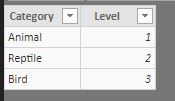
Create a Dim Level table for Category like this:
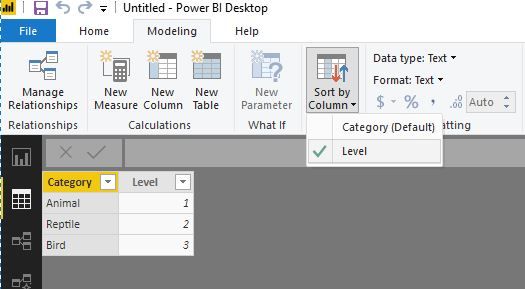
Note: you could use Sort by column in Power BI Desktop for the sort in visual
(select Category field then click Modeling->Sort by Column->Level)
https://docs.microsoft.com/en-us/power-bi/desktop-sort-by-column
Step2:
Use this formula to add a measure
Measure = CALCULATE(SUM(Table1[Weight]),FILTER(ALL('Dim Level'),'Dim Level'[Level]<=MAX('Dim Level'[Level])))
Step3:
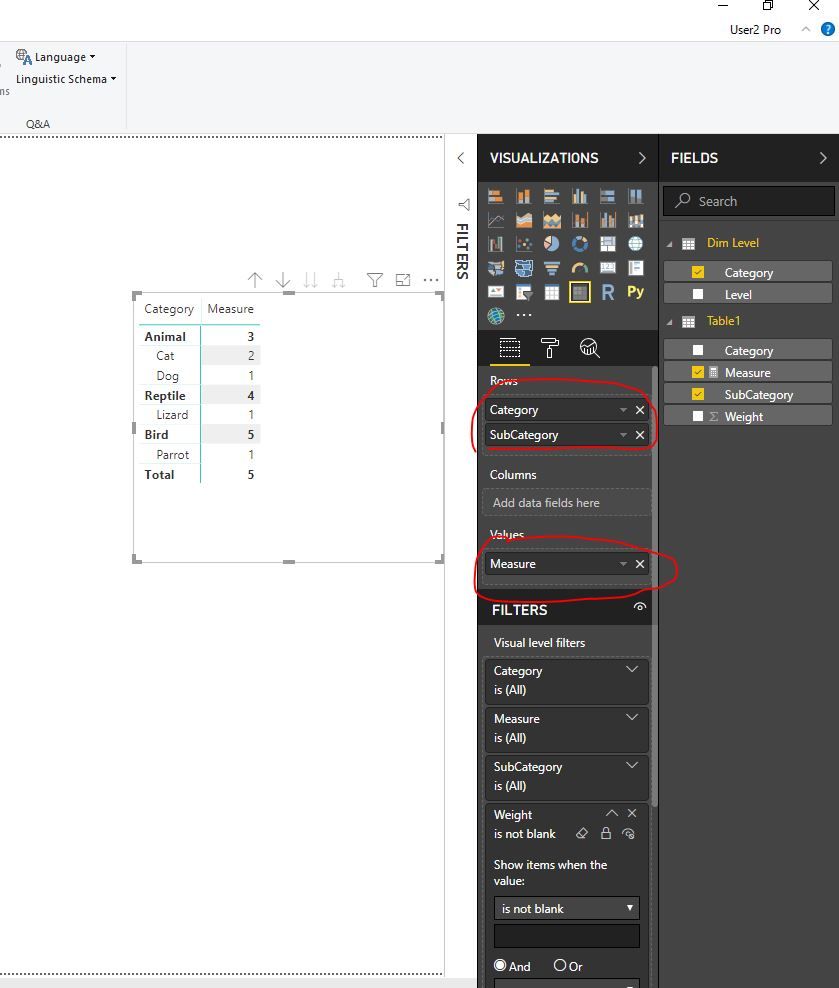
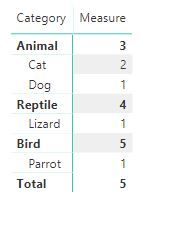
Add a matrix visual like this
Step4:
Drag Weight filed into visual level filter and setWeight is not blank.
Result:
Best Regards,
Lin
The Power BI Data Visualization World Championships is back! Get ahead of the game and start preparing now!
Check out the November 2025 Power BI update to learn about new features.
| User | Count |
|---|---|
| 59 | |
| 43 | |
| 42 | |
| 23 | |
| 17 |
| User | Count |
|---|---|
| 190 | |
| 122 | |
| 96 | |
| 66 | |
| 47 |