Get certified for free when you join Fabric Data Days 2026 and dive into Fabric, Power BI, SQL, AI, and other essential data skills.
Join nowTry your skills in the Power BI Dataviz World Championship! Round one ends June 26. Join now
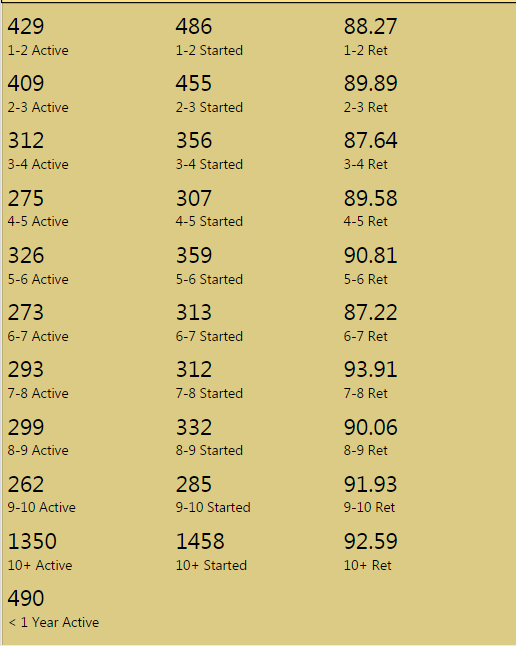
I have a multi row card with 3 pieces of data per group: active count, starting count and retention. However, for companies that have been with us for less than a year, we don't really care about their retention since they are so new, so the only thing I'm reporting there is just the active count. Is there way to report this on a line of its own, but at the top of this card? When putting it at the top it throws off all my other labels by a space:
vs.
It seems like it would only work if I was posting 3 variables per row like I did for the others. If there's another way I can display this that's not a multi row card, I'm open to that as well. Thanks!
Hi @Anonymous,
Yes, we can not set custom format in multiple row card. We can only reorganizing them by changing the fields location as what you did. Please review this feature request and vote it. After research, I can't find a similar thread like multi row card to display what you want. Thanks for inderstanding.
Best Regards,
Angelia
Don't miss out on Data Days, June 15 through August 7. Learn Fabric, Power BI, SQL, AI and more.
Check out the May 2026 Power BI update to learn about new features.
| User | Count |
|---|---|
| 24 | |
| 22 | |
| 21 | |
| 20 | |
| 14 |
| User | Count |
|---|---|
| 59 | |
| 53 | |
| 41 | |
| 31 | |
| 26 |