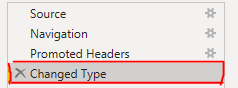
As part of a reporting solution, I get an extract of data from an IT system that contains about 50 columns - but I only need about 8 of them. This is a CSV file that is saved on SharePoint Online. When connecting to the data I (first of all connect to a SharePoint folder and filter down to just thew required csv file & 'expand the data to see the columns within the csv file, then) transform the data to keep only the 8 required columns by selecting the 8 columns followed by "remove other columns".
I have since discovered a problem whereby the column names seem to change upon downloading the data from the IT system, so where the original columns were named...
keepA, keepB, keepC, keepD, keep1, keep2, keep3, keep4, remove1, remove2 ... remove42
they are now:
keepA, keepB, keepC, keepD, keep1.0, keep2.0, keep3.0, keep4.0, remove1.0, remove2.0 ... remove42.0
and on the 3rd attempt, there was a different amount of decimal places and the behaviour is very sporadic.
So I have, in summary:
A) 4 columns that I want to keep whose names remain the same
B) 4 columns that I want to keep whose names change
C) 42 columns that I want to remove whose names change.
Point A above is fine, point B above I accept that every time I update the CSV I will have to manually re-transform the data so that Power BI wil detect the new column names. But for Point C, as I have selected "Remove Other Columns" I don't want to have to rename 42 of them just to remove them straight away - I would have expected the names not to matter as my action is to keep selected columns and remove all other columns (i.e. Power BI is focussed on what is being kept, not what is being removed)
This is a solution for end users to maintain - I don't want to have to tell them to remove these 42 columns on the csv file or do any transformation work as this will be a cumbersome task for them - renaming the 4 columns to keep (point B) is as much as I can get away with.
Is there any way I can get around this in Power BI. As the report developer I want to implement something that means all the end users need to do when refreshing the data is manually rename 4 columns in the CSV file and that's it.