
Don't miss your chance to take the Fabric Data Engineer (DP-600) exam for FREE! Find out how by watching the DP-600 session on-demand now through April 28th.
Learn moreJoin the FabCon + SQLCon recap series. Up next: Power BI, Real-Time Intelligence, IQ and AI, and Data Factory take center stage. All sessions are available on-demand after the live show. Register now
I'm trying to get RLS working in a new report that has a mix of Direct Query and Import tables. The DQ tables need to be DQ because they are coming from live data.
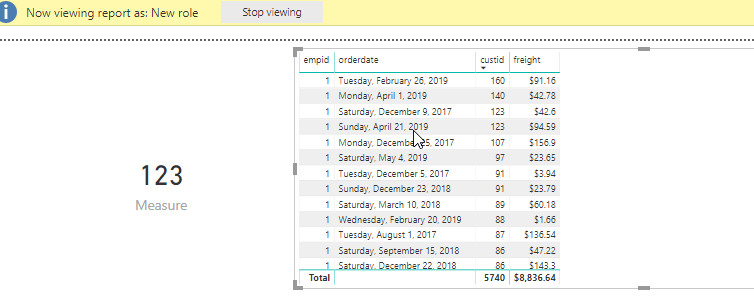
When I 'view as role', none of the tables from DQ get populated. I've checked, double checked, read, read twice, and still can't seem to find an answer.
Thoughts please?
Solved! Go to Solution.
Thanks. I ended up having to delete the queries, apply the changes, then re-add the queries for DQ. They didn't like to be retrofitted.
Hi @jcs93 ,
Based on my test, the RLS works normally in Direct Query combined with Import, I uses the latest version of PowerBI.
By the way, we can't see data in the Data tab when using Direct Query.
Best Regards,
Teige
Thanks. I ended up having to delete the queries, apply the changes, then re-add the queries for DQ. They didn't like to be retrofitted.
Check out the April 2026 Power BI update to learn about new features.
If you have recently started exploring Fabric, we'd love to hear how it's going. Your feedback can help with product improvements.
A new Power BI DataViz World Championship is coming this June! Don't miss out on submitting your entry.
| User | Count |
|---|---|
| 43 | |
| 37 | |
| 34 | |
| 21 | |
| 16 |
| User | Count |
|---|---|
| 65 | |
| 65 | |
| 30 | |
| 26 | |
| 25 |