
cancel
Showing results for 
Search instead for 
Did you mean: 

Data Days is here! Join us now for 60+ days of learning, challenges, and connection. Learn more

Reply
jcs93
Helper I
Helper I

RLS with Direct Query

I'm trying to get RLS working in a new report that has a mix of Direct Query and Import tables.  The DQ tables need to be DQ because they are coming from live data.


When I 'view as role', none of the tables from DQ get populated.  I've checked, double checked, read, read twice, and still can't seem to find an answer.


Thoughts please?

1 ACCEPTED SOLUTION

Thanks.  I ended up having to delete the queries, apply the changes, then re-add the queries for DQ.  They didn't like to be retrofitted.

View solution in original post

2 REPLIES 2
TeigeGao
Solution Sage
Solution Sage

Hi @jcs93 ,

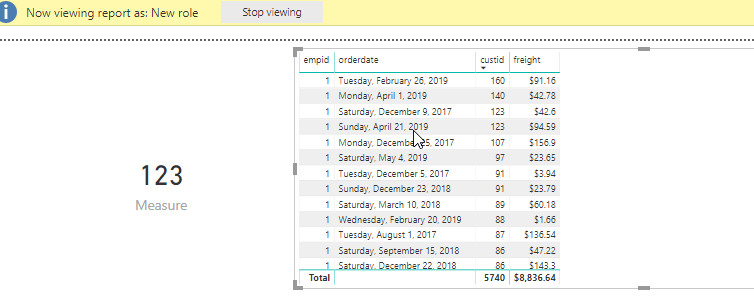
Based on my test, the RLS works normally in Direct Query combined with Import, I uses the latest version of PowerBI. 

RDCMan_hSsNAGorku.png

By the way, we can't see data in the Data tab when using Direct Query.

RDCMan_SV3u4vo78e.png

Best Regards,

Teige

Thanks.  I ended up having to delete the queries, apply the changes, then re-add the queries for DQ.  They didn't like to be retrofitted.

Helpful resources

Announcements
Fabric Data Days is here Carousel

Fabric Data Days 2026

Don't miss out on Data Days, June 15 through August 7. Learn Fabric, Power BI, SQL, AI and more.

May Power BI Update Carousel

Power BI Monthly Update - May 2026

Check out the May 2026 Power BI update to learn about new features.

Power BI DataViz World Championships carousel

Power BI DataViz World Championships - June 2026

A new Power BI DataViz World Championship is coming this June! Don't miss out on submitting your entry.