cancel
Showing results for 
Search instead for 
Did you mean: 

July 7 - July 17 | Round 2 of the Power BI Dataviz World Championships. Don't miss your chance! Learn more

Reply
Anonymous
Not applicable

RLS help!

I have a table "RLS" with two columns Department and User ID. I have a requirement where when a user logs in Power BI service they should only see data related to their department .

Eg [email protected] sees only 1234. this is easy setup a role user ID = Userprincipalname()


My question - when users [email protected] and [email protected] login, they should see all the data in department. i.e rls shouldnt be applied.


DepartmentUser ID
1234[email protected]
1235[email protected]
All[email protected]
1236[email protected]
All[email protected]
1 ACCEPTED SOLUTION
Adescrit
Impactful Individual

Hi,


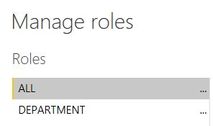
You can create multiple roles in Power BI desktop. So in your example you might want to create the following roles:

  1. Department: This is where you set up your RLS as specified below. Filter user ID = Userprincipalname()
  2. All: Create a role that does not contain any filters.

 RLS.JPG


When you publish your report to Power BI service, you can add users [email protected] and [email protected] to the "All" role, and no filters will be applied when they access this Power BI report. 


Did I answer your question? Mark my post as a solution!
My LinkedIn

View solution in original post

6 REPLIES 6
Adescrit
Impactful Individual

Hi,


You can create multiple roles in Power BI desktop. So in your example you might want to create the following roles:

  1. Department: This is where you set up your RLS as specified below. Filter user ID = Userprincipalname()
  2. All: Create a role that does not contain any filters.

 RLS.JPG


When you publish your report to Power BI service, you can add users [email protected] and [email protected] to the "All" role, and no filters will be applied when they access this Power BI report. 


Did I answer your question? Mark my post as a solution!
My LinkedIn
Anonymous
Not applicable

Thanks for the response , is there a way to use if else condtion in the same role ? instead of creating two roles ?

Adescrit
Impactful Individual

Not that I'm aware of. Creating a new, blank role for any users who should see unfiltered data would be the simpler option.


Did I answer your question? Mark my post as a solution!
My LinkedIn
Anonymous
Not applicable

Thanks for the solutions!

Anonymous
Not applicable

Hi @Anonymous ,


I don't think so. Why you don't want to create multiple role?


Best Regards,

Jay

Helpful resources

Announcements
FabCon and SQLCon Barcelona 2026

FabCon & SQLCon – Barcelona 2026

Join us in Barcelona for FabCon and SQLCon, the Fabric, Power BI, SQL, and AI community event. Save €200 with code FABCMTY200.

60 days of Data Days Carousel

Data Days 2026

Join Fabric Data Days 2026: 60 days of free live/on-demand sessions, challenges, study groups, and certification opportunities.

Power BI DataViz World Championships carousel

Power BI DataViz World Championships - June 2026

A new Power BI DataViz World Championship is coming this June! Don't miss out on submitting your entry.