Join us at FabCon Atlanta from March 16 - 20, 2026, for the ultimate Fabric, Power BI, AI and SQL community-led event. Save $200 with code FABCOMM.
Register now!The Power BI Data Visualization World Championships is back! It's time to submit your entry. Live now!
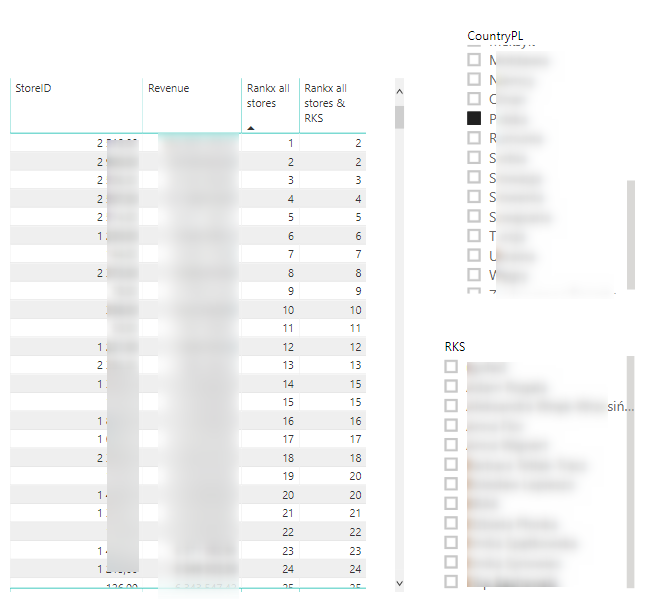
I have a problem with the Rankx all stores & RKS column.
I want it to show the ranking of a given store within all RKS.
To sum up: the Rankx all stores column shows a dynamic ranking depending on which country and RKS you choose - it works properly.
The Rankx all stores & RKS column should show a dynamic ranking depending on which country you choose, but it should not work with the RKS filter - it should show a total ranking in all RKS.
Code column rankx all stores & RKS:
Rankx all stores & RKS = RANKX(
ALL(DimLocalization[RKS];DimLocalization[StoreID]);
CALCULATE(SUM(FactSales[Revenue_Net]))
I think I did not suggest any column. All these articles talk about various kinds of ranks. Can you please create some sample data and share with expected output
This sounds like a place for ALLEXCEPT()
CALCULATE(SUM(FactSales[Revenue_Net]))
CALCULATE(SUM(FactSales[REvenue_Net]),ALLEXCEPT(RKS))
Help when you know. Ask when you don't!
The Power BI Data Visualization World Championships is back! It's time to submit your entry.
Check out the January 2026 Power BI update to learn about new features.
| User | Count |
|---|---|
| 61 | |
| 48 | |
| 35 | |
| 25 | |
| 23 |
| User | Count |
|---|---|
| 142 | |
| 111 | |
| 65 | |
| 38 | |
| 33 |