cancel
Showing results for 
Search instead for 
Did you mean: 

The Power BI Data Visualization World Championships is back! Get ahead of the game and start preparing now! Learn more

Reply
Anonymous
Not applicable

R script colouring

I'm currently trying to run the following script through my R visual in Power BI:

library(scatterplot3d)

x <-dataset$Week.Calendar
y <-dataset$ICU.Stay
z <-dataset$Age.Years

scatterplot3d(x,y,z,
colour=as.numeric(dataset$County.Event),
pch=1,
xlab="Week",
ylab="ICU Stay",
zlab="Age",
angle=dataset$Angle[1])
 
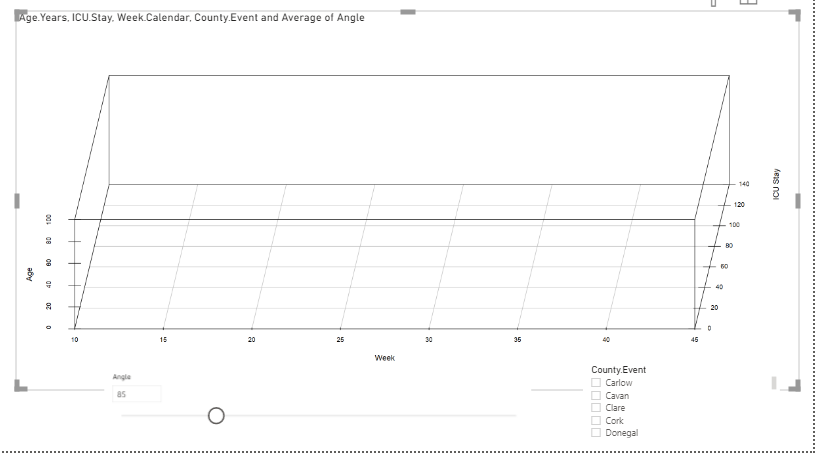
I know there's a distinction between color & colour but every time I enter color i get blank values in my image:
ICU Stay2.PNG
 
Do i have to define the RGB colours / colors in the script to get the to show?
 
Thanks in advance,
1 ACCEPTED SOLUTION
mahoneypat
Microsoft Employee
Microsoft Employee

Using "color" is correct.  I'm not sure why as.numeric isn't working here, but this code seems to.


x <-dataset$Week.Calendar
y <-dataset$ICU.Stay
z <-dataset$Age.Years
colors <- dataset$County.Event
newcolors <- rainbow(length(unique(colors)))[as.numeric( as.factor(colors))]

scatterplot3d(x,y,z,
color= newcolors,
pch = 1,
xlab="Week",
ylab="ICU Stay",
zlab="Age",
angle=dataset$Angle[1])


Regards,

Pat


Did I answer your question? Mark my post as a solution! Kudos are also appreciated!

To learn more about Power BI, follow me on Twitter or subscribe on YouTube.


@mahoneypa HoosierBI on YouTube


View solution in original post

1 REPLY 1
mahoneypat
Microsoft Employee
Microsoft Employee

Using "color" is correct.  I'm not sure why as.numeric isn't working here, but this code seems to.


x <-dataset$Week.Calendar
y <-dataset$ICU.Stay
z <-dataset$Age.Years
colors <- dataset$County.Event
newcolors <- rainbow(length(unique(colors)))[as.numeric( as.factor(colors))]

scatterplot3d(x,y,z,
color= newcolors,
pch = 1,
xlab="Week",
ylab="ICU Stay",
zlab="Age",
angle=dataset$Angle[1])


Regards,

Pat


Did I answer your question? Mark my post as a solution! Kudos are also appreciated!

To learn more about Power BI, follow me on Twitter or subscribe on YouTube.


@mahoneypa HoosierBI on YouTube


Helpful resources

Announcements
Power BI DataViz World Championships

Power BI Dataviz World Championships

The Power BI Data Visualization World Championships is back! Get ahead of the game and start preparing now!

December 2025 Power BI Update Carousel

Power BI Monthly Update - December 2025

Check out the December 2025 Power BI Holiday Recap!

FabCon Atlanta 2026 carousel

FabCon Atlanta 2026

Join us at FabCon Atlanta, March 16-20, for the ultimate Fabric, Power BI, AI and SQL community-led event. Save $200 with code FABCOMM.