Don't miss your chance to take the Fabric Data Engineer (DP-600) exam for FREE! Find out how by attending the DP-600 session on April 23rd (pacific time), live or on-demand.
Learn moreNext up in the FabCon + SQLCon recap series: The roadmap for Microsoft SQL and Maximizing Developer experiences in Fabric. All sessions are available on-demand after the live show. Register now
I choose R Script as the data source.
In the box that gets displayed I insert this script:
dataset=c(1,3,5,6,8,9,20)
I click OK.
The Navigator is displayed and comes up with a empty directory called R:. Now what?
The same thing for not so simple scripts as well.
Solved! Go to Solution.
Hi @mysorian,
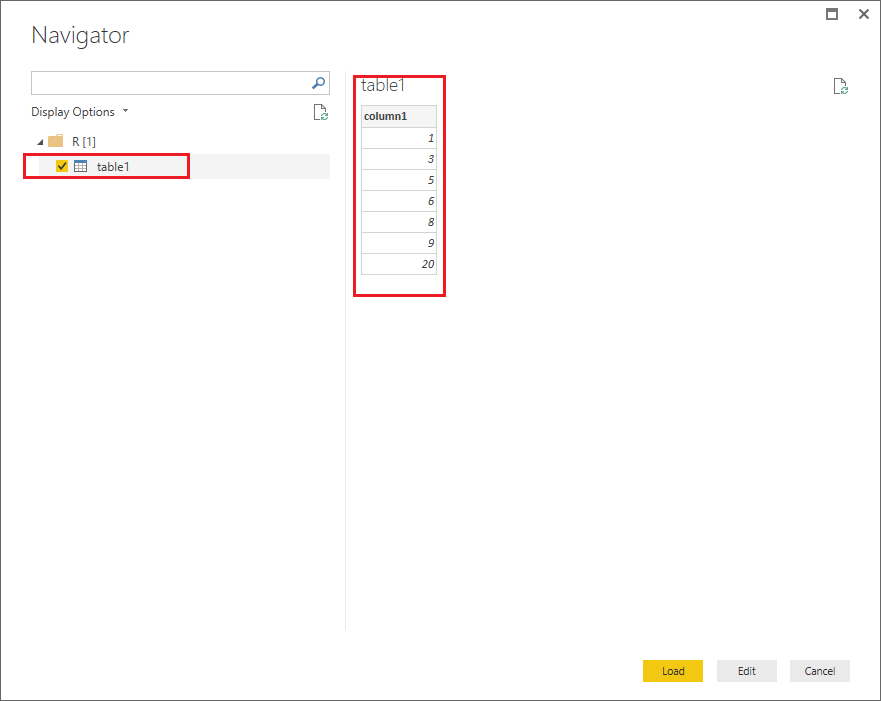
You should include a data frame which is used for storing data tables at the end your script, then it should work as expected.![]()
column1=c(1,3,5,6,8,9,20) table1=data.frame(column1)
Regards
Hi @mysorian,
You should include a data frame which is used for storing data tables at the end your script, then it should work as expected.![]()
column1=c(1,3,5,6,8,9,20) table1=data.frame(column1)
Regards
Have you configured Power BI desktop to use whatever local R you have installed?
If you have recently started exploring Fabric, we'd love to hear how it's going. Your feedback can help with product improvements.
A new Power BI DataViz World Championship is coming this June! Don't miss out on submitting your entry.
| User | Count |
|---|---|
| 46 | |
| 43 | |
| 39 | |
| 19 | |
| 15 |
| User | Count |
|---|---|
| 68 | |
| 67 | |
| 31 | |
| 27 | |
| 24 |