Join us in Barcelona for FabCon and SQLCon, September 28 - October 1, 2026.
This is best Fabric, Power BI, SQL and AI community event. How do we know? The last event sold out! Save €200 with code FABCMTY200.
Register now- Power BI forums
- Get Help with Power BI
- Desktop
- Service
- Report Server
- Power Query
- Mobile Apps
- Developer
- DAX Commands and Tips
- Custom Visuals Development Discussion
- Health and Life Sciences
- Power BI Spanish forums
- Translated Spanish Desktop
- Training and Consulting
- Instructor Led Training
- Dashboard in a Day for Women, by Women
- Galleries
- Data Stories Gallery
- Themes Gallery
- Contests Gallery
- QuickViz Gallery
- Quick Measures Gallery
- Visual Calculations Gallery
- Fabric Apps Gallery
- Notebook Gallery
- Translytical Task Flow Gallery
- TMDL Gallery
- R Script Showcase
- Webinars and Video Gallery
- Ideas
- Custom Visuals Ideas (read-only)
- Issues
- Issues
- Events
- Upcoming Events
The Fabric community is now in read-only for platform upgrade. Learn more
- Power BI forums
- Forums
- Get Help with Power BI
- Desktop
- Re: R Visual Rcpp package error
- Subscribe to RSS Feed
- Mark Topic as New
- Mark Topic as Read
- Float this Topic for Current User
- Bookmark
- Subscribe
- Printer Friendly Page


- Mark as New
- Bookmark
- Subscribe
- Mute
- Subscribe to RSS Feed
- Permalink
R Visual Rcpp package error
Hi, all
I was using several custom visuals using R using R 3.4.2 however after upgrading to latest R 3.5.1 I find both custom R visuals and basic Object visuals using R start failing (even after upgrading packages to R 3.5.1 compatibility)
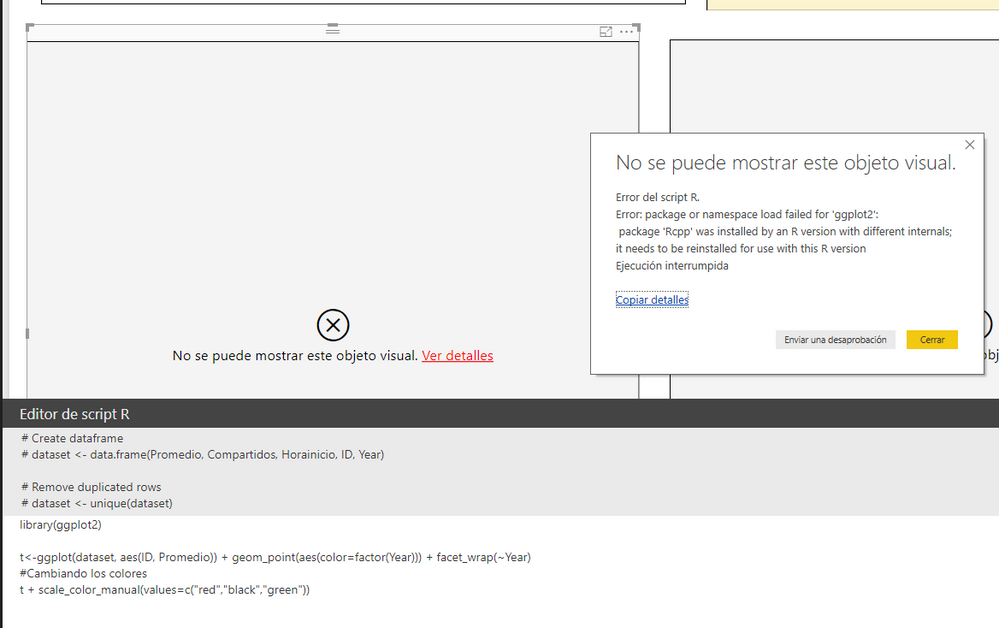
1st Error on R Visual
R Code
library(ggplot2)
t<-ggplot(dataset, aes(ID, Promedio)) + geom_point(aes(color=factor(Year))) + facet_wrap(~Year)
#Cambiando los colores
t + scale_color_manual(values=c("red","black","green"))
Error trace 1
Error Message: Error in R script .
Error: package or namespace load failed for 'ggplot2':
package 'Rcpp' was installed by an R version with different internals; it needs to be reinstalled for use with this R version
Ejecución interrumpida
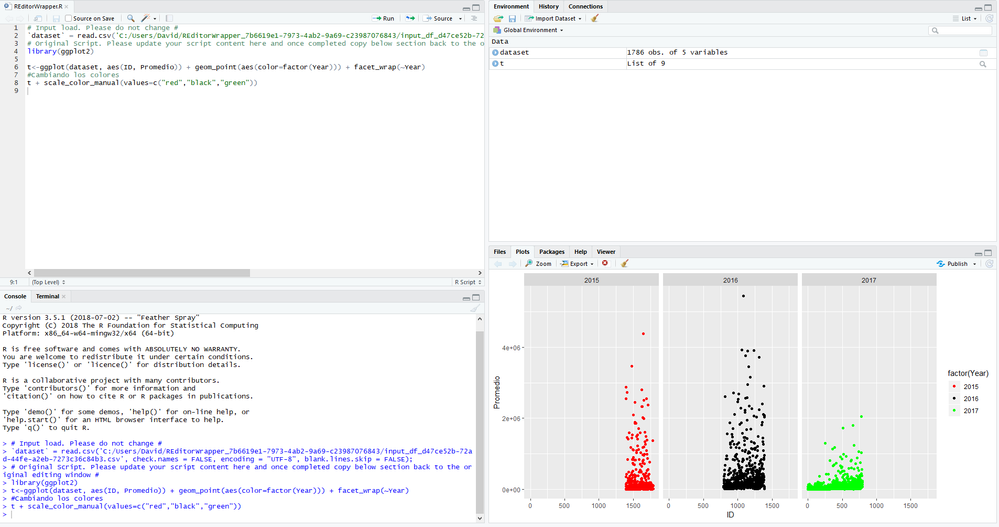
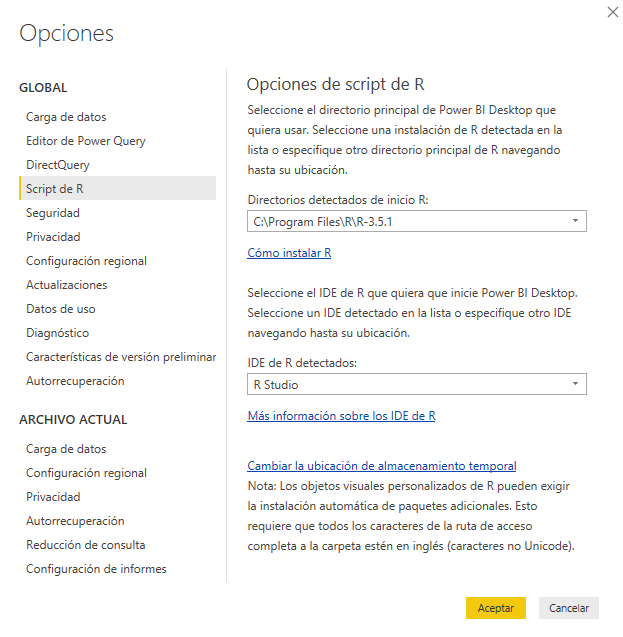
Most annoying part is that previous code works in RStudio!! I have Powerbi--Z Options-->R pointing to my R version 3.5.1
Same code in R Studio works OK, without errors
ñ
g
2º nd Error on Forecasting ARIMA R Visual
Error Trace
Error Message:
Error del script R.
Loading required package: XML
Loading required package: htmlwidgets
Error: package or namespace load failed for 'htmlwidgets':
package 'Rcpp' was installed by an R version with different internals; it needs to be reinstalled for use with this R version
Warning message:
In libraryRequireInstall("htmlwidgets") :
*** The package: 'htmlwidgets' was not installed ***
Loading required package: scales
Error: package or namespace load failed for 'scales':
package 'Rcpp' was installed by an R version with different internals; it needs to be reinstalled for use with this R version
Warning message:
In libraryRequireInstall("scales") :
*** The package: 'scales' was not installed ***
Loading required package: forecast
Error: package or namespace load failed for 'forecast':
package 'Rcpp' was installed by an R version with different internals; it needs to be reinstalled for use with this R version
Solved! Go to Solution.

- Mark as New
- Bookmark
- Subscribe
- Mute
- Subscribe to RSS Feed
- Permalink
I had yesterday the same problem. Only reinstalling (or even go back to older versions) did not help.
Only after I deleted the libraries in "<user>/documents/R" and in "<user>/library" and reinstalled R and installed the packages I needed, the problem was solved.
I think mixed package versions in <user>/library did give the problem for me. I did not know that packages were also in that directory. Only uninstall R en delete "<user>/documents/R" was not enough.
The newest version of PowerBi and R (3.5.1) are now working for me.
- Mark as New
- Bookmark
- Subscribe
- Mute
- Subscribe to RSS Feed
- Permalink
my problem....old versions installed here "<user>/library" ...and newer ones "<user>/documents/R". Deleting "<user>/library" work!! **bleep**ing libraries...only 6 where the problem...I updated libraries several times... "<user>/documents/R"

- Mark as New
- Bookmark
- Subscribe
- Mute
- Subscribe to RSS Feed
- Permalink
Hi @dpombal,
According to your error message, it normally appears when loading failed for some R packages.
In my opinion, I'd like to suggest you copy these package name and reinstall in R studio.(please confirm install success and update all packages to last version)
Regards,
Xiaoxin Sheng
- Mark as New
- Bookmark
- Subscribe
- Mute
- Subscribe to RSS Feed
- Permalink
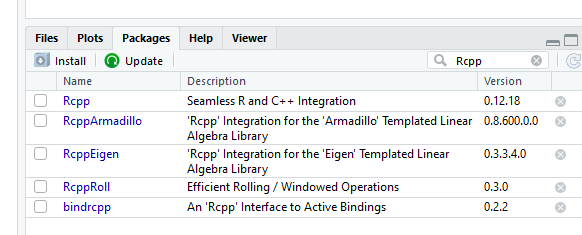
I reinstall libraries and keeps on failing could anyone test this on new R 3.5.1 and check if Rcpp is compatible?
- Mark as New
- Bookmark
- Subscribe
- Mute
- Subscribe to RSS Feed
- Permalink
I had yesterday the same problem. Only reinstalling (or even go back to older versions) did not help.
Only after I deleted the libraries in "<user>/documents/R" and in "<user>/library" and reinstalled R and installed the packages I needed, the problem was solved.
I think mixed package versions in <user>/library did give the problem for me. I did not know that packages were also in that directory. Only uninstall R en delete "<user>/documents/R" was not enough.
The newest version of PowerBi and R (3.5.1) are now working for me.

- Mark as New
- Bookmark
- Subscribe
- Mute
- Subscribe to RSS Feed
- Permalink
Thank you. Your solution worked after I also uninstalled RTools from C:\Rtools and reinstalled.

- Mark as New
- Bookmark
- Subscribe
- Mute
- Subscribe to RSS Feed
- Permalink
Great Man, cvhaven!
A Very Big Human Gratitude for this hint to you!
I lost a full manday due to updating PowerBI Desktop yesterday. It then required me to update R from 3.5.0 to 3.5.1, then R packages, then to solve emerged issues with R charts, but still not being able to get my dashboard to work...
It came at the worst possible time without any possibility to roll back. I was absolutely desperate until I saw your post. Your solution worked.
As a result of this incident I believe PowerBI should change their Desktop update policy from replacing an earlier version to keeping both versions until the user is able to fully test it. (i.e. implementing a TEST + PROD environment)
Final note: the same dashboard published in PowerBI Service was not affected at all. Does it imply that PowerBI Service still uses R 3.5.0, and therefore issues there are yet to be expected?
- Mark as New
- Bookmark
- Subscribe
- Mute
- Subscribe to RSS Feed
- Permalink
my problem....old versions installed here "<user>/library" ...and newer ones "<user>/documents/R". Deleting "<user>/library" work!! **bleep**ing libraries...only 6 where the problem...I updated libraries several times... "<user>/documents/R"
- Mark as New
- Bookmark
- Subscribe
- Mute
- Subscribe to RSS Feed
- Permalink
HI @dpombal,
Actually, you need to refer to error message to add libraries to R script until finish add all requests libraries and packs.(I fix one similar missing package issues by this method)
Regards,
Xiaoxin Sheng
- Mark as New
- Bookmark
- Subscribe
- Mute
- Subscribe to RSS Feed
- Permalink
I am not understanding you, how can I fix this...if all libraries are installed an in Rstudio works ok...
thanks in advance
- Mark as New
- Bookmark
- Subscribe
- Mute
- Subscribe to RSS Feed
- Permalink
Rcpp also fails with PBIVIZ custom visuals...like timeseries forecasting, and charts i cannot modify
- Mark as New
- Bookmark
- Subscribe
- Mute
- Subscribe to RSS Feed
- Permalink
HI @dpombal,
I mean you can install bold part package (display in error message) on r studio side to fix failed loading issue.(install until no similar error message appears)
Error: package or namespace load failed for 'xxxxxx':
In addition, custom visual failed means request packages failed to load(missing or not compatibility).
Regards,
Xiaoxin Sheng
Helpful resources

FabCon & SQLCon – Barcelona 2026
Join us in Barcelona for FabCon and SQLCon, the Fabric, Power BI, SQL, and AI community event. Save €200 with code FABCMTY200.

Power BI DataViz World Championships - June 2026
A new Power BI DataViz World Championship is coming this June! Don't miss out on submitting your entry.

| User | Count |
|---|---|
| 23 | |
| 22 | |
| 14 | |
| 14 | |
| 13 |


| User | Count |
|---|---|
| 47 | |
| 36 | |
| 24 | |
| 20 | |
| 20 |


