Learn from the best! Meet the four finalists headed to the FINALS of the Power BI Dataviz World Championships! Register now
Hi there
I ran the following script in R studio and it runs successfully.
adult = data(Adult)
DATAFRAME(head(Adult))
DATAFRAME(head(Adult), setStart = '', itemSep = ' + ', setEnd = '')
rules <- apriori(Adult,
parameter = list(supp = 0.5, conf = 0.9, target = "rules"))
rules <- head(rules, by = "conf")
DATAFRAME(rules)
DATAFRAME(rules, separate = TRUE)
DATAFRAME(rules, separate = TRUE, setStart = '', itemSep = ' + ', setEnd = '')
When I run this through Get Data in Powerbi It doesnt work.
I saw this video https://www.youtube.com/watch?v=CzeeTXvun5c&app=desktop
Following similar concept except different dataset this seems to work and I dont know why. I tried different R version from 3.2.5 to 3.4.1 but not worked. I have arules, Matrix and methods installed on all version.
I am on PowerBI desktop July update.
Any advice would be greateful.
Pedzilla
Solved! Go to Solution.
Hey,
you have to add 2 lines of code to your R scrip:
the first line has to be
library("arules");
this "loads" the arules library into the Power BI session and you have to explicitly return a dataframe to Power BI, this dataframe will then be treated as a table, so for this reason your last 3 lines of your R script shoud look like this:
df1 <- DATAFRAME(rules)
df2 <- DATAFRAME(rules, separate = TRUE)
df3 <- DATAFRAME(rules, separate = TRUE, setStart = '', itemSep = ' + ', setEnd = '')
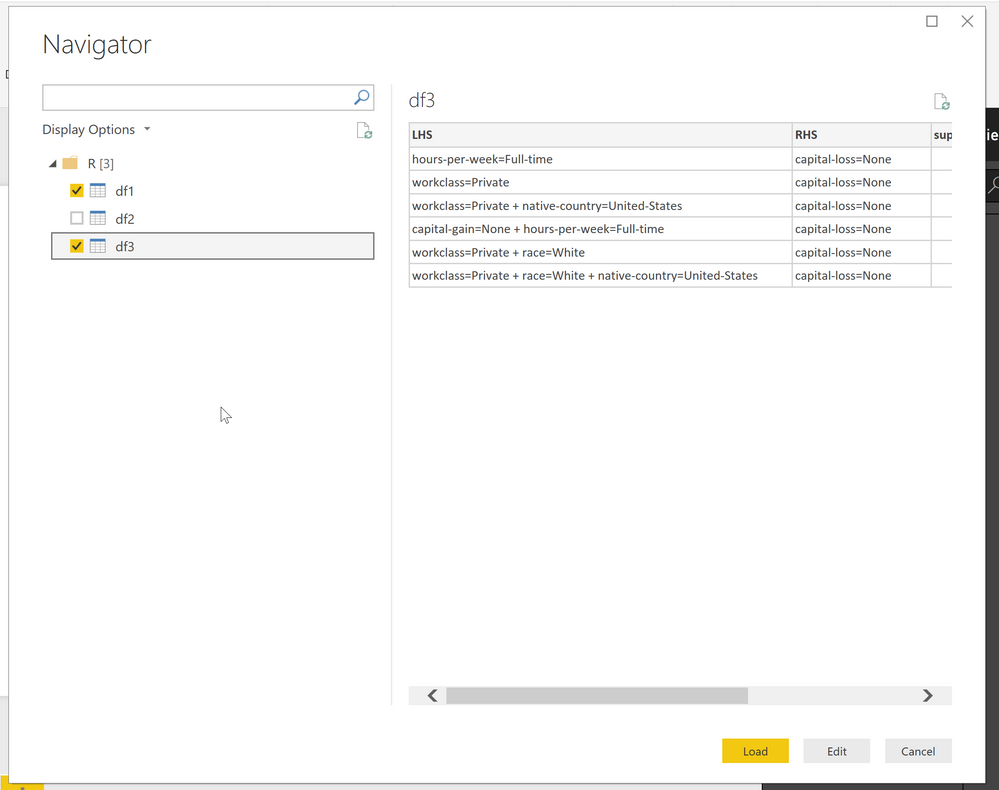
Then the Get Dialog will present you 3 dataframes:
Hope this helps
Hey,
you have to add 2 lines of code to your R scrip:
the first line has to be
library("arules");
this "loads" the arules library into the Power BI session and you have to explicitly return a dataframe to Power BI, this dataframe will then be treated as a table, so for this reason your last 3 lines of your R script shoud look like this:
df1 <- DATAFRAME(rules)
df2 <- DATAFRAME(rules, separate = TRUE)
df3 <- DATAFRAME(rules, separate = TRUE, setStart = '', itemSep = ' + ', setEnd = '')
Then the Get Dialog will present you 3 dataframes:
Hope this helps
A new Power BI DataViz World Championship is coming this June! Don't miss out on submitting your entry.
Share feedback directly with Fabric product managers, participate in targeted research studies and influence the Fabric roadmap.
| User | Count |
|---|---|
| 52 | |
| 34 | |
| 33 | |
| 17 | |
| 17 |
| User | Count |
|---|---|
| 61 | |
| 60 | |
| 39 | |
| 26 | |
| 24 |