cancel
Showing results for 
Search instead for 
Did you mean: 

Vote for your favorite vizzies from the Power BI Dataviz World Championship submissions. Vote now!

Reply
7ballp25
Regular Visitor

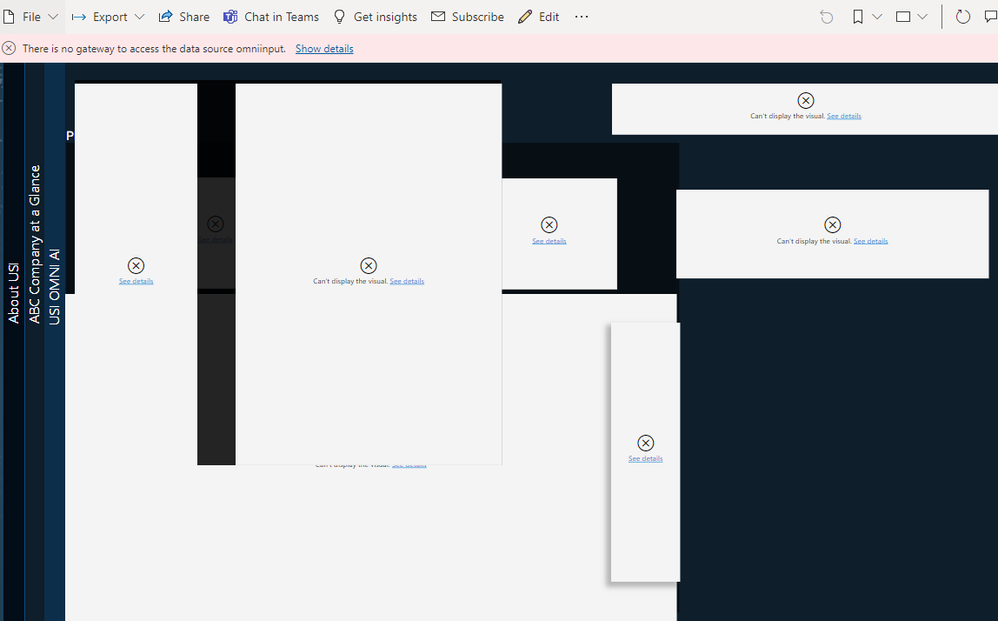
Published Report... getting this message

Hours of work on this report.. only to see "Can't be displayed"


helop5.PNG

1 ACCEPTED SOLUTION
Anonymous
Not applicable

Hi @7ballp25 ,


According to the error message, you will need to set up an on-premises data gateway for the dataset.

Please check the document and follow the steps to install and manage gateway.

https://docs.microsoft.com/en-us/power-bi/connect-data/service-gateway-onprem 

  1. Download and install the gateway on a local computer.
  2. Configure the gateway based on your firewall and other network requirements.
  3. Add gateway admins who can also manage and administer other network requirements.
  4. Use the gateway to refresh an on-premises data source.


Best Regards,

Jay

View solution in original post

3 REPLIES 3
Anonymous
Not applicable

Hi @7ballp25 ,


According to the error message, you will need to set up an on-premises data gateway for the dataset.

Please check the document and follow the steps to install and manage gateway.

https://docs.microsoft.com/en-us/power-bi/connect-data/service-gateway-onprem 

  1. Download and install the gateway on a local computer.
  2. Configure the gateway based on your firewall and other network requirements.
  3. Add gateway admins who can also manage and administer other network requirements.
  4. Use the gateway to refresh an on-premises data source.


Best Regards,

Jay

mahenkj2
Solution Sage
Solution Sage

Hi @7ballp25,

'there is no data gateway to access the data source' is the alarm you can see in pink highlight.

Also, you should post the actual error message upon clicking - 'See details'

yea... did that... anyways heres the updated picture. no option to "see details"Capture.PNG

Helpful resources

Announcements
Power BI DataViz World Championships

Power BI Dataviz World Championships

Vote for your favorite vizzies from the Power BI World Championship submissions!

Sticker Challenge 2026 Carousel

Join our Community Sticker Challenge 2026

If you love stickers, then you will definitely want to check out our Community Sticker Challenge!

January Power BI Update Carousel

Power BI Monthly Update - January 2026

Check out the January 2026 Power BI update to learn about new features.

FabCon Atlanta 2026 carousel

FabCon Atlanta 2026

Join us at FabCon Atlanta, March 16-20, for the ultimate Fabric, Power BI, AI and SQL community-led event. Save $200 with code FABCOMM.