Don't miss your chance to take the Fabric Data Engineer (DP-600) exam for FREE! Find out how by attending the DP-600 session on April 23rd (pacific time), live or on-demand.
Learn moreJoin the FabCon + SQLCon recap series. Up next: Power BI, Real-Time Intelligence, IQ and AI, and Data Factory take center stage. All sessions are available on-demand after the live show. Register now
Hello,
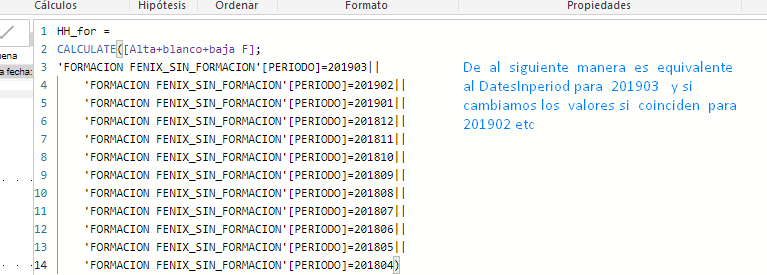
I want to use this structure but dynamically;
HH_for = CALCULATE ([High + white + low F];
'TRAINING' [PERIOD] = 201903 ||
'TRAINING' [PERIOD] = 201902 ||
'TRAINING' [PERIOD] = 201901 ||
'TRAINING' [PERIOD] = 201812 ||
'TRAINING' [PERIOD] = 201811 ||
'TRAINING' [PERIOD] = 201810 ||
'TRAINING' [PERIOD] = 201809 ||
'TRAINING' [PERIOD] = 201808 ||
'TRAINING' [PERIOD] = 201807 ||
'TRAINING' [PERIOD] = 201806 ||
'TRAINING' [PERIOD] = 201805 ||
'TRAINING' [PERIOD] = 201804)
Before suggesting other options, try the following:
HH_for = CALCULATE ([High + white + low F];
DATESINPERIOD ('TRAINING' (end_date); MAX ('TRAINING' (end_date)); - 12; MONTH)
@Anonymous ,
It seems like you need to achieve rolling total of previous 12 months? Could you share some sample data and clarify more details?
Regards,
Jimmy Tao
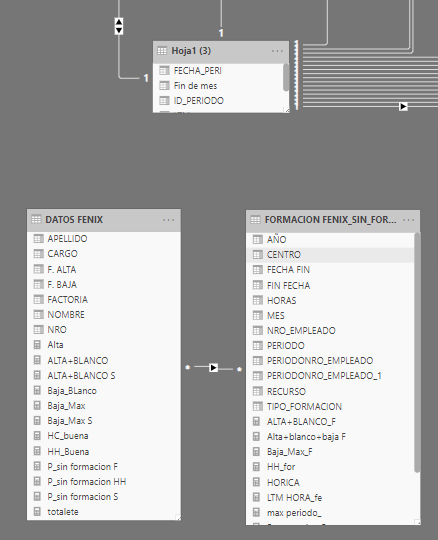
initial relationship
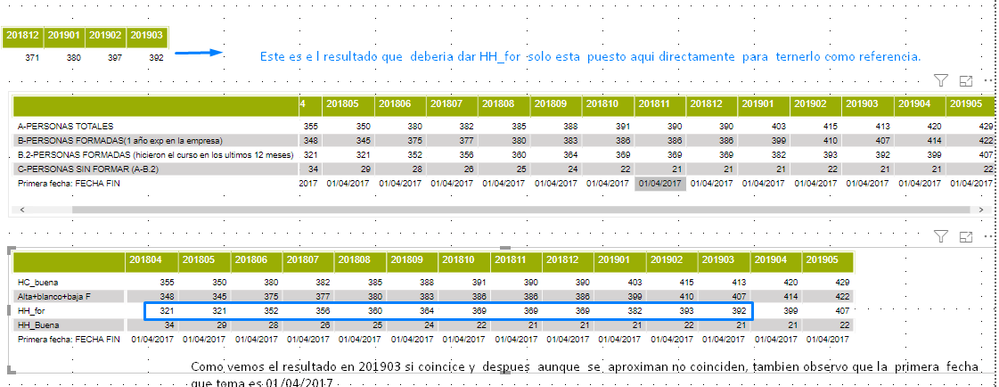
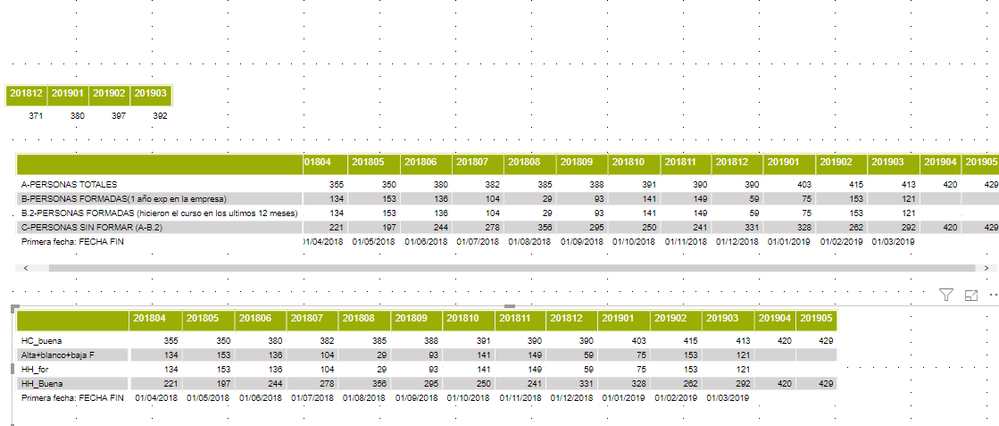
1. This is the result you should get. 2. HH_for as we see the result is approaching
Using Datesinperiod -12 Month
this option I get the correct results but in a static way. option dynamically?
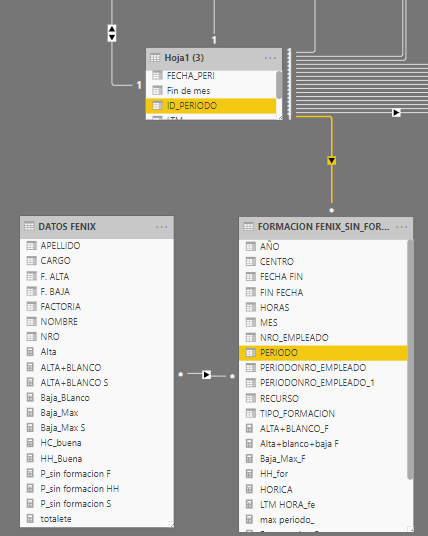
Relationship option 2
Results
2º EJample
Check out the April 2026 Power BI update to learn about new features.
If you have recently started exploring Fabric, we'd love to hear how it's going. Your feedback can help with product improvements.
A new Power BI DataViz World Championship is coming this June! Don't miss out on submitting your entry.
| User | Count |
|---|---|
| 48 | |
| 46 | |
| 41 | |
| 20 | |
| 17 |
| User | Count |
|---|---|
| 70 | |
| 69 | |
| 32 | |
| 27 | |
| 26 |