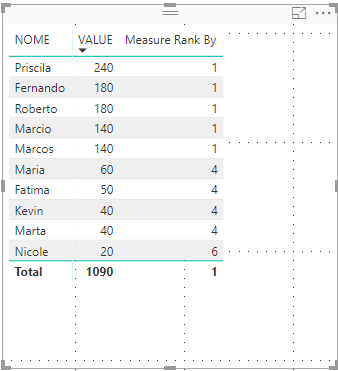
Hi,
I have a date field that I use to filter, when I use a date filter along with the name field it gives problem.
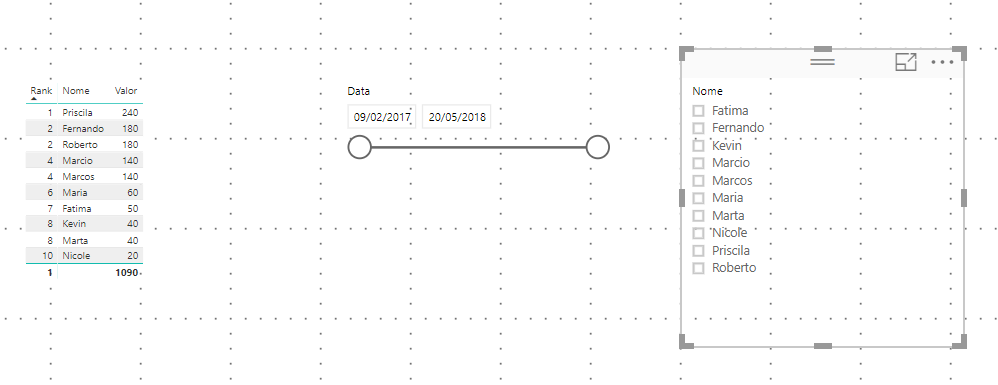
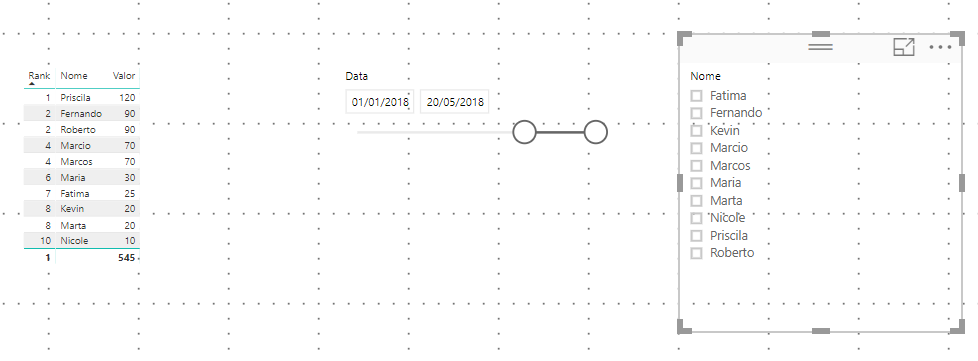
That way it works, because I'm selecting all the dates, but when I select 2018 only.
When I select with Kevin, the correct ranking does not appear.
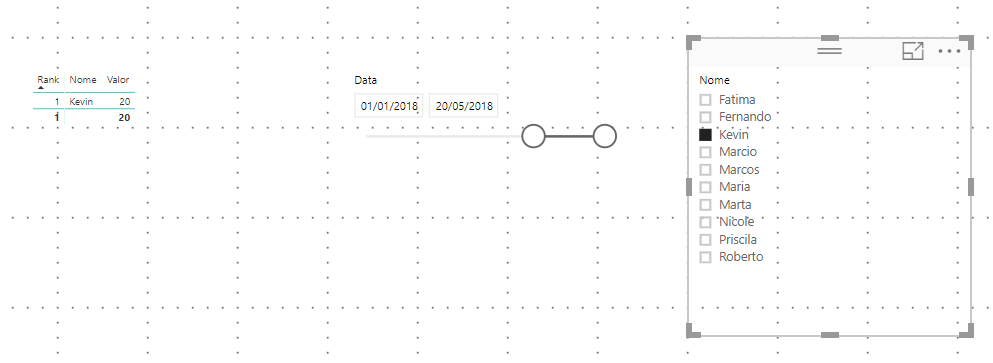
I tried putting a filtering on calculate with the dates, it still did not work, would you have any tips?
I am using this data:
| Name | Value | Date |
| Roberto | 90 | 20/05/2018 |
| Maria | 30 | 05/05/2018 |
| Fatima | 25 | 05/04/2018 |
| Marcos | 70 | 05/05/2018 |
| Priscila | 120 | 05/03/2018 |
| Nicole | 10 | 06/04/2018 |
| Marcio | 70 | 07/05/2018 |
| Kevin | 20 | 08/05/2018 |
| Marta | 20 | 09/02/2018 |
| Fernando | 90 | 10/05/2018 |
| Roberto | 90 | 20/05/2017 |
| Maria | 30 | 05/05/2017 |
| Fatima | 25 | 05/04/2017 |
| Marcos | 70 | 05/05/2017 |
| Priscila | 120 | 05/03/2017 |
| Nicole | 10 | 06/04/2017 |
| Marcio | 70 | 07/05/2017 |
| Kevin | 20 | 08/05/2017 |
| Marta | 20 | 09/02/2017 |
| Fernando | 90 | 10/05/2017 |