Share feedback directly with Fabric product managers, participate in targeted research studies and influence the Fabric roadmap.
Sign up nowGet Fabric certified for FREE! Don't miss your chance! Learn more
Hi, I am working on PowerQuery.
May I ask how I could extract the data from ( ) only if there is a ( )
| Example | Desired result |
| Tom | Tom |
| 1(Peter) | Peter |
| David | David |
| Oscar | Oscar |
| 2(Alex) | Alex |
Many thanks!
Solved! Go to Solution.
Hi, @Anonymous
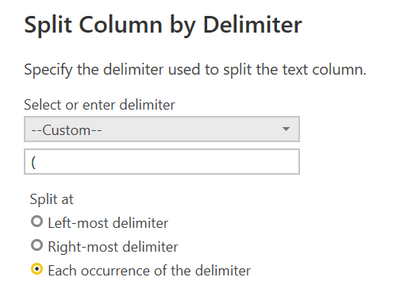
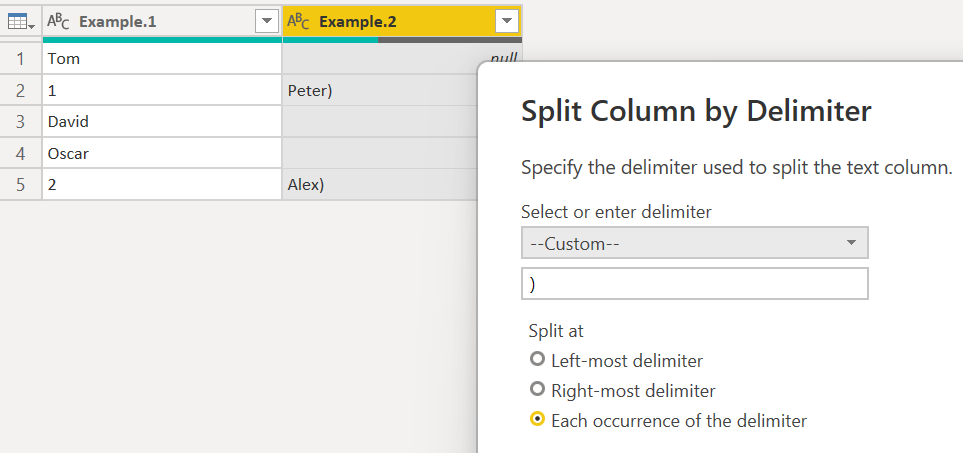
Please try the following methods. Use Split Column twice in Power query. first split with "(" and second split with ")".
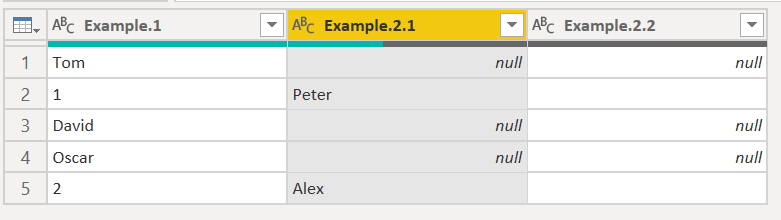
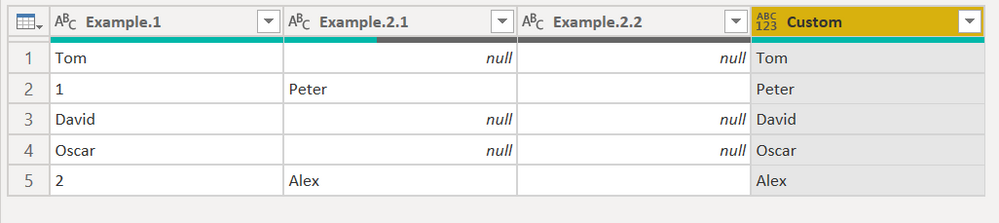
The results are shown in the figure.
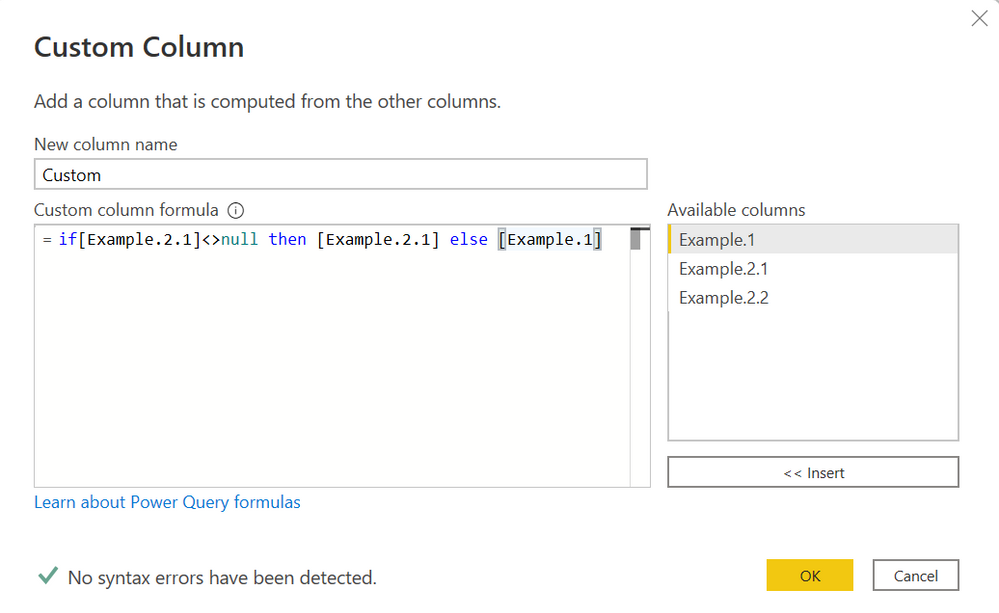
Then add a custom column.
if[Example.2.1]<>null then [Example.2.1] else [Example.1]
You will get the results you expect.
Best Regards,
Community Support Team _Charlotte
If this post helps, then please consider Accept it as the solution to help the other members find it more quickly.
Hi, @Anonymous
Please try the following methods. Use Split Column twice in Power query. first split with "(" and second split with ")".
The results are shown in the figure.
Then add a custom column.
if[Example.2.1]<>null then [Example.2.1] else [Example.1]
You will get the results you expect.
Best Regards,
Community Support Team _Charlotte
If this post helps, then please consider Accept it as the solution to help the other members find it more quickly.
Try the "column from example" feature, it's pretty good at figuring things out:
https://docs.microsoft.com/en-us/power-query/column-from-example
Share feedback directly with Fabric product managers, participate in targeted research studies and influence the Fabric roadmap.
| User | Count |
|---|---|
| 63 | |
| 62 | |
| 42 | |
| 19 | |
| 16 |
| User | Count |
|---|---|
| 113 | |
| 105 | |
| 36 | |
| 28 | |
| 28 |