We've captured the moments from FabCon & SQLCon that everyone is talking about, and we are bringing them to the community, live and on-demand. Starts on April 14th. Register now
Hello -
I"m very new to PowerBI and have a report which someone else created. The report generally works, however I had to make changes to the underlying query. I go into the Model, select my query, right-click and select Edit Query. In the Power Query Editor window, i'm selecting Source in the APPLIED STEPS window which opens the SQL Server Database window. I can see the query and database connections in this window, however whenever I paste my updated query into the window, Power BI hangs for a very long time. Then invevitably I get the Windows pop-up window asking if I want to close the program or wait for it. If I wait for it, it hangs again for a very long time and then I get the same pop-up window once again. This occurs over and over and over and over againt and it's really quite frustrating.
How do I get around this? I just want to update the query, all I want to do here, man. I don't think i'm doing anything wrong because the process is quite simple.
What do I do? I have deadlines and this is really getting to me.
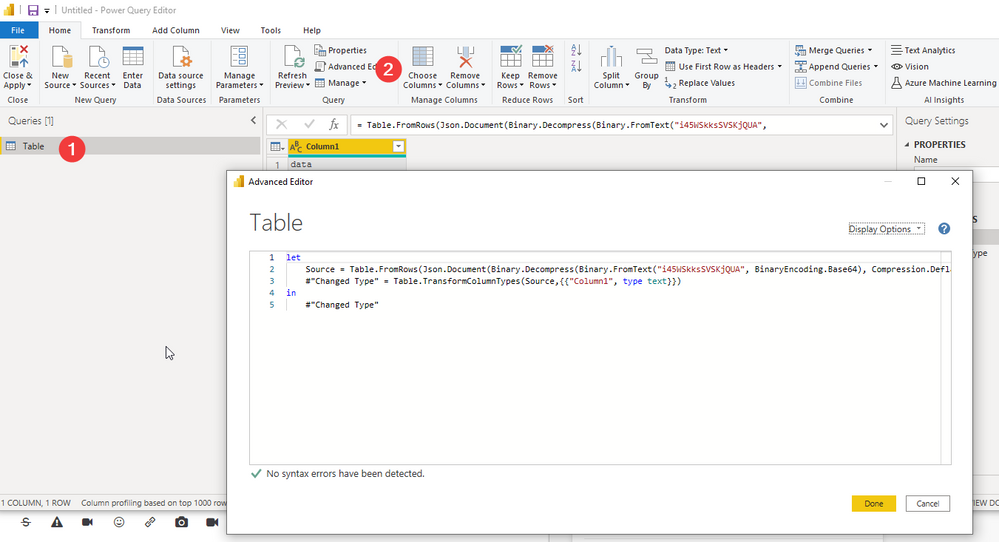
I've not come across this issue before but you could try opening the advanced editor for the query instead and paste your query over the existing query in there.
| Have I solved your problem? Please click Accept as Solution so I don't keep coming back to this post, oh yeah, others may find it useful also ;). |
Thanks for your reply. This doesn't appear to work, either. I pasted the updated query and it's hanging now as I write this. I went out for a walk and just came back in and it's still hanging.
So you pasted in the advanced editor and then clicked ok and then it stopped responding or you pasted and immediately after pasting BEFORE clicking ok it stopped responding?
| Have I solved your problem? Please click Accept as Solution so I don't keep coming back to this post, oh yeah, others may find it useful also ;). |
If you have recently started exploring Fabric, we'd love to hear how it's going. Your feedback can help with product improvements.
A new Power BI DataViz World Championship is coming this June! Don't miss out on submitting your entry.
Share feedback directly with Fabric product managers, participate in targeted research studies and influence the Fabric roadmap.
| User | Count |
|---|---|
| 53 | |
| 38 | |
| 33 | |
| 17 | |
| 17 |
| User | Count |
|---|---|
| 67 | |
| 63 | |
| 38 | |
| 34 | |
| 22 |