
Join us at FabCon Atlanta from March 16 - 20, 2026, for the ultimate Fabric, Power BI, AI and SQL community-led event. Save $200 with code FABCOMM.
Register now!The Power BI Data Visualization World Championships is back! Get ahead of the game and start preparing now! Learn more
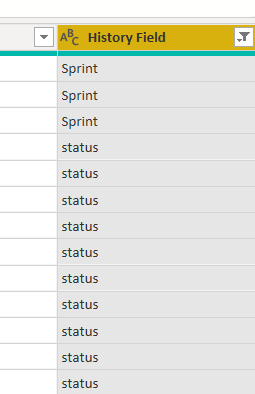
I have copied a table and in this new table I want to filter out rows, that have "History field" = status
I have applied filter:
But in "History field" I can still see both values - status and Sprint
Solved! Go to Solution.
Proud to be a Datanaut!
@sandra_p , Try text.contains to check
https://docs.microsoft.com/en-us/powerquery-m/text-contains
and text.trim to trim the spaces
https://docs.microsoft.com/en-us/powerquery-m/text-trim
@sandra_p , Try text.contains to check
https://docs.microsoft.com/en-us/powerquery-m/text-contains
and text.trim to trim the spaces
I must mention, that I tried using "equals" as well.
Proud to be a Datanaut!
Thanks @sandra_p ..Trimming really helped me..Trimming really helped me in filtering out the data
The Power BI Data Visualization World Championships is back! Get ahead of the game and start preparing now!
| User | Count |
|---|---|
| 143 | |
| 125 | |
| 100 | |
| 80 | |
| 55 |