Join us at FabCon Atlanta from March 16 - 20, 2026, for the ultimate Fabric, Power BI, AI and SQL community-led event. Save $200 with code FABCOMM.
Register now!The Power BI Data Visualization World Championships is back! It's time to submit your entry. Live now!
Hi,
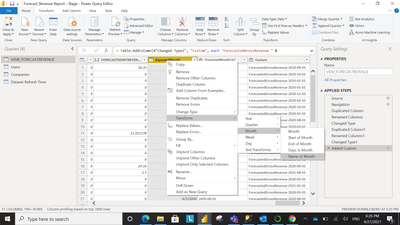
I have a column in my report which has date in it. I can extract Month Name from the column.
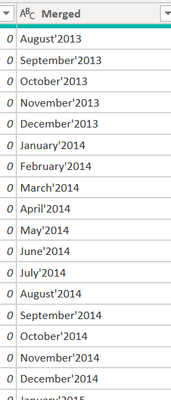
Is there any option where I can get the month and year together from this column? Like suppose I need a new column like Month'Year showing values like April'2021, May'2021 and so on in the column?
Or do I have to extract month name and year seperately and then combine them?
Regards,
Himanshu
Solved! Go to Solution.
Hi @Anonymous ,
You could use Date.ToText function to create a custom column.
https://docs.microsoft.com/en-us/powerquery-m/date-totext
Best Regards,
Jay
Hi @Anonymous ,
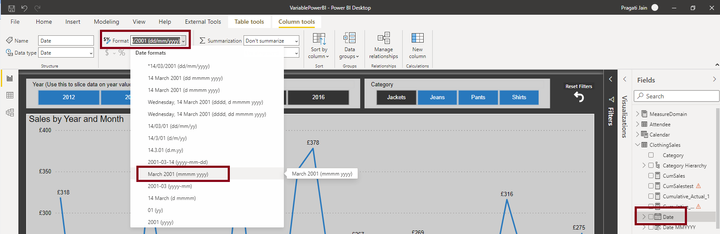
You can achieve this as below:
Click on your DATE column under FIELDS pane.
Under top ribbon, you will get the option to select required date format.
Thanks,
Pragati
@Pragati11 I actually want it in the power query only as I ned to create a custom column using that Month'Year Column.
What you've mentioned is completely right and I know it but i want it in the power query mode itself.
Hi @Anonymous ,
Add a custom column as follows in Power Query:
Date.ToText([YourDateColumn], "MMM-yyyy")
Thanks,
Pragati
I extracted individually and then merged. It solved my issue.
The Power BI Data Visualization World Championships is back! It's time to submit your entry.
Check out the January 2026 Power BI update to learn about new features.
| User | Count |
|---|---|
| 60 | |
| 47 | |
| 30 | |
| 25 | |
| 23 |
| User | Count |
|---|---|
| 141 | |
| 110 | |
| 65 | |
| 38 | |
| 33 |